Affiliate Disclosure: This article contains affiliate links. If you purchase or sign up through one of these links, ToolGrowthHQ may earn a commission at no extra cost to you. This does not change the price you pay. Our recommendations are based on the features, limitations, pricing structure, and use cases discussed in this article.
How we researched this review: We evaluated KWFinder using publicly available product documentation, current pricing pages, and vendor-published feature specifications from Mangools, then compared the tool’s capabilities against the needs of typical bloggers, freelancers, small businesses, and SEO professionals. Our evaluation criteria focus on core functionality, pricing transparency, usage limits, and how the tool fits into a realistic SEO workflow. SEO software changes frequently, so pricing, limits, and features can change after publication. Always check the provider’s current pricing page before purchasing. This review was last checked against Mangools’ published information as of August 2026.
Table of Contents
- Quick Answer
- Quick Verdict
- What Is KWFinder?
- KWFinder Features
- KWFinder Pricing
- Pros and Cons
- Who Should Use KWFinder?
- Who Should Avoid KWFinder?
- Alternatives to KWFinder
- Frequently Asked Questions
- Final Verdict
Quick Answer
This KWFinder review looks at what Mangools’ keyword research tool actually offers in 2026, where it works well, and where its limitations become important.
For a blogger, freelancer, or small business owner, that can be exactly what you need.
But KWFinder is not designed to replace every part of a larger SEO platform. If your work depends heavily on technical site audits, extensive competitor intelligence, deep backlink research, or advanced content optimization, a broader platform may be a better fit.
So the real question isn’t simply whether KWFinder is “good.”
It’s whether its combination of keyword research, usability, and price matches the way you actually do SEO.
Quick Verdict
Best for: Bloggers, freelancers, content creators, small businesses, and marketers who want straightforward keyword research without an overwhelming SEO platform.
Biggest strength: The interface is easy to understand, while still providing useful keyword metrics and SERP information.
Biggest limitation: KWFinder is part of the Mangools suite rather than a completely separate standalone product, and the wider platform does not offer the same depth across every SEO category as larger all-in-one competitors.
Our take: KWFinder is worth considering if keyword research is one of the most important parts of your SEO workflow. It becomes less compelling when you need a single platform to handle deep technical SEO, extensive backlink intelligence, content optimization, and broader competitive research.
Quick specs:
| Attribute | Detail |
|---|---|
| Free plan | 5 lookups every 24 hours |
| Money-back guarantee | 48 hours on paid plans |
| Sold standalone | No — bundled within Mangools |
| Core included tools | SERPChecker, SERPWatcher, LinkMiner, SiteProfiler |
| Best fit | Bloggers, freelancers, small businesses |
If you want to see how the entire Mangools platform compares rather than just KWFinder, our full Mangools Review 2026 covers the wider toolkit and where it fits against other SEO platforms.
What Is KWFinder?
KWFinder is the keyword research component of Mangools, an SEO software platform that has been around since 2014.
The idea behind KWFinder is fairly simple: start with a topic, keyword, or competitor website and use the resulting data to identify search terms that could make sense for your content strategy.
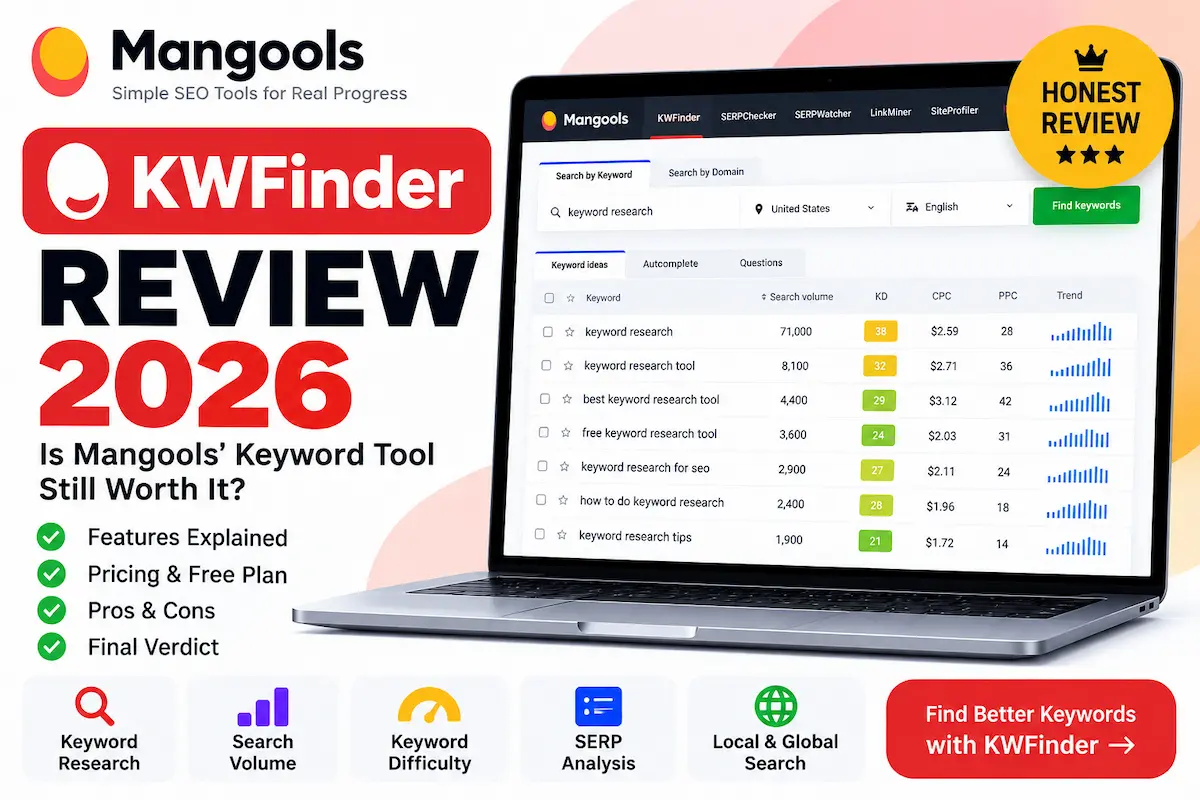
Depending on the research you are doing, KWFinder can show information such as:
- Keyword suggestions
- Search volume
- Search trends
- Keyword Difficulty (KD)
- Relative Keyword Difficulty (RKD)
- Cost-per-click information
- PPC competition
- Competitor keyword opportunities
- SERP information for individual keywords
One useful thing about KWFinder is that you don’t have to begin with a perfect keyword.
You can start with a broad idea such as “email marketing,” “running shoes,” “WordPress hosting,” or “accounting software” and then work through the suggestions to find more specific opportunities.
You can also research a competitor’s domain or URL. That can be useful when you already know which websites are competing for your audience but don’t yet know which keywords are worth investigating.
KWFinder Review: Features and What You Get
1. Keyword Suggestions
This is the core reason most people come to KWFinder.
Enter a seed keyword and the tool generates related keyword ideas that you can filter and evaluate.
For a content creator, the practical benefit is that you can move from a vague topic to a more specific list of potential article targets without manually brainstorming hundreds of variations.
For example, instead of targeting something extremely broad like “SEO,” you might discover more specific searches around keyword research, local SEO, SEO tools for beginners, or keyword difficulty.
That doesn’t mean every suggestion is worth targeting. Search volume alone is never enough to decide what you should publish.
You still need to consider search intent, the quality of the existing results, your site’s authority, the usefulness of the content you can create, and whether the keyword actually matters to your business.
2. Keyword Difficulty
KWFinder uses a Keyword Difficulty score from 0 to 100 to estimate how difficult it may be to reach the first page of Google for a particular keyword.
Mangools explains that its KD calculation considers the Link Profile Strength of pages appearing on the first Google SERP, using link-related metrics from the ranking URLs.
That’s important because KWFinder’s KD number should not be treated as directly interchangeable with the difficulty score from Ahrefs, Semrush, or another SEO platform.
A keyword showing a particular difficulty in KWFinder does not mean another SEO tool will necessarily show the same number.
That isn’t automatically a problem. Different platforms use different databases, calculations, and methodologies.
The smarter approach is to use KD as a screening signal rather than as a guarantee.
If KWFinder shows a keyword with relatively low difficulty, open the SERP and look at the actual competition. Are the ranking pages highly authoritative? Are they closely aligned with the search intent? Are there weak or outdated results? Can you create something genuinely better?
Those questions matter more than a single number.
3. Relative Keyword Difficulty
One feature that makes KWFinder more interesting than a basic keyword database is Relative Keyword Difficulty (RKD).
Instead of looking only at the general difficulty of a keyword, RKD considers the link strength of a specific website or URL.
That makes sense because the same keyword can be difficult for a brand-new website but more achievable for an established site with a stronger backlink profile.
In other words, SEO difficulty isn’t identical for everyone.
A useful workflow is to use general KD to narrow down your options and then use SERP analysis and your own site’s strength to decide whether the opportunity is realistic.
4. Search Volume and Trends
KWFinder provides search-volume information and trend data to help you understand how demand for a keyword behaves over time.
This is particularly useful for avoiding a common SEO mistake: assuming that the keyword with the largest number is automatically the best keyword.
A keyword with high search volume may be extremely competitive or have the wrong intent for your website.
A lower-volume keyword with a very specific commercial or informational intent can sometimes be much more valuable.
For example, someone searching for a broad term may simply be researching a topic, while someone searching for a specific software comparison may be much closer to making a purchase decision.
Good keyword research is therefore about relevance plus opportunity, not volume alone.
5. Search by Domain
Another useful workflow is researching keywords by domain or URL.
Instead of asking, “What keywords should I target?” you can ask, “What keywords are already working for websites competing in my niche?”
That can reveal content ideas you might not have thought of yourself.
It can also help when planning a content cluster. If several competitors consistently rank around a particular topic, that may be a signal that the subject deserves a deeper look.
But competitor keywords should be treated as research input, not a publishing checklist. Copying a competitor’s keyword list without understanding search intent usually produces mediocre content.
6. SERP Analysis
KWFinder connects with Mangools’ SERP analysis functionality, allowing you to investigate the pages ranking for a keyword.
This is one of the features worth examining closely before deciding whether a keyword is actually worth pursuing.
Instead of looking only at the keyword score, examine the pages appearing in Google:
- Are they major brands?
- Are smaller websites ranking?
- Do the results actually answer the searcher’s question?
- Are some results outdated?
- Is the SERP dominated by product pages, guides, videos, forums, or other formats?
- Can your proposed article satisfy the search intent better?
That kind of manual SERP analysis is still important even when you use a sophisticated SEO tool.
7. Local and International Keyword Research
KWFinder and the wider Mangools ecosystem support location-based SEO research, which is useful for businesses targeting specific cities, regions, countries, or markets.
That matters if you are doing local SEO or publishing content for different geographic audiences.
A keyword can behave very differently depending on where the search takes place, so international SEO should not simply mean translating the same keyword list into another language.
You need to understand how people actually search in the target market.
8. Mangools’ Wider SEO Toolkit
KWFinder is only one part of Mangools.
Paid Mangools plans also include access to the broader SEO toolkit, including:
- SERPChecker for SERP analysis
- SERPWatcher for rank tracking
- LinkMiner for backlink research
- SiteProfiler for website and domain analysis
Mangools also provides a collection of free SEO tools, including an AI Search Grader, SEO Content Optimizer, Reddit Threads Finder, Google SERP Simulator, Google Location Changer, SERP Volatility Checker, and browser extension.
That broader ecosystem makes KWFinder more attractive than it would be if you were paying only for a simple keyword suggestion database.
KWFinder Pricing
There is one important point to understand before looking at the price.
KWFinder is not sold as an independent subscription. It is part of the Mangools SEO suite.
Mangools currently offers three main paid tiers:
- Basic — aimed at solopreneurs, freelance SEOs, and marketers
- Premium — aimed at marketing teams and specialists
- Agency — aimed at professional SEOs and marketing agencies
The paid plans provide access to the core Mangools tools. The main differences between tiers are the usage limits, tracking capacity, and account/seat allowances rather than simply unlocking one completely different SEO application.
That pricing structure is worth considering carefully.
If you only need a few keyword searches every now and then, paying for a full SEO suite may be unnecessary.
If you regularly perform keyword research, track rankings, inspect SERPs, and research backlinks, the bundled approach becomes more attractive.
Mangools also provides limited free access to KWFinder. The current official KWFinder page states that the free account allows 5 lookups every 24 hours, with a limited number of keyword suggestions and competitor keywords per lookup.
That’s enough to get a feel for the interface and understand how the workflow works, but it is not designed for heavy daily keyword research.
Paid plans also come with a 48-hour money-back guarantee, according to Mangools’ current pricing information.
Because SaaS pricing can change and may vary depending on billing options or promotions, don’t make a purchase decision based on an old screenshot or third-party pricing table.
Check Mangools’ current pricing and plan limits before subscribing.
This is especially important if you’re comparing Mangools with Ahrefs, Semrush, or SE Ranking. Compare the actual limits that matter to your workflow — daily lookup caps, tracked keywords, and seat allowances — rather than comparing only the headline monthly price.
Pros and Cons
Pros
- Clean, low-learning-curve interface aimed at non-specialists
- Keyword suggestion workflow that starts from broad seed terms or competitor domains
- Both Keyword Difficulty and Relative Keyword Difficulty scoring, factoring in your own site’s link strength
- Search-volume and trend data to separate high-demand keywords from high-opportunity ones
- Domain-based competitor keyword research
- Built-in SERP analysis to inspect ranking pages before committing to a keyword
- Location-based research for local and international SEO
- Bundled access to SERPChecker, SERPWatcher, LinkMiner, and SiteProfiler at no added cost
- Free tier (5 lookups/24 hours) available to test before paying
Cons
- Not sold as a standalone product — a Mangools subscription is required for full access
- Free usage capped at 5 lookups per day, with limited suggestions per lookup
- KD scores use a Mangools-specific methodology and are not directly comparable to Ahrefs or Semrush difficulty scores
- Lacks the depth of large all-in-one platforms for technical SEO, advanced content optimization, and large-scale backlink intelligence
- Users with heavy backlink-research or technical-audit needs will likely need a supplementary tool
- Only a 48-hour money-back window on paid plans, so evaluate the product promptly after purchase
Who Should Use KWFinder?
KWFinder makes the most sense when your SEO workflow is relatively focused.
Best for:
- Bloggers who need to find realistic, achievable topics
- Freelancers doing keyword research for multiple clients
- Small businesses building organic traffic without wanting to learn an enterprise SEO platform
- Content teams that want a fast path from topic idea to publishing decision
It’s also useful for teams that want to move quickly from:
Topic idea → keyword suggestions → difficulty check → SERP review → content decision.
You don’t need every SEO feature ever invented to execute that workflow well.
In fact, having too many dashboards can sometimes make SEO work slower rather than better.
For a small website, the ability to quickly answer “Is this keyword relevant, and does this SERP look realistically beatable?” can be more useful than having dozens of advanced reports you rarely open.
Who Should Avoid KWFinder?
Not ideal for:
- Teams that need deep technical site auditing built into the same platform
- Businesses relying on large-scale backlink intelligence as a core part of their strategy
- Agencies running extensive competitor research across many domains at once
- Users who need advanced content-optimization scoring alongside keyword data
- Large SEO teams managing complex, multi-project enterprise reporting
That doesn’t mean KWFinder is poor at what it does.
It simply means there is a difference between a focused, easy-to-use SEO toolkit and a very deep enterprise-style SEO platform.
If you need the latter, compare Mangools with alternatives before committing.
Alternatives to KWFinder
KWFinder vs Semrush
Semrush is the broader platform. It covers a much wider range of SEO and digital marketing workflows, including technical SEO, competitor research, content-related tools, and other marketing data.
The trade-off is complexity and cost.
If you mainly need keyword research and basic SEO analysis, KWFinder may feel easier to work with. If your SEO operation depends on a much wider collection of research and reporting capabilities, Semrush may make more sense.
If you need a broader all-in-one platform: consider Semrush.
KWFinder vs Ahrefs
Ahrefs is particularly well known for its backlink and competitive SEO data.
If link-building research and detailed domain-level analysis are central to your work, Ahrefs deserves serious consideration.
KWFinder’s appeal is different: it is designed to make core keyword research approachable without requiring you to learn a massive SEO platform.
If you need advanced backlink intelligence: consider Ahrefs.
KWFinder vs SE Ranking
SE Ranking sits closer to Mangools in the sense that it targets businesses and SEO professionals looking for a broad SEO toolkit without necessarily moving into the most expensive enterprise platforms.
It can be a better choice if your workflow requires a broader combination of SEO auditing, rank tracking, keyword research, and reporting.
If you want a broader toolkit at a comparable price tier: explore SE Ranking here.
The important thing is not to choose based on a generic “best SEO tool” claim. Choose based on the work you actually need to do every week.
Want the Bigger Mangools Picture?
KWFinder is only one part of the platform. If you’re deciding whether the complete Mangools subscription is worth paying for, read our Mangools Review 2026 for a broader look at the complete toolkit, its strengths, limitations, and ideal users.
Frequently Asked Questions
Is KWFinder free?
Yes. Mangools currently offers limited free access to KWFinder. The official KWFinder page states that free users get 5 keyword lookups every 24 hours, with limited keyword suggestions and competitor keywords per lookup.
The free version is useful for testing the interface and getting a feel for the data, but serious keyword research will quickly run into the usage limits.
Is KWFinder worth it for beginners?
For many first-time bloggers and small-business owners, yes. The interface avoids the steep learning curve of larger SEO suites, and the free tier lets you test real keywords from your own niche before paying anything. Beginners who only need occasional keyword checks should still compare the free-tier limits against how often they expect to research.
Can I use KWFinder without a website?
Yes. KWFinder itself doesn’t require you to connect or verify a website — you can research keywords and competitor domains independently. However, features like rank tracking (via SERPWatcher, included in paid Mangools plans) are more useful once you have a live site to track.
What’s the difference between researching by keyword vs by domain in KWFinder?
Searching by keyword starts from a topic or seed term and generates related suggestions. Searching by domain starts from a competitor’s website and surfaces the keywords that domain already ranks for. The two approaches answer different questions: “what could I target?” versus “what’s already working for my competitors?”
Is KWFinder worth it?
For many bloggers, freelancers, and small businesses, it can be.
Its strongest case is when you want straightforward keyword research and related SEO functionality without paying for a much broader enterprise-style platform.
If you need deep technical SEO, extensive backlink intelligence, or advanced competitor research, the answer becomes less clear.
Is KWFinder accurate for keyword difficulty?
KWFinder’s Keyword Difficulty is a useful comparative signal, but it should not be treated as an absolute prediction of whether a page will rank.
Mangools calculates KD using the link-profile strength of pages ranking on the first Google SERP. Other SEO platforms use different methodologies and datasets.
For that reason, don’t assume a KWFinder score of a particular number should match an Ahrefs or Semrush score.
More importantly, inspect the actual SERP and evaluate whether your proposed page can satisfy the search intent better than the current results.
Can I buy KWFinder without Mangools?
No. KWFinder is part of the Mangools subscription rather than a separately sold standalone product.
The wider Mangools package also includes SERPChecker, SERPWatcher, LinkMiner, and SiteProfiler.
Does KWFinder work for local SEO?
Yes. Mangools supports location-based SEO research, including city-level locations. This can be useful when researching keywords for local businesses or comparing search behaviour across different markets.
Is KWFinder better than Semrush?
Not universally.
KWFinder is simpler and can be a better fit for someone whose main requirement is keyword research. Semrush provides a much broader set of SEO and marketing capabilities.
The better choice depends on whether you value simplicity and focused keyword research or a much broader marketing intelligence platform.
Is KWFinder better than Ahrefs?
Again, it depends on your workflow.
Ahrefs is a stronger candidate for users who need extensive backlink and competitive research. KWFinder is more appealing to users who want a straightforward keyword research experience as part of an affordable SEO toolkit.
Does KWFinder guarantee Google rankings?
No.
No keyword research tool can guarantee that a page will rank in Google.
Keyword difficulty, search volume, and competitor metrics are estimates and research signals. Actual rankings depend on many factors, including relevance, content quality, search intent, site quality, links, technical factors, competition, and changes to Google’s search systems.
Final Verdict
KWFinder doesn’t try to be everything.
And that’s actually one of its biggest advantages.
If your main SEO job is finding useful keywords, understanding the search landscape, and deciding which topics deserve content, KWFinder provides a relatively straightforward way to do that.
The wider Mangools suite makes the proposition stronger because you’re not limited to keyword suggestions. You also get SERP analysis, rank tracking, backlink research, and domain analysis within the same ecosystem.
But there are trade-offs.
If you’re running a large SEO operation, performing advanced technical audits, conducting deep backlink research, or managing complex competitor intelligence, you may eventually need a more comprehensive platform.
For a solo blogger or small business, however, that additional complexity may not be necessary.
Our bottom line: KWFinder is worth testing if you want a simple, focused keyword research workflow and don’t need every advanced SEO feature under one roof.
The best way to decide is to test the free version with keywords from your own niche. Don’t judge it using a generic demo keyword. Use the subjects you actually plan to publish about and see whether the suggestions, SERP data, and difficulty information help you make better content decisions.
Try KWFinder’s free keyword research option and see whether the workflow fits your site before committing to a paid Mangools plan.
If you are still unsure whether you need KWFinder alone or the complete Mangools toolkit, our Mangools Review 2026 is the next article to read.
Our Recommendation in One Sentence
Choose KWFinder if you want keyword research that is easy to understand and practical to use; look at a broader SEO platform if your work demands deeper auditing, backlink intelligence, and competitive research.
About the Author
T. Vasireddi is the founder and editor of ToolGrowthHQ, creating practical, research-based guides on web hosting, WordPress, SaaS tools, and digital marketing.
His focus is on providing clear, accurate, and useful information to help readers make better technology and software decisions.
Connect with him:
Follow for more AI tool reviews, SaaS comparisons, and digital marketing tips.