Affiliate Disclosure: This article contains affiliate links. If you purchase or sign up through an affiliate link, we may earn a commission at no extra cost to you. Our recommendations are based on the features, limitations, pricing information, and use cases discussed in this article. Affiliate relationships do not determine our editorial conclusions.
How we evaluated these tools: This comparison is based on publicly available pricing pages, vendor documentation, product changelogs, and feature specifications, reviewed as of August 2026. We compare tools using consistent criteria — crawl capacity, JavaScript rendering support, issue prioritisation, reporting/white-label options, and pricing structure — so you can match a tool to your site size and workflow rather than relying on generic marketing claims. Pricing and limits are set by each vendor and can change, so always confirm current details on the provider’s pricing page before purchasing.
Choosing the best SEO audit tools starts with understanding what your website actually needs. A small blog may need little more than Google Search Console plus an occasional crawler, while an agency managing client websites may need recurring audits, larger crawl limits, detailed reporting, and white-label options.
A small blog may need little more than Google Search Console plus an occasional crawler. An agency managing client websites has different requirements: recurring audits, larger crawl limits, reporting, and ways to explain technical problems to clients. Large websites introduce another set of considerations around crawl capacity and scale.
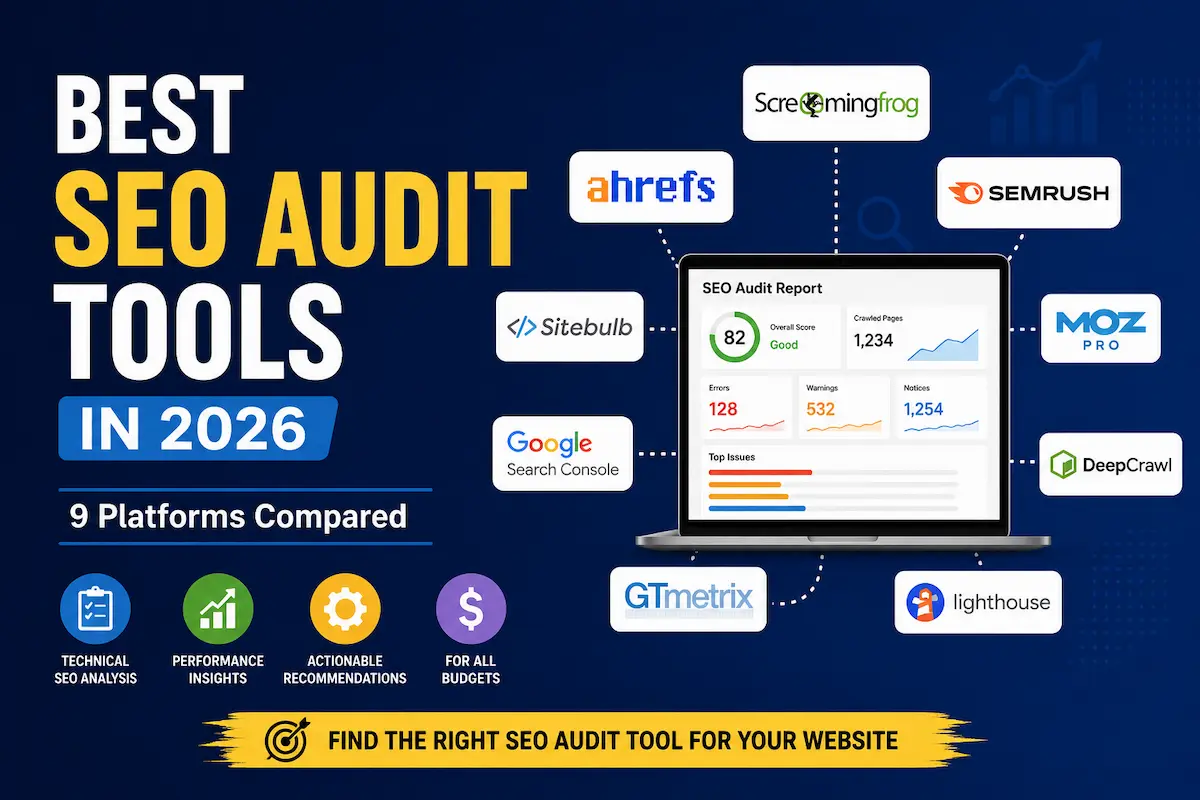
This guide compares nine useful options in 2026, including dedicated crawlers, all-in-one SEO platforms, and Google’s own tools. The goal is not to declare a universal winner, but to help you decide which tool makes sense for your site and budget.
Quick Answer
If you want a straightforward starting point, Google Search Console is the essential free tool because it provides information about how Google crawls, indexes, and displays your website. It should complement, rather than replace, a full technical crawler.
For detailed desktop crawling and granular control, Screaming Frog SEO Spider is one of the strongest options. Its free version can crawl up to 500 URLs, while the paid version removes that limit and adds advanced functionality. Check Screaming Frog’s current licensing options.
For an all-in-one SEO platform, Semrush combines Site Audit with keyword research, competitor analysis, rank tracking, and other SEO capabilities. Its current SEO Classic plans include Site Audit, with crawl allowances varying by plan.
For agencies that want technical auditing alongside SEO reporting and optional white-label capabilities, SE Ranking is a practical option. Its Website Audit supports large crawl volumes depending on the subscription, while its Agency Pack adds white-label functionality.
What an SEO Audit Tool Actually Does
An SEO audit tool crawls or analyses a website and looks for technical and on-page problems that can affect crawling, indexing, usability, or search visibility.
Depending on the platform, an audit can identify issues such as:
- Broken links and HTTP errors
- Redirect problems
- Missing or problematic page titles and meta descriptions
- Canonicalisation issues
- Robots directives and crawlability problems
- Duplicate or near-duplicate content
- XML sitemap problems
- Internal linking issues
- Structured-data problems
- International SEO and hreflang issues
- Performance and Core Web Vitals information
The exact checks vary considerably between tools. A crawler is also not the same thing as Google Search Console. Search Console provides information from Google’s systems about your property, including indexing, search performance, security issues, and Core Web Vitals.
That distinction matters. A third-party crawler can discover problems that Google has not reported for your site, while Search Console can show Google-specific information that an independent crawler cannot reproduce.
What to Look For in an SEO Audit Tool
Crawl capacity
Check how many URLs the tool can crawl and whether the limit applies per crawl, per project, or across your monthly allowance. A tool that works perfectly for a 500-page blog may become expensive or restrictive on a much larger website.
JavaScript crawling
If your website depends heavily on JavaScript, confirm that the crawler can render JavaScript and understand how that capability affects your crawl allowance. Several modern tools support JavaScript crawling, but the implementation and limits differ.
Issue prioritisation
A long list of warnings is not automatically useful. Look for a system that distinguishes more serious errors from lower-priority notices and gives you enough information to decide what should actually be fixed first.
For example, Semrush separates Site Audit findings into errors, warnings, and notices, with errors having a greater effect on its Site Health Score.
Recurring audits
Websites change constantly. A scheduled crawl can be more useful than a single audit because it gives you a way to identify newly introduced technical problems.
Semrush supports scheduled daily or weekly Site Audit crawls, while Sitebulb’s Pro plan includes scheduled audits.
Reporting
If you work with clients, reporting can matter almost as much as crawling. Look for export options, report customisation, scheduling, and white-label functionality if those features are part of your workflow.
Pricing structure
Don’t compare monthly subscription prices alone. Check crawl limits, projects, tracked keywords, users, reporting features, and add-ons. A cheaper platform can become less attractive if you quickly outgrow its limits.
Comparison Table
| Tool | Best For | Pricing Approach | Type |
|---|---|---|---|
| Screaming Frog SEO Spider | Deep technical crawling | Free up to 500 URLs; paid licence for larger crawls and advanced features | Desktop |
| Semrush Site Audit | All-in-one SEO users | Included in Semrush SEO plans; from $139.95/mo (Pro) | Cloud |
| Ahrefs Site Audit | SEO teams already using Ahrefs | Free limited access; paid plans increase crawl capacity | Cloud |
| SE Ranking Website Audit | Small businesses and agencies | Included in SE Ranking plans; limits vary by plan | Cloud |
| Google Search Console | Every website | Free | |
| Sitebulb | Visual technical audits | Paid desktop plans; free 14-day trial | Desktop / Cloud |
| Moz Pro | Teams wanting an integrated SEO platform | Subscription | Cloud |
| Google PageSpeed Insights | Page performance and Core Web Vitals | Free | |
| Serpstat | All-in-one SEO workflows with large audit allowances | Subscription plans with different audit limits | Cloud |
Pricing note: SEO software pricing and limits can change. Check the provider’s current pricing page before purchasing, particularly if crawl volume, users, projects, or reporting are important to your decision.
The 9 Best SEO Audit Tools in 2026
1. Screaming Frog SEO Spider — Best for Deep Technical Crawls
Screaming Frog SEO Spider is a desktop crawler designed for detailed technical SEO analysis. Its free version allows up to 500 URLs per crawl, while a paid licence provides access to larger crawls and additional features.
The feature set is particularly useful when you want control over exactly how a website is crawled. The software supports broken-link and redirect analysis, page-title and metadata checks, robots directives, hreflang, duplicate content, XML sitemaps, JavaScript rendering, crawl comparisons, custom extraction, and other technical workflows.
Strengths:
- Free tier covers up to 500 URLs per crawl, no account required
- Custom extraction rules for pulling specific on-page data at scale
- Full JavaScript rendering support for modern, script-heavy sites
Trade-offs:
- Desktop software rather than a browser dashboard — no cloud collaboration by default
- Raw crawl data requires more manual interpretation than a guided dashboard
Good fit if: you want granular crawl control and detailed technical data.
Consider another option if: you mainly want a polished, client-facing dashboard with minimal configuration.
Learn more about Screaming Frog SEO Spider.
2. Semrush Site Audit — Best for an All-in-One SEO Platform
Semrush Site Audit is part of the company’s broader SEO platform. Its current documentation says Site Audit performs more than 140 on-page and technical SEO checks, covering areas such as broken links, duplicate content, HTTPS, hreflang, crawlability, and indexability. It can also crawl desktop or mobile versions and optionally render JavaScript.
The advantage is the wider ecosystem. If you already use Semrush for keyword research, competitor analysis, or rank tracking, Site Audit keeps those workflows in one platform.
Its current SEO Classic pricing starts at $139.95 per month for Pro, with higher tiers increasing the number of websites, tracked keywords, and monthly crawl capacity. Semrush currently lists 100,000 monthly crawl pages for Pro, 300,000 for Guru, and 1,000,000 for Business.
Strengths:
- 140+ automated technical and on-page checks in one audit
- Site Health Score and error/warning/notice severity tiers for prioritisation
- Bundled with keyword research, competitor analysis, and rank tracking
Trade-offs:
- Starting price ($139.95/mo) is higher than dedicated crawlers like Screaming Frog’s free tier
- Paying for the full platform may not be worth it if you only need site auditing
Good fit if: you want technical auditing as part of a broader SEO platform.
Consider another option if: site auditing is your only requirement and you don’t need the rest of the platform — Screaming Frog’s free tier or Google Search Console may cover it at no cost.
See Semrush Site Audit documentation.
3. Ahrefs Site Audit — Best for Ahrefs Users
Ahrefs Site Audit is built into the Ahrefs platform and works particularly well if you already use Ahrefs for backlinks, keywords, or competitor research.
Ahrefs currently provides limited Site Audit access through its free account for verified websites. Its paid plans increase the available crawl credits and maximum pages per project. For example, Ahrefs currently lists 100,000 monthly crawl credits and a 25,000-page project limit on Lite, while Standard increases those figures to 500,000 crawl credits and 50,000 pages per project.
Ahrefs also offers a $29-per-month Starter plan, although that plan has substantially lower Site Audit allowances than Lite.
The important point is that Ahrefs’ pricing is tied to a much broader SEO platform. If you’re already paying for Ahrefs, Site Audit is much easier to justify than buying a separate platform solely for technical crawling.
Strengths:
- Free Site Audit access for verified sites, no separate purchase needed
- 500,000 monthly crawl credits and 50,000-page project limit on the Standard plan
- Backed by Ahrefs’ backlink and keyword data for cross-referencing technical issues
Trade-offs:
- Starter plan ($29/mo) has meaningfully lower Site Audit allowances than Lite
- Best value is realised only if you also use Ahrefs’ other SEO modules
Good fit if: you already use Ahrefs and want auditing alongside its wider SEO data.
Consider another option if: you need a dedicated technical crawler with highly granular crawl configuration.
Learn more about Ahrefs Site Audit.
4. SE Ranking Website Audit — Best for Budget-Conscious Agencies
SE Ranking’s Website Audit is designed to identify technical SEO problems and provides a health-oriented view of a website’s condition. SE Ranking currently describes the audit as checking more than 130 parameters, including technical issues and internal-linking problems.
Its current subscription structure gives different plans substantially different Website Audit allowances. The published pricing information lists 15,000 pages per project on Essential, 40,000 on Pro, and substantially higher limits on Business, with the exact allowance depending on the selected configuration.
For agencies, SE Ranking also offers white-label functionality through its Agency Pack. This can include branded dashboards, custom domains, logos, colours, and white-label reporting.
If you want to try SE Ranking, you can use our SE Ranking affiliate link.
Strengths:
- 130+ audit parameters including internal-linking analysis
- Agency Pack adds white-label dashboards, custom domains, and branded reporting
- Website Audit is bundled with rank tracking rather than sold as a standalone crawler
Trade-offs:
- Page-per-project limits (15,000 on Essential) can be restrictive for larger sites without upgrading
- White-label features require the separate Agency Pack add-on
Good fit if: you want technical auditing, rank tracking, and SEO reporting in one platform, particularly for several smaller or mid-sized websites.
Consider another option if: your workflow depends heavily on very specialised crawling or the largest possible third-party backlink database.
5. Google Search Console — Best Free Baseline
Google Search Console should be part of the basic toolkit for almost every website that cares about Google Search.
It is free and provides information about search performance, indexing, crawling, security issues, and Core Web Vitals. Its URL Inspection tool can also show what Google knows about a specific URL and allows you to test the live version of a page.
One important correction to the original draft is terminology: Google now uses the Page indexing report rather than describing this as an “Index Coverage report” in its current Search Console documentation.
Search Console is not a replacement for a full crawler. It doesn’t give you the same type of complete, configurable crawl of your website that tools such as Screaming Frog, Semrush, Ahrefs, or SE Ranking can provide.
Strengths:
- Completely free with no crawl-volume ceiling on core reports
- Only tool that shows Google-specific indexing and search-performance data directly
- URL Inspection tool tests the live, rendered version of any page
Trade-offs:
- No configurable crawler — it reports what Google has already seen, not a fresh independent scan
- Limited technical-issue detail compared with dedicated crawlers
Good fit if: you own or manage a website.
Best approach: use Search Console alongside another auditing tool when you need a deeper technical crawl.
Open Google Search Console.
6. Sitebulb — Best for Visual Technical Audits
Sitebulb takes a different approach to technical auditing by putting considerable emphasis on visualisation and explanations.
Its current desktop pricing page lists JavaScript crawling, Google Analytics and Google Search Console integrations, duplicate-content analysis, and crawl maps across its plans. The Pro plan adds features such as advanced configuration, audit comparisons, scheduled audits, and customised PDF reports.
Sitebulb Lite is limited to 10,000 URLs per audit, while Pro supports up to 500,000 URLs by default. Sitebulb also offers a 14-day free trial.
The desktop version does depend on your computer’s available resources, which is worth remembering when planning very large crawls.
Strengths:
- Visual crawl maps and plain-language explanations built for client reporting
- Up to 500,000 URLs per audit on the Pro plan
- 14-day free trial with no upfront commitment
Trade-offs:
- Desktop-based, so crawl performance depends on your machine’s resources
- Lite tier’s 10,000-URL cap will be too small for larger sites
Good fit if: you want technical findings presented visually and need to explain audit results to clients or non-technical colleagues.
Consider another option if: you want a lightweight browser-only crawler without desktop software.
See Sitebulb’s current plans.
7. Moz Pro — Best for an Integrated SEO Workflow
Moz Pro is better viewed as an integrated SEO platform than as a dedicated crawler. Its value comes from combining website crawling with other SEO workflows rather than focusing exclusively on technical auditing.
That makes it a reasonable choice for businesses that already use Moz for broader SEO work and want website auditing within the same ecosystem.
However, if technical crawling is your main requirement, compare the crawl capabilities and reporting features directly with dedicated tools such as Screaming Frog or Sitebulb before subscribing.
Strengths:
- Site auditing sits alongside keyword research, rank tracking, and link data in one subscription
- Established platform with long-standing SEO reporting features
Trade-offs:
- Crawling depth is generally less specialised than dedicated technical crawlers
- Best value only if you use Moz’s other SEO modules, not just auditing
Good fit if: you want website auditing as part of a wider Moz SEO workflow.
Consider another option if: deep technical crawling is the primary reason you’re buying an SEO tool.
Explore Moz Pro.
8. Google PageSpeed Insights — Best for Page Performance
PageSpeed Insights is not a complete site crawler. Its role is much narrower: it analyses individual pages for performance and provides both laboratory and real-user information when sufficient Chrome User Experience Report data is available.
Google says PageSpeed Insights uses Lighthouse for lab analysis and incorporates Chrome User Experience Report data for real-world performance information. Its reports include metrics such as Largest Contentful Paint (LCP), Cumulative Layout Shift (CLS), and Interaction to Next Paint (INP).
That makes it particularly useful when you are investigating page-speed and Core Web Vitals issues, but it should normally sit alongside a proper technical crawler rather than replace one.
Strengths:
- Free, single-URL analysis combining lab data (Lighthouse) and real-user field data
- Reports directly on Google’s ranking-relevant Core Web Vitals metrics (LCP, CLS, INP)
Trade-offs:
- Checks one page at a time — no site-wide crawl or issue list
- Field data only appears when a page has sufficient Chrome UX Report traffic
Good fit if: your immediate concern is page performance or Core Web Vitals.
Consider another option if: you need a complete technical audit across an entire website.
Use Google PageSpeed Insights.
9. Serpstat — Best for Higher-Volume Audit Allowances
Serpstat combines Site Audit with keyword research, rank tracking, backlink analysis, and other SEO functions.
Its current pricing page lists different Site Audit allowances by plan. The Individual plan includes 30,000 pages to audit per month, while Team, Team x2, and Agency increase the allowance to 150,000, 300,000, and 1.5 million pages respectively. The maximum pages scanned per audit also varies by plan.
JavaScript rendering is available on the higher Serpstat plans listed in its current comparison, rather than being available on the Individual plan.
That makes Serpstat worth considering when audit volume is an important requirement, but you should compare its wider SEO feature set and pricing against alternatives before choosing it solely for site auditing.
Strengths:
- Audit allowance scales up to 1.5 million pages/month on the Agency plan
- Combines site auditing with keyword research, rank tracking, and backlink data
Trade-offs:
- JavaScript rendering is withheld from the entry-level Individual plan
- Large allowances only matter if your site or client portfolio actually needs that volume
Good fit if: you want an all-in-one SEO platform with relatively large audit allowances on higher plans.
Consider another option if: your main requirement is highly granular technical crawling rather than a broader SEO platform.
Check Serpstat’s current pricing.
Who Should Use Which Tool?
Solo bloggers and small website owners
Start with Google Search Console. It is free and gives you direct information about Google’s interaction with your website.
If you need a deeper crawl, add a dedicated tool rather than immediately paying for a large all-in-one SEO subscription. Screaming Frog can be particularly useful for smaller sites because its free version supports up to 500 URLs per crawl.
Best for: bloggers, hobby sites, and single-site owners on a $0 budget.
If you need a budget-friendly paid crawler as you grow: Screaming Frog’s paid licence is a natural next step before jumping to a full platform.
Small businesses and growing websites
An all-in-one platform can make sense if you need more than technical auditing. Semrush, Ahrefs, and SE Ranking all combine website auditing with other SEO capabilities, so the better choice depends on which parts of the platform you will actually use.
Best for: businesses that also need keyword research and rank tracking, not just crawling.
Not ideal for: businesses that only want a crawler — paying for a full platform’s Site Audit module may cost more than a dedicated tool.
SEO freelancers and agencies
Reporting becomes much more important when someone else needs to understand your findings. Sitebulb focuses strongly on visual audit reporting, while SE Ranking provides white-label options for agency workflows.
Best for: agencies managing multiple client sites that need branded, exportable reports.
If you need white-label client dashboards specifically: SE Ranking’s Agency Pack is built for that use case.
Large websites
Don’t choose a tool based only on the headline number of checks. Look closely at maximum pages per project, monthly crawl credits, JavaScript rendering, crawl scheduling, export capabilities, and how the platform handles the size of your site.
At very large scale, dedicated enterprise crawling platforms may be more appropriate than the mainstream tools in this list. The right choice depends on the site’s architecture, crawl requirements, team workflow, and reporting needs.
Best for: sites where crawl-credit ceilings (even the 1-million-plus tiers listed above) may still be a constraint.
Mistakes to Avoid When Auditing Your Site
- Treating every warning as a ranking emergency. Audit tools can identify many issues, but not every warning deserves immediate attention. Start with problems that affect important pages, crawling, indexing, accessibility, or the user experience.
- Assuming a higher audit score automatically means better SEO. Health scores are tool-specific calculations. They are useful for tracking changes within the same platform, but they should not be treated as a universal Google ranking metric.
- Using only one data source. A third-party crawler and Google Search Console answer different questions. Search Console provides Google-specific information, while crawlers can inspect website structures and technical conditions independently. Using both gives you a more complete picture.
- Ignoring JavaScript. If important content or functionality depends on JavaScript, make sure the auditing tool you choose can crawl and render it appropriately. Otherwise, the audit may not represent the pages you intended to analyse.
- Running one audit and forgetting about it. Technical SEO is not a one-time project. Websites change when new content is published, plugins are updated, templates are redesigned, redirects are added, and developers change code. For an actively maintained website, recurring audits can help identify newly introduced problems earlier.
- Fixing everything before checking whether it matters. Prioritise. A broken link on an important commercial page may deserve attention before a minor warning on an old page that receives almost no traffic.
Frequently Asked Questions
Is there a genuinely free SEO audit tool?
Yes. Google Search Console is free, and Screaming Frog’s free SEO Spider version supports crawling up to 500 URLs per crawl. Ahrefs also provides limited free Site Audit access for verified websites.
Is Google Search Console enough for an SEO audit?
Not for a comprehensive technical crawl. Search Console is extremely useful because it provides Google-specific information, but a dedicated crawler can inspect website structure, links, redirects, metadata, canonicalisation, and other technical elements more broadly.
How often should I run an SEO audit?
There is no universal schedule that fits every website. Frequently changing sites can benefit from recurring audits, while smaller and more stable sites may need them less often. The important point is to audit after significant technical changes and periodically enough to catch new problems.
Can I use more than one SEO audit tool?
Yes. In fact, different tools are useful for different jobs. A practical combination is Google Search Console for Google-specific data, a crawler such as Screaming Frog for technical inspection, and an all-in-one platform when you also need keyword research, rank tracking, or client reporting.
Do SEO audit tools fix problems automatically?
Most audit tools primarily identify problems, explain them, and help you prioritise them. The actual fix normally requires a change to your website, CMS, server configuration, code, or content.
Which SEO audit tool is best for a small website?
For a small website, start with Google Search Console and consider Screaming Frog if you want a deeper crawl. If you also need keyword research, rank tracking, backlink analysis, or reporting, an all-in-one platform such as SE Ranking, Semrush, or Ahrefs may provide better overall value.
Which SEO audit tool is best for agencies?
There is no single answer. Agencies should compare crawl limits, project limits, reporting, client access, automation, and white-label capabilities. SE Ranking offers white-label functionality through its Agency Pack, while Sitebulb Pro focuses heavily on visual audit reporting and customised reports.
Is it worth paying for an SEO audit tool if I only manage one small site?
For a single small site, the free tier of Google Search Console plus Screaming Frog’s 500-URL free crawl often covers the essentials. A paid tool becomes more worthwhile once you need recurring scheduled audits, JavaScript rendering at scale, or reporting for someone other than yourself.
What’s the difference between crawl credits and pages per project?
Crawl credits (used by tools like Ahrefs) are typically a monthly pool consumed as pages are crawled across all your projects, while a “pages per project” limit (used by tools like SE Ranking) caps how large a single audited site can be regardless of your overall monthly usage. Check both numbers, since a generous monthly credit pool can still be limited by a low per-project cap.
Final Verdict
The best SEO audit tool depends on what you actually need to accomplish.
Choose Screaming Frog when detailed technical crawling and control are your priorities.
Choose Semrush when you want Site Audit alongside a broad SEO platform.
Choose Ahrefs when you already rely on Ahrefs for its wider SEO data.
Choose SE Ranking when you want website auditing combined with rank tracking, SEO research, and agency reporting options.
Use Google Search Console regardless of which paid tool you choose because it provides Google-specific information that third-party crawlers cannot replace.
Choose Sitebulb when visual audit analysis and reporting are especially important.
Use PageSpeed Insights when page performance and Core Web Vitals are the specific problem you are investigating.
Consider Serpstat when its audit capacity and broader SEO toolkit fit your workflow.
For most small websites, you don’t need an expensive stack on day one. Google Search Console provides the essential baseline, and a dedicated crawler or broader SEO platform can be added when your site, workload, or reporting requirements justify it.
The most useful audit is ultimately not the one that produces the longest list of errors. It is the one that helps you identify the problems that matter, understand why they matter, and fix them in the right order.
Official Sources
- Google Search Console
- Google Search Console documentation
- Google PageSpeed Insights
- Google PageSpeed Insights documentation
- Screaming Frog SEO Spider
- Semrush Site Audit
- Semrush SEO pricing
- Ahrefs Site Audit
- Ahrefs pricing
- SE Ranking
- SE Ranking White Label
- Sitebulb pricing
- Moz Pro
- Serpstat pricing
About the Author
T. Vasireddi is the founder and editor of ToolGrowthHQ, creating practical, research-based guides on web hosting, WordPress, SaaS tools, and digital marketing.
His focus is on providing clear, accurate, and useful information to help readers make better technology and software decisions.
Connect with him:
Follow for more AI tool reviews, SaaS comparisons, and digital marketing tips.