Affiliate Disclosure: This post contains affiliate links. If you purchase or sign up through one of these links, we may earn a commission at no extra cost to you. We only recommend a tool when it is relevant to the topic being discussed. Affiliate relationships do not determine our editorial conclusions.
If you are learning how to build a sales funnel with Systeme.io, it is easy to make the process look more complicated than it needs to be.
A first funnel does not need dozens of pages or complicated automation. In many cases, you can start with a landing page, one clear offer, an opt-in form, a thank-you page, and a short email sequence.
The important part is not how many features you activate. It is whether the visitor understands what you are offering, knows what to do next, and receives the information you promised after taking that action.
This guide walks through a practical beginner workflow for building a simple funnel in Systeme.io, based on the platform’s documented features and published plan limits. It also covers the decisions that are easy to overlook, what to keep simple at the beginning, when the free plan makes sense, and when another platform may be a better fit.
Note: Systeme.io changes its dashboard, features, and plan limits from time to time. The workflow below focuses on the underlying process rather than assuming that every button will remain in exactly the same place. Always confirm current details against Systeme.io’s own pricing and help pages before making a decision.
Table of Contents
- Quick Answer
- What Is a Sales Funnel?
- Why Use Systeme.io?
- Before You Build: Plan the Funnel
- Step 1: Create Your Systeme.io Account
- Step 2: Create the Funnel
- Step 3: Choose the Funnel Goal
- Step 4: Build the Landing Page
- Step 5: Add the Opt-In Form
- Step 6: Create the Thank-You Page
- Step 7: Create Email Follow-Up
- Step 8: Connect the Form to the Follow-Up
- Step 9: Test the Complete Funnel
- What the Free Plan Means for Beginners
- Common Beginner Mistakes
- Troubleshooting Common Setup Issues
- Feature Snapshot: Free Plan at a Glance
- Pros and Cons
- Who Should Use Systeme.io?
- Who Should Probably Look Elsewhere
- When Systeme.io May Not Be Enough
- Alternatives Worth Considering
- Frequently Asked Questions
- Final Verdict
Quick Answer
The simplest way to build a sales funnel with Systeme.io is to work backwards from one business goal. Decide what you want the visitor to do, create the page that supports that action, collect only the information you actually need, connect the follow-up, and test the complete journey before sending traffic.
For a beginner, it makes sense to start with a small funnel rather than trying to use every feature in the platform. Systeme.io is particularly useful when you want landing pages, email marketing, automation, courses, and related marketing tools available from one account.
What Is a Sales Funnel?
A sales funnel is a planned path that moves a potential customer from an initial interaction toward a specific action.
That action could be subscribing to an email list, downloading a resource, booking a call, registering for an event, starting a trial, or purchasing a product.
A simple lead-generation funnel might look like this:
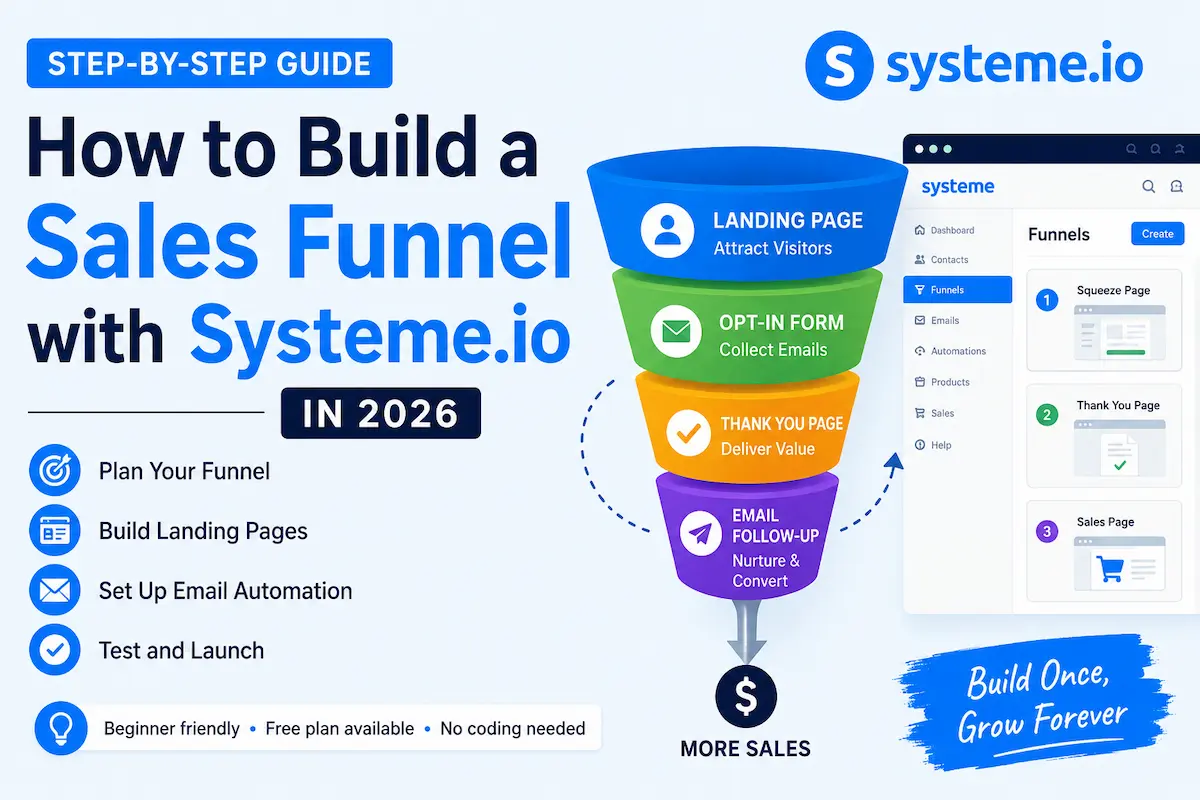
Traffic → Landing Page → Opt-In → Thank-You Page → Follow-Up
A sales funnel can add additional steps when the business needs them, such as a sales page, checkout, order bump, upsell, webinar, or appointment booking.
But there is an important distinction: a larger funnel is not automatically a better funnel. Every additional page or automation rule introduces another opportunity for something to confuse the visitor or break.
For a first funnel, five connected steps that work properly will usually outperform fifteen steps that were added simply because the software made them available.
Why Use Systeme.io?
There are many funnel-building platforms, but one of the practical reasons to consider Systeme.io is that several parts of the marketing process are available from the same platform.
Its current feature set includes sales funnels, email marketing, website tools, marketing automation, online courses, affiliate management, booking, communities, and other business tools.
That can be useful for a beginner because you do not necessarily have to assemble a separate service for every part of the funnel.
However, a long feature list is not, by itself, a good reason to choose a platform. The more useful question is whether its current tools match the way you actually plan to acquire, follow up with, and convert customers.
If you are still deciding whether the platform fits your budget, our Systeme.io Pricing 2026 guide explains the plan differences in more detail.
Before You Build: Plan the Funnel
The easiest way to waste time inside a funnel builder is to start designing pages before deciding what the funnel is supposed to accomplish.
Before opening the builder, answer these four questions.
1. What is the primary goal?
Choose one primary action.
- Collect an email subscriber
- Deliver a free resource
- Book a consultation
- Register someone for an event
- Sell a product
- Send a qualified visitor to another offer
If the page has five competing calls to action, the visitor may not know which one matters most. A focused funnel is usually easier to understand and easier to measure.
2. What are you offering?
The visitor needs a clear reason to continue. That might be a checklist, template, training session, consultation, product demonstration, discount, or another genuinely useful offer.
Do not make the value proposition complicated. Someone arriving from a search result or advertisement should be able to understand the basic offer without studying the page for several minutes.
3. What happens after the visitor acts?
This is where many first funnels are incomplete.
If someone gives you their email address, what do they receive immediately? If they do not buy, what useful information comes next? If they book a call, what confirmation do they receive?
4. What will you measure?
Choose a small number of useful measurements. For example, you might monitor landing-page visits, opt-ins, conversion rate, email engagement, or completed purchases depending on the purpose of the funnel.
A complicated analytics dashboard is not necessary on day one. What matters first is having enough information to identify where people are dropping out.
Step 1: Create Your Systeme.io Account
If you are new to Systeme.io, you can create an account and start with its Free plan.
According to Systeme.io’s current official pricing information, the Free plan does not expire and does not require a credit card. It currently supports up to 2,000 contacts, three sales funnels, one course, one custom domain, and unlimited email sending.
That is enough capacity for many people who are simply testing a funnel idea rather than operating a large marketing operation.
If you want to follow the setup yourself, you can start with Systeme.io here.
After creating the account, spend a few minutes looking through the dashboard before building anything. The exact location of menus can change, so understanding what is available is more useful than memorising a particular button position from an older tutorial.
Step 2: Create the Funnel
From the Systeme.io dashboard, open the funnel-building area and create a new funnel.
Give the funnel a descriptive name. For example, if you are offering a free SEO checklist, a name such as SEO Checklist Lead Funnel is much easier to understand later than something generic such as Funnel 1.
This sounds like a small detail, but naming becomes useful once you have multiple funnels, campaigns, products, or lead magnets in the same account.
Step 3: Choose the Funnel Goal
The exact options shown in the interface can change, but the underlying decision remains the same: decide whether the funnel is primarily designed to build an audience, generate a lead, or sell something.
Option A: Build an audience
This is useful when you are offering something valuable in exchange for an email address. Examples include a checklist, template, guide, newsletter, or short educational resource.
Option B: Sell a product or service
This makes more sense when the visitor is expected to purchase something through your funnel.
Option C: Generate a qualified lead
For a consultant, coach, agency, or service provider, the primary conversion may be a booked call rather than an immediate purchase.
The important point is to choose the goal before designing the page. Your headline, form, call to action, thank-you page, and follow-up should all support that same goal.
Step 4: Build the Landing Page
Your landing page is where the visitor decides whether the next step is worth taking.
Before adding design elements, make sure the page answers three questions:
- What am I getting?
- Why is it useful to me?
- What should I do next?
A simple lead-generation page might contain:
- A specific headline
- A short explanation of the offer
- Two or three meaningful benefits
- The opt-in form
- A clear call to action
- Relevant trust or credibility information
A common mistake is trying to explain an entire company on this one page. A landing page has a narrower job than a homepage — it should make the next action easy to understand, not summarise the whole business.
Also check the page on a phone before launch. A form that looks fine on a desktop can become difficult to use when the same page is viewed on a smaller screen.
Step 5: Add the Opt-In Form
If your objective is lead generation, the form is one of the most important parts of the funnel.
For a simple lead magnet, a first name and email address are usually enough. Asking for information you do not actually need adds unnecessary friction.
Before publishing, confirm that the form sends the contact to the correct list, campaign, or automation.
This checkpoint is worth taking seriously: a form can appear to work visually while the follow-up behind it is configured incorrectly.
Use a test address before sending real visitors to the funnel.
Step 6: Create the Thank-You Page
The thank-you page confirms that the visitor’s action was successful and tells them what happens next.
For example, if you promised a downloadable checklist, the page could explain where to find it or what the visitor should check next.
A useful thank-you page can:
- Confirm the submission
- Explain what happens next
- Direct the visitor to the promised resource
- Provide one relevant next action
- Set expectations for follow-up emails
Try not to turn the thank-you page into another crowded sales page. If the visitor has just completed the main action, give them clear information before presenting another offer.
Step 7: Create Email Follow-Up
Email follow-up gives the funnel a longer useful life. Instead of depending on a visitor to remember your website, you can continue providing relevant information after they subscribe.
A simple sequence could look like this:
- Email 1: Deliver the promised resource.
- Email 2: Explain the problem the resource helps solve.
- Email 3: Give a practical example or useful tip.
- Email 4: Introduce a relevant solution or next step.
- Email 5: Address a common question or objection.
This is only an example structure. A five-email sequence is not automatically better than a three-email sequence, and sending more messages does not guarantee better results.
The useful test is simple: does each email give the subscriber a reason to read it?
If an email exists only because you decided the funnel should contain five emails, it probably needs another look.
Step 8: Connect the Form to the Follow-Up
Creating an email campaign is only half the job. The funnel must also know what should happen when someone submits the form.
The basic logic is:
- A visitor opens the landing page.
- The visitor submits the form.
- Systeme.io records the contact.
- The appropriate tag, campaign, or automation is triggered.
- The visitor receives the follow-up you configured.
The exact configuration depends on the funnel and current interface, so do not assume that creating a campaign automatically connects it to every form.
Run your own test from beginning to end. This is one of the most valuable checks you can perform before launch.
Step 9: Test the Complete Funnel
Before sending paid traffic or announcing the funnel to your audience, go through it yourself.
Check the landing page
Check the headline, page layout, images, buttons, form, links, and mobile presentation.
Submit the form
Use a test email address and confirm that the contact is recorded correctly.
Check the next page
Confirm that the visitor reaches the intended thank-you or next-step page.
Check the email
Confirm that the expected email arrives and that the links inside it work.
Check the entire journey on mobile
Do not assume that a desktop test is enough. A large share of visitors may experience the funnel on a phone, so the mobile journey deserves its own test.
A short test before launch can prevent problems such as broken forms, incorrect redirects, missing emails, or unusable mobile pages.
What the Free Plan Means for Beginners
One of Systeme.io’s strongest selling points for beginners is that you can start without committing to a paid subscription.
According to the current official pricing page, the Free plan is $0, does not expire, and currently includes up to 2,000 contacts, three sales funnels, one course, one custom domain, and unlimited email sending. Systeme.io also states that all plans have 0% transaction fees on its side, although normal payment-processor charges can still apply.
| Free-plan item | Current published limit |
|---|---|
| Price | $0 |
| Contacts | Up to 2,000 |
| Sales funnels | 3 |
| Courses | 1 |
| Custom domains | 1 |
| Email sending | Unlimited |
These limits can change, so treat the table as a snapshot of the provider’s published information rather than a permanent promise. Check the official pricing page before making a purchasing decision.
Check Systeme.io’s current pricing and plan limits.
If you want to understand how the paid plans compare, see our Systeme.io Pricing 2026 guide.
For someone building a first lead-generation funnel, upgrading simply because a paid plan has more features is rarely necessary. Upgrade when a genuine limit starts affecting what you are trying to accomplish.
Common Beginner Mistakes
1. Building too much before testing anything
It is tempting to build a long funnel before publishing the first version. A better approach is to create the smallest version that can accomplish the objective, test it, and then improve it.
2. Giving the visitor too many choices
If the primary objective is collecting an email address, the page should not make five unrelated offers equally prominent.
3. Asking for information you do not need
If an email address is enough to deliver the resource, a long form may create unnecessary friction.
4. Treating the thank-you page as an afterthought
The visitor has just completed the action you wanted. Tell them clearly what happens next rather than leaving them wondering whether the submission worked.
5. Forgetting to test the automation
A well-designed landing page is not enough if the contact does not enter the correct campaign or the promised email never arrives.
6. Sending too many promotional emails
A subscriber should receive useful information, not a sequence where every email exists only to push another purchase.
7. Choosing software based only on features
A platform can have hundreds of features and still be the wrong choice for your workflow. Start with your actual business process and then choose the software that supports it.
Troubleshooting Common Setup Issues
New Systeme.io users, based on common patterns discussed in Systeme.io’s own help documentation and user community, tend to run into a handful of recurring issues. These are worth checking early rather than after you have already sent traffic.
- Custom domain not verifying: This is usually a DNS propagation delay or a mismatched record at the domain registrar. Double-check the exact DNS values Systeme.io provides, and allow time for changes to propagate before assuming something is broken.
- Form submits but the contact doesn’t appear in the expected campaign: This almost always traces back to the automation rule or tag not being attached to that specific form. Re-check the trigger conditions rather than the form design itself.
- Emails landing in spam during testing: Newly connected domains and newly created accounts can see this more often at first. Sending a small number of test emails, checking sender authentication settings, and avoiding heavily promotional wording in the first few emails can help.
- Funnel steps appear out of order after editing: Rearranging pages inside a funnel can sometimes leave old links pointing to the wrong step. After any structural change, re-test the full path rather than just the page you edited.
- Free-plan limits reached unexpectedly: Contacts, funnels, and domains all count toward the Free plan’s published caps. If something you expect to create isn’t available, check current usage against the plan limits before assuming it’s a bug.
If an issue doesn’t match these patterns, Systeme.io’s support documentation and live chat are the most reliable next step, since interface details change over time.
Feature Snapshot: Free Plan at a Glance
The table below summarises, from Systeme.io’s own published plan information, what the Free plan is generally suited for versus where it typically runs out of room. This is based on the platform’s stated limits rather than a scored personal test.
| Use case | Fits comfortably on Free plan | Likely needs a paid plan |
|---|---|---|
| Testing a single lead-generation funnel | Yes | — |
| Running 1–3 small funnels at once | Yes | — |
| A list under 2,000 contacts | Yes | — |
| Multiple courses | No (Free plan includes 1) | Yes |
| More than one custom domain | No | Yes |
| Scaling past 2,000 contacts | No | Yes |
| Advanced automation across many funnels | Possible, but limited | Often easier on a paid tier |
Always confirm current numbers on Systeme.io’s official pricing page, since published limits can change.
Pros and Cons of Building a Funnel in Systeme.io
Pros
- A permanent Free plan is available.
- Funnels and email marketing are available within the same platform.
- The platform covers several common online-business functions.
- You can start with a relatively small setup and add complexity later.
- The Free plan provides enough capacity for many basic funnel experiments.
Cons
- The Free plan has limits on contacts, funnels, courses, and other resources.
- A beginner may still need time to understand automation and campaign logic.
- Businesses with highly specialised requirements may eventually need dedicated tools.
- A broad all-in-one platform may feel less focused than a specialised tool for a particular job.
Who Should Use Systeme.io?
Systeme.io is a reasonable starting point if you want several basic marketing functions under one account and do not want to assemble a large software stack immediately.
- Digital-product creators
- Coaches and consultants
- Small online businesses
- People building an email list
- Beginners testing a new offer
- Affiliate marketers who need a simple lead-capture and follow-up process
- Businesses selling courses or memberships
Systeme.io itself positions the platform for creators, coaches, consultants, small businesses, affiliate marketers, and other online businesses. That does not mean it is automatically the best choice for every one of those users — your traffic source, sales process, integrations, design requirements, and reporting needs still matter.
Who Should Probably Look Elsewhere
Systeme.io is unlikely to be the right fit if:
- You run a large product catalogue with complex inventory or shipping logic that needs dedicated ecommerce infrastructure.
- Your organisation needs deep enterprise CRM features, granular team permissions, or compliance-heavy reporting.
- You depend on a specific, deep integration (a particular payment processor, a specialised CRM, or a niche analytics tool) that an all-in-one platform doesn’t support well.
- You’ve already built significant infrastructure on WordPress/WooCommerce and a full platform migration isn’t worth the disruption for the problem you’re actually trying to solve.
In these cases, a specialised tool built around your specific requirement will usually serve you better than an all-in-one platform chosen mainly for its funnel builder.
When Systeme.io May Not Be Enough
No all-in-one platform is the perfect solution for every business.
A more specialised solution may be worth considering if you require highly advanced analytics, extensive experimentation, unusual integrations, complex enterprise workflows, or a very specialised ecommerce infrastructure.
For example, a business with a large product catalogue and complex inventory requirements may be better served by an ecommerce platform designed specifically around those requirements rather than choosing an all-in-one marketing platform simply because it includes a funnel builder.
The same principle applies to enterprise CRM requirements. If your organisation needs extremely deep sales operations, governance, reporting, or integrations, a dedicated enterprise platform may be more appropriate.
The practical approach is to start with the requirements you actually have today and upgrade or change platforms when a real limitation becomes important.
Alternatives Worth Considering
Systeme.io is not the only funnel platform worth considering.
ClickFunnels is a well-known alternative with a strong focus on sales funnels, checkout flows, and funnel-specific functionality.
If you are comparing these two platforms, our Systeme.io vs ClickFunnels comparison looks at the differences from a practical perspective.
If you are completely new to funnel software and want to compare several options before choosing one, our Best Funnel Builder for Beginners guide is a better starting point.
And if you already know that your business depends heavily on WordPress and WooCommerce, it can be worth comparing WordPress-based funnel and checkout solutions before moving your entire workflow to another platform.
Frequently Asked Questions
Is Systeme.io still free?
Yes. Systeme.io currently lists a Free plan that does not expire and does not require a credit card. The published Free plan currently supports up to 2,000 contacts, three sales funnels, one course, and unlimited email sending.
Is Systeme.io good for beginners?
It can be a good fit for beginners who want several marketing functions in one platform. The main advantage is convenience: you can start with funnels and email without immediately assembling several separate services.
Can I build a sales funnel for free?
Yes. Systeme.io’s current Free plan can be used to build and test funnels within its published limits.
How do I build a sales funnel with Systeme.io?
Start by choosing one objective. Then create the funnel, build the landing page, add the form if you are collecting leads, create the thank-you page, connect the appropriate follow-up, and test the complete journey before sending real traffic.
How much does a sales funnel cost to build?
The software cost can be $0 when the tools you choose have a suitable free plan. Your overall business cost may still include a domain, payment-processing fees, advertising, design, or other software depending on what you are building.
Do I need a separate email marketing tool?
Not necessarily. Systeme.io includes email marketing functionality, which is one of the reasons an all-in-one platform can be attractive to beginners.
Can I use Systeme.io for affiliate marketing?
Yes. A funnel can be used to educate visitors, collect leads, and direct interested users toward a relevant merchant offer. However, affiliate content should clearly disclose the relationship and provide genuine value rather than existing primarily to push affiliate links.
Should I start with a complicated funnel?
No. Start with the smallest funnel that can accomplish your objective. Once you have real visitor behaviour and conversion data, you can decide whether additional pages or automation are actually justified.
What if I outgrow the Free plan?
That’s a reasonable outcome, not a failure of planning — it usually means the funnel is generating enough contacts or activity to matter. At that point, compare the paid tiers against the specific limit you’ve hit (contacts, funnels, domains, or courses) rather than upgrading to the largest available plan by default. Our Systeme.io Pricing 2026 guide breaks down what each tier actually unlocks.
Final Verdict
Systeme.io is most useful as a starting point because it lets a beginner build a working marketing system without immediately paying for several separate tools.
That said, a Free plan or an “all-in-one” label is not, on its own, a good reason to choose a platform. The more useful question is whether the platform matches your actual funnel.
If your immediate goal is a straightforward lead-generation funnel, the current Free plan gives you enough capacity to test the basic process before committing to a paid plan. Systeme.io currently lists 2,000 contacts, three sales funnels, one course, and unlimited email sending on that plan.
A reasonable approach for a beginner: build the smallest useful funnel, test every step yourself, watch where visitors drop off, and only add complexity when the data or a genuine business requirement gives you a reason to do so.
If you want to test the platform yourself, you can start with Systeme.io.
Related Guides
- Systeme.io Review 2026: Is the Free All-in-One Platform Worth It?
- Systeme.io vs ClickFunnels (2026): Which Funnel Builder Is Worth It?
- Systeme.io Pricing 2026: Plans, Costs & Which One to Choose
- Best Funnel Builder for Beginners in 2026
Before publishing: Check the current Systeme.io dashboard and pricing page against the workflow and limits described above. Interface labels and plan limits can change, so this article should be updated if the provider changes them materially.
About the Author
T. Vasireddi writes ToolGrowthHQ, a site focused on WordPress hosting and SaaS tools for beginners, covering platform comparisons, pricing breakdowns, and setup guides for people building their first online business.
Connect with him:
Follow for more SaaS comparisons, WordPress hosting guides, and beginner-friendly marketing tutorials.