Affiliate Disclosure: This post contains affiliate links. If you purchase or sign up through one of these links, we may earn a commission at no extra cost to you. Our recommendations are based on the features, pricing, and use cases discussed in this article. Affiliate relationships do not determine our editorial conclusions.
How we evaluated these tools: This comparison is based on publicly available pricing and feature documentation, vendor specifications, and verified user reviews, updated as of August 2026. We evaluate website audit software based on crawl depth and accuracy, JavaScript rendering support, crawl scale, issue prioritization, reporting capabilities, and pricing transparency, so you can match a tool to how your site actually works rather than to a generic feature list.
Choosing the right website audit software is less about finding the tool with the longest feature list and more about finding one that matches the way you work. A small business website may only need a straightforward technical check, while an agency or enterprise team may need scheduled crawls, JavaScript rendering, log analysis, or large-scale reporting.
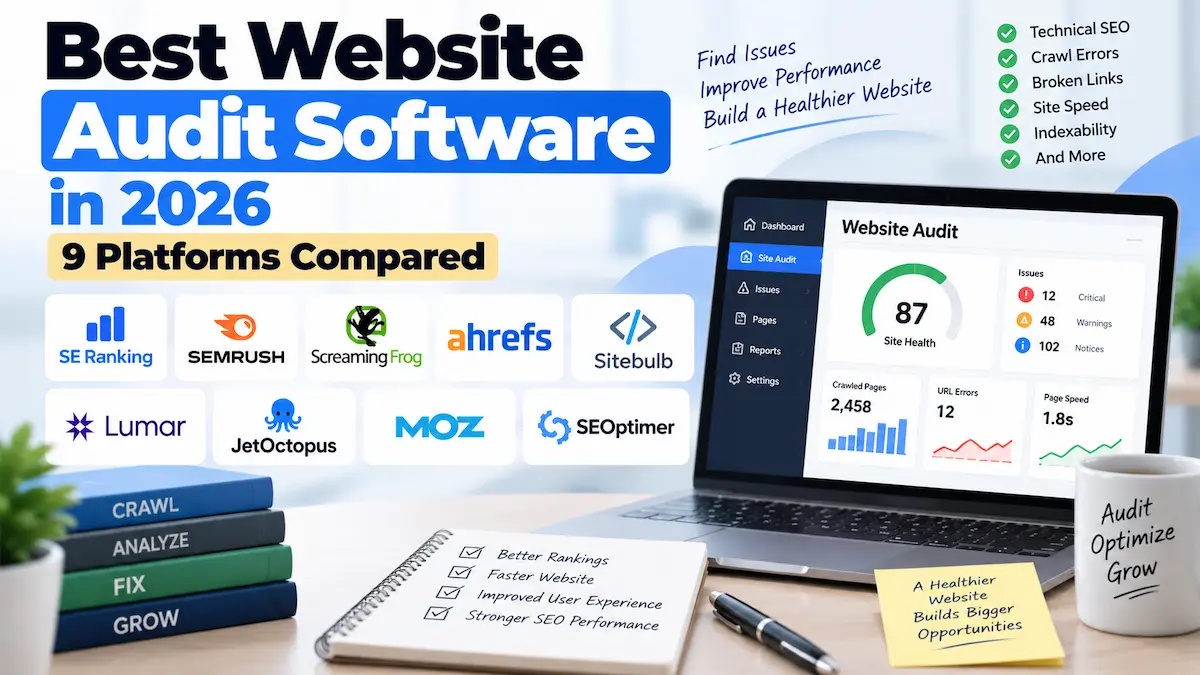
In this guide, we compare nine established website audit platforms by their main strengths, deployment model, technical capabilities, pricing approach, and the type of user they are best suited to. Prices and features can change, so treat pricing figures as current reference points rather than permanent prices.
Table of Contents
- Quick Answer
- Quick Verdict
- Website Audit Software vs. SEO Audit Tools: What’s the Difference?
- What to Look For in Website Audit Software
- Comparison Table
- The Best Website Audit Software, Reviewed
- Free Options Worth Using
- Who Should Use Dedicated Audit Software
- Who Can Skip Paid Audit Software
- USA/UK Considerations
- Alternatives to Consider
- Frequently Asked Questions
- Final Verdict
Quick Answer
For most small and mid-sized websites, SE Ranking’s Website Audit is a strong starting point because it combines technical auditing with broader SEO and GEO features. Its current Website Audit includes more than 115 technical checks and supports JavaScript rendering when a site depends on dynamically loaded content.
For teams that want a broader SEO platform with recurring technical monitoring, Semrush is a strong option. Screaming Frog is particularly useful when you want detailed desktop crawling and spreadsheet-style analysis. Ahrefs makes sense when technical auditing needs to sit alongside backlink and organic-search research.
For more specialized requirements, Sitebulb is notable for response-versus-rendered HTML analysis, Lumar is designed for large-scale enterprise crawling and website QA, and JetOctopus is particularly focused on crawl and server-log analysis.
Quick Verdict
- Best overall value for many small-to-mid-sized sites: SE Ranking
- Best for broader SEO and recurring site monitoring: Semrush
- Best desktop crawler: Screaming Frog SEO Spider
- Best for technical audits alongside backlink data: Ahrefs
- Best for JavaScript and response-vs-render analysis: Sitebulb
- Best for large-scale enterprise crawling: Lumar
- Best for crawl and server-log analysis: JetOctopus
- Best for straightforward ongoing site-health monitoring: Moz Pro
- Best for client reporting and lead generation workflows: SEOptimer
Website Audit Software vs. SEO Audit Tools: What’s the Difference?
If you’ve read our guide to the best SEO audit tools, you may wonder why this is a separate article. The two categories overlap, but they are not identical.
SEO platforms often combine technical crawling with keyword research, rankings, backlinks, competitor research, or search-visibility data. Website audit software puts more emphasis on crawling and diagnosing the website itself: broken links, HTTP status codes, redirects, indexability, canonicalization, metadata, internal links, structured data, performance, and JavaScript rendering.
Some platforms do both. Semrush and SE Ranking, for example, combine website auditing with broader SEO functionality. Dedicated crawlers such as Screaming Frog and Sitebulb put much more emphasis on detailed crawl data.
The practical question is therefore not simply, “Which tool is best?” It is, “What do I need the audit to tell me?”
What to Look For in Website Audit Software
- Crawl depth and accuracy: Look for checks covering broken links, redirects, duplicate content, indexability, metadata, and other technical problems relevant to your site.
- JavaScript rendering: If important content or links are created dynamically, a crawler that can render JavaScript may give you a more complete picture.
- Crawl scale: A tool that works well for a 100-page site may not be the right choice for a website with hundreds of thousands or millions of URLs.
- Issue prioritization: A long list of errors is less useful if you cannot determine which problems deserve attention first.
- Reporting: Agencies and teams may need exports, dashboards, scheduled reports, or client-friendly presentations.
- Recurring audits: If your website changes frequently, scheduled crawling can make it easier to identify new technical problems.
- Log analysis: For larger sites, combining crawler data with server-log information can provide a different view of how search-engine bots actually interact with the site.
- Workflow after the audit: Consider whether the platform simply reports problems or also helps your team organize and act on them.
Comparison Table
| Tool | Deployment | Checks / Crawl Scope | Free Trial or Free Tier | Pricing Reference |
|---|---|---|---|---|
| SE Ranking | Cloud | 115+ technical checks; up to 250,000 audit pages/month on Core | Free trial available on signup | Core from $103.20/month (billed annually) |
| Semrush | Cloud | 140+ on-page and technical checks; domain/subdomain/subfolder-level crawls | Limited free access | SEO Toolkit Pro at $139.95/month |
| Screaming Frog | Desktop | Full crawl-table diagnostics, JS rendering, structured-data validation | Free up to 500 URLs | Paid licence £199/year |
| Ahrefs | Cloud | Site Audit plus backlink and keyword data; 5,000 crawl credits on Starter | Free account for verified sites | Starter from $29/month |
| Sitebulb | Desktop/Cloud | Response vs Render report, prioritized Hints | See current plan pricing | See current plan pricing |
| Lumar | Cloud | Enterprise crawling, speed, accessibility, QA automation (Protect) | Not published | Custom pricing |
| JetOctopus | Cloud | Crawl plus server-log analysis for verified bots | Not published | From ~$383/month (1M pages + 1M log lines, billed annually) |
| Moz Pro | Cloud | Site-crawl workflow with issue tracking over time | See current plan pricing | See current plan pricing |
| SEOptimer | Cloud | Client-facing audit reports | See current plan pricing | See current plan pricing |
Pricing is a reference point based on the providers’ current published information and can change. Check the provider’s pricing page before purchasing.
The Best Website Audit Software, Reviewed
1. SE Ranking — Best Overall Value
SE Ranking’s Website Audit is designed to sit inside a wider SEO and GEO platform rather than functioning as a standalone crawler. The current audit covers more than 115 technical checks, including crawlability, indexability, HTTP status codes, Core Web Vitals, security, links, metadata, and other technical areas.
One useful feature is JavaScript rendering. If important content is loaded dynamically, the standard HTML crawl may not show the complete picture. SE Ranking provides a JavaScript-rendering option for these situations.
The current Core plan starts at $103.20 per month when billed annually and includes Website Audit as part of the broader platform. The published plan includes up to 250,000 audit pages per month, while higher plans provide additional capacity.
Pros:
- Combines technical audit with keyword tracking, competitor research, and AI-search (GEO) features in one subscription
- 250,000 audit pages/month on the Core plan, well above what most small sites will use
- JavaScript rendering included, not gated to a top-tier plan
Cons:
- $103.20/month is a bigger commitment than single-purpose crawlers like Ahrefs Starter ($29/month)
- Less granular crawl-table control than a dedicated desktop crawler like Screaming Frog
Best for: Site owners, marketers, and smaller agencies that want technical auditing alongside keyword research, rank tracking, competitor research, and AI-search features.
Not ideal for: Teams whose primary requirement is highly specialized server-log analysis or very granular standalone crawler diagnostics.
If you want to evaluate the platform further, see our SE Ranking review. You can also check SE Ranking’s current plans.
2. Semrush — Best for Broader SEO and Recurring Audits
Semrush Site Audit is a good fit for teams that want technical auditing as part of a larger SEO workflow. The tool currently performs more than 140 on-page and technical SEO checks, including broken links, duplicate content, HTTPS, hreflang, crawlability, and indexability.
It also supports JavaScript rendering and lets users configure crawls at the domain, subdomain, or subfolder level. Scheduled audits can run daily or weekly, depending on the setup.
The SEO Toolkit Pro plan is currently listed at $139.95 per month. Higher plans increase the monthly crawl allowance and other SEO limits.
Pros:
- 140+ checks, more than SE Ranking’s published count, with domain/subdomain/subfolder-level crawl targeting
- Daily or weekly scheduled audits without needing a separate automation tool
- Full SEO suite (keyword research, position tracking, backlinks) included alongside the crawler
Cons:
- $139.95/month is the highest entry price among the cloud platforms compared here
- Crawl-allowance limits scale with plan tier, which can push larger sites toward higher-cost plans
Best for: Agencies, marketers, and businesses that want technical auditing alongside keyword research, competitor analysis, position tracking, and backlink data.
Not ideal for: Someone who only needs a dedicated crawler and does not need the wider SEO platform.
3. Screaming Frog SEO Spider — Best Desktop Crawler
Screaming Frog SEO Spider remains a practical choice when you want detailed crawl data on your own computer. The free version can crawl up to 500 URLs, which makes it particularly useful for smaller sites and initial technical checks.
The crawler can identify broken links, server errors, redirects, duplicate pages, metadata issues, hreflang information, and many other technical SEO problems. Advanced functionality includes JavaScript rendering, structured-data validation, integrations, custom extraction, and other detailed crawl controls.
The current published paid licence price is £199 per year per licence, while the free version retains the 500-URL limit.
Pros:
- Free tier crawls up to 500 URLs with no time limit, useful for a quick technical check before buying anything
- £199/year is a one-time-per-year cost rather than a monthly subscription, and it’s cheaper than most cloud plans on this list
- Runs locally, so crawl data never leaves your machine
Cons:
- No hosted dashboard or built-in scheduling — recurring audits require manual runs or third-party automation
- Reporting is spreadsheet-style rather than client-ready visual dashboards
Best for: Technical SEOs, developers, and users who prefer detailed crawl tables and direct control over the crawling process.
Not ideal for: Users who want a simple cloud dashboard with minimal setup or teams that need centralized enterprise collaboration.
4. Ahrefs — Best for Technical Audits Plus SEO Data
Ahrefs combines Site Audit with tools for organic-search research, backlinks, keywords, and competitive analysis. That makes it useful when technical problems need to be considered alongside a site’s wider search performance.
Ahrefs’ current Starter plan is listed at $29 per month and includes Site Audit. The Starter plan provides 5,000 crawl credits per verified project per month, while the broader paid plans provide substantially higher crawl capacity.
Ahrefs also offers a free account for verified websites with limited access to Site Audit and other tools.
Pros:
- $29/month Starter plan is the lowest entry price of any cloud platform in this comparison
- Backlink index and organic-search data sit in the same dashboard as technical audit results
- Free account option for verified site owners
Cons:
- 5,000 crawl credits/month on Starter is modest for anything beyond a small site
- Higher crawl capacity requires moving up to more expensive plans
Best for: SEO professionals who already need backlink and organic-search research and want technical auditing in the same ecosystem.
Not ideal for: Users who need a specialist desktop crawler rather than an all-in-one SEO platform.
For a direct comparison, see our SE Ranking vs. Ahrefs comparison.
5. Sitebulb — Best for JavaScript and Response-vs-Render Analysis
Sitebulb is particularly interesting when JavaScript changes what a crawler sees. Its Response vs Render report compares the HTML returned by the server with the HTML produced after JavaScript rendering.
This can reveal situations where JavaScript creates, modifies, duplicates, or removes important SEO elements such as titles, meta descriptions, canonicals, meta robots directives, and links.
Sitebulb also provides prioritized Hints and visual reports designed to make technical findings easier to interpret and communicate. It is available as both a desktop product and a cloud solution.
Pros:
- Response vs Render report is a specific diagnostic most competitors on this list don’t isolate as clearly
- Prioritized Hints reduce the “wall of errors” problem common with raw crawl exports
- Available as desktop or cloud, so teams can pick the deployment that fits their workflow
Cons:
- Narrower focus than all-in-one platforms like SE Ranking or Semrush — no built-in keyword or backlink research
- Pricing isn’t published as a flat headline number, so budget comparison takes an extra step
Best for: Technical SEO consultants and agencies dealing with JavaScript-heavy websites or client-facing technical audits.
Not ideal for: Users who only need a basic site-health check and do not need detailed technical diagnostics.
6. Lumar — Best for Enterprise-Scale Crawling
Lumar targets a different type of customer from the typical small-business SEO tool. Its crawler is designed to handle large websites, including sites with hundreds of thousands or millions of pages.
Lumar Analyze provides technical SEO, site-speed, accessibility, and custom reporting capabilities. Lumar also offers Protect, which is designed to automate website QA checks and integrate them into development workflows.
That distinction matters for enterprise teams: the goal is not simply to find problems after a website changes, but to build technical checks into an ongoing workflow.
Lumar uses custom pricing rather than publishing a simple entry-level subscription comparable with smaller SEO platforms.
Pros:
- Built to handle sites with hundreds of thousands to millions of URLs, a scale most competitors on this list aren’t designed for
- Protect module ties audit checks directly into development/QA pipelines rather than just flagging issues after the fact
- Includes accessibility checks alongside standard technical SEO
Cons:
- No published entry-level price — budgeting requires a sales conversation
- Overkill (and likely cost-prohibitive) for small or mid-sized sites
Best for: Enterprise organizations with large websites and dedicated SEO, engineering, development, or QA teams.
Not ideal for: Small businesses and individual site owners who only need occasional technical audits.
7. JetOctopus — Best for Crawl and Server-Log Analysis
JetOctopus combines website crawling with server-log analysis. That is useful because crawler data tells you what a crawler can discover, while server logs can provide evidence about requests made by search-engine bots.
The platform supports log analysis for verified search bots and combines crawl and log information with other SEO data. This makes it particularly relevant for larger sites where crawl efficiency and bot activity deserve closer attention.
Current pricing depends on crawl and log volume. The provider’s published pricing currently shows plans starting around $383 per month when billed annually for a package with 1 million crawl pages and 1 million log lines.
Pros:
- Combines crawl data with verified-bot server-log analysis in one platform, rather than requiring a separate log-analysis tool
- 1 million crawl pages plus 1 million log lines on the entry plan covers most large-site needs
- Log data shows actual bot behavior, not just what a crawler simulates
Cons:
- ~$383/month entry price is the highest published starting price in this comparison
- Not cost-effective for sites without meaningful server-log needs
Best for: Technical SEO teams working on large websites where server-level crawl information is important.
Not ideal for: Small websites that do not have meaningful server-log requirements.
8. Moz Pro — Best for Straightforward Ongoing Monitoring
Moz Pro is better suited to users who want an accessible SEO platform with site-crawl functionality rather than an extremely specialized technical crawler.
Its site-crawl workflow can help identify common technical problems and track issues over time. This can be useful for small businesses and marketers who want an ongoing view of website health without building a complex technical SEO process.
Pros:
- Issue tracking over time makes it easy to see whether a site’s technical health is improving or declining
- Simpler learning curve than dedicated technical crawlers
- Bundles crawl monitoring with a broader, well-established SEO toolset
Cons:
- Less depth on JavaScript rendering and rendering diagnostics compared to Sitebulb or SE Ranking
- Not designed for server-log analysis or very large-scale enterprise crawling
Best for: Small businesses and marketers who value straightforward monitoring and a broader SEO platform.
Not ideal for: Technical teams that specifically need deep JavaScript diagnostics, server-log analysis, or highly granular crawler configuration.
9. SEOptimer — Best for Client Reporting Workflows
SEOptimer takes a more approachable approach to website auditing. Rather than competing primarily on crawl depth, it focuses on producing understandable audit reports that can fit into client-facing workflows.
That can make it useful for freelancers and agencies that want to generate website audits and present the findings to prospects or clients without the complexity of a specialist crawler.
Pros:
- Report format is built for showing to clients or prospects, not just internal technical teams
- Lower learning curve than full-depth crawlers, useful for lead-generation audits
- Good fit for agencies that need to produce audits quickly and repeatedly
Cons:
- Less crawl depth than Screaming Frog, Sitebulb, or the enterprise platforms
- Not built for large, JavaScript-heavy, or highly technical investigations
Best for: Freelancers, small agencies, and consultants who prioritize simple reports and client workflows.
Not ideal for: Technical SEO teams carrying out complex investigations across very large or heavily JavaScript-dependent websites.
Free Options Worth Using
You do not always need paid website audit software.
Google Search Console is particularly useful for understanding how Google sees and indexes pages on a site. Its URL Inspection functionality can provide information about a specific URL’s indexing and crawling status.
Google Search Console should therefore be part of the basic toolkit for most site owners.
Google PageSpeed Insights is another useful free resource for performance analysis. It evaluates pages on mobile and desktop and provides performance diagnostics and optimization suggestions.
For a small website, these Google tools may cover many of the basic questions you have before you consider paying for a dedicated crawler.
Who Should Use Dedicated Audit Software?
Paid website audit software becomes more useful when manual checks are no longer practical.
It can make sense if you:
- Manage a large or frequently changing website.
- Work with multiple client websites.
- Are preparing for a migration or redesign.
- Need recurring technical crawls.
- Are investigating a significant organic-traffic change.
- Need detailed JavaScript or rendering analysis.
- Need crawl data exported for technical investigation.
- Need server-log analysis for a large site.
Who Can Skip Paid Audit Software?
If you operate a small, simple website that changes infrequently, paying for a large SEO platform may not be necessary.
Google Search Console, PageSpeed Insights, and occasional manual checks can provide useful information. Screaming Frog’s free 500-URL limit can also be enough for many smaller websites.
The point is not to collect as many SEO tools as possible. It is to use enough tooling to find problems that matter and then actually fix them.
USA/UK Considerations
If your website targets both US and UK audiences, pay attention to the geographic configuration available in your auditing and SEO tools. Search visibility, page delivery, performance, and localized content can vary depending on the market you are targeting.
UK businesses using cloud-based SEO and auditing platforms should also review the provider’s privacy and data-processing documentation where appropriate, particularly when client or personal data may be involved.
For pricing, remember that some providers display USD while others may show GBP or localized currency. Compare the actual billing currency, annual discounts, usage limits, and included features before making a purchasing decision. Screaming Frog’s £199/year licence, for example, is priced natively in GBP, while most of the cloud platforms compared here publish USD pricing first.
Alternatives to Consider
- If you need the lowest entry price: Ahrefs Starter at $29/month includes Site Audit alongside backlink and keyword data.
- If you need a one-time annual cost instead of a monthly subscription: Screaming Frog’s £199/year licence avoids recurring monthly billing.
- If you need enterprise-scale crawling with QA automation: Lumar is built for sites with hundreds of thousands to millions of pages.
- If server-log analysis is a priority: JetOctopus combines crawl data with verified-bot log analysis, though at a higher starting price (~$383/month).
- If client-facing reports matter more than crawl depth: SEOptimer is built around presentable audit output for prospects and clients.
Frequently Asked Questions
What’s the difference between an SEO audit tool and website audit software?
An SEO audit tool may combine technical crawling with rankings, keywords, backlinks, and other search data. Website audit software puts more emphasis on crawling and diagnosing technical website issues such as broken links, redirects, indexability, metadata, and rendering.
Is a free website audit enough?
For a small website, it can be. Free tools can identify many common problems. The limitation is usually crawl depth, automation, reporting, or the amount of data available rather than the basic usefulness of the audit itself.
Do I need a desktop crawler or a cloud crawler?
A desktop crawler gives you direct control and processes the crawl on your computer. A cloud crawler handles processing remotely and is often more convenient for scheduled audits and team workflows. The better choice depends on your site size and working style.
Can website audit software fix issues automatically?
Most auditing tools primarily identify, classify, and prioritize problems. The actual fix usually needs to be made in your CMS, codebase, hosting environment, or another technical workflow. Some enterprise platforms can connect audit findings with development or QA processes, but the exact workflow varies.
How often should I run a website audit?
There is no single schedule that fits every website. A stable site may only need occasional audits, while an ecommerce site, publishing site, or frequently updated business website can benefit from more regular crawling.
Do website audit tools check JavaScript?
Some do, and the level of support varies. SE Ranking and Semrush provide JavaScript rendering options, while Sitebulb provides detailed response-versus-render analysis. If important content or links depend on JavaScript, check the specific crawler’s rendering capabilities before choosing it.
Do I need server-log analysis?
Usually not for a small website. Server-log analysis becomes more useful when you manage a large site and need to understand how search-engine bots are actually requesting URLs. JetOctopus is particularly focused on this type of analysis.
Is SE Ranking worth it for a small business site with under 1,000 pages?
For a site of that size, the 250,000-page monthly allowance on SE Ranking’s Core plan is far more than you’ll use, so the value comes down to whether you also want the bundled keyword tracking and competitor research. If you only need a technical crawl, a lower-cost option like Ahrefs Starter or the free tier of Screaming Frog may be a better fit.
Can I switch between these tools without losing historical audit data?
Generally no — audit history is tied to the platform that generated it, and most tools don’t offer a direct import of another vendor’s crawl history. If historical tracking matters, export your data periodically or plan for a short overlap period when switching providers.
Final Verdict
The best website audit software depends on the size of your site, the problems you are trying to diagnose, and how much technical control you need.
SE Ranking is a strong all-around choice when you want website auditing combined with broader SEO and GEO functionality. Semrush is better suited to teams that want technical auditing inside a larger SEO platform. Screaming Frog remains a practical option for detailed desktop crawling, especially for smaller sites and technical users.
Ahrefs makes sense when backlink and organic-search research are important alongside technical auditing. Sitebulb is particularly useful when JavaScript rendering needs closer investigation. At the enterprise end, Lumar and JetOctopus address more specialized large-scale requirements.
Moz Pro and SEOptimer are worth considering when ease of use, ongoing monitoring, or client reporting matters more than highly specialized crawling.
Conclusion
A website audit is only valuable if it helps you make a better technical decision.
Before paying for a subscription, identify the problem you actually need to solve. If you mainly need to find broken links and basic technical errors, a lightweight crawler may be enough. If you need JavaScript diagnostics, recurring audits, large-scale crawling, or server-log analysis, the requirements change considerably.
Choose the platform that fits your workflow rather than the one with the largest feature list. That approach usually gives you better value and makes it much more likely that the audit findings will lead to real improvements.
If your main interest is broader SEO auditing rather than technical website crawling, see our Best SEO Audit Tools guide. You can also compare website auditing with competitive research in our Best Competitor Analysis Tools comparison.
About the Author
T. Vasireddi is the founder and editor of ToolGrowthHQ, creating practical, research-based guides on web hosting, WordPress, SaaS tools, and digital marketing.
His focus is on providing clear, accurate, and useful information to help readers make better technology and software decisions.
Connect with him:
Follow for more AI tool reviews, SaaS comparisons, and digital marketing tips.