Affiliate Disclosure: This article contains affiliate links. If you purchase HighLevel through one of our links, we may earn a commission at no additional cost to you. Our recommendations are based on the product’s documented features, pricing, limitations, and suitability for different use cases.
Methodology: This comparison is based on publicly available pricing and feature documentation, vendor specifications, and HighLevel’s official help-center articles, updated as of August 2026. We evaluate tools based on documented features, current pricing, add-on costs, and stated limitations to help you make an informed decision — not on generic marketing claims.
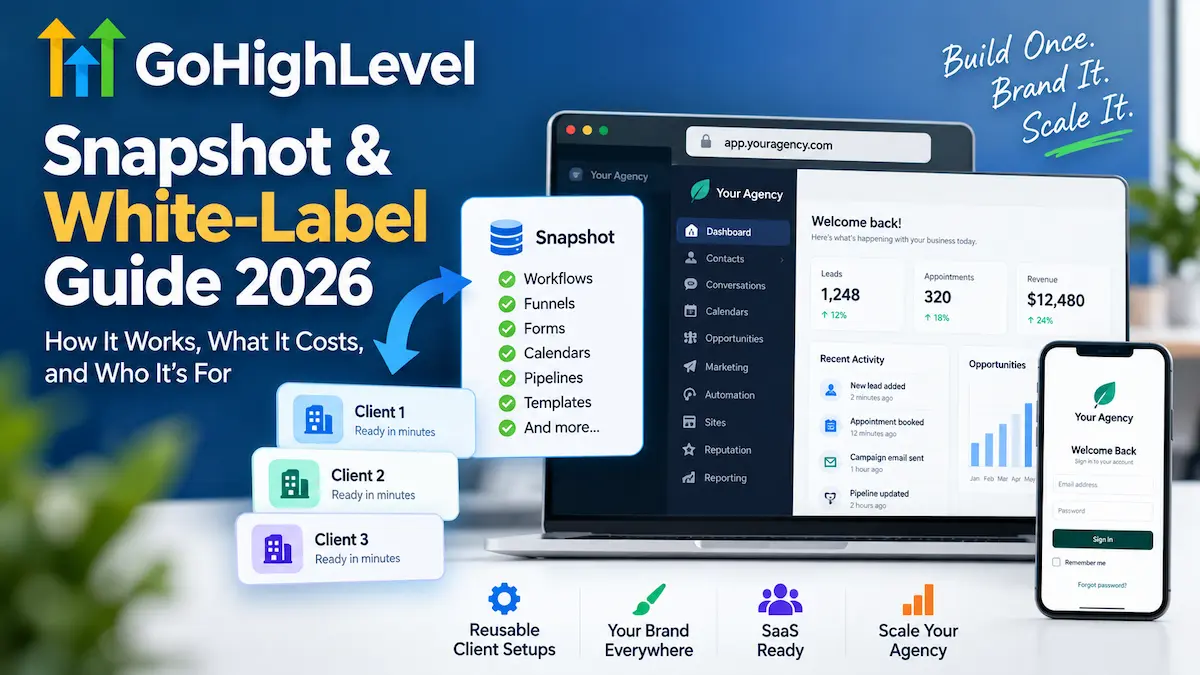
GoHighLevel can look complicated if you only think of it as a CRM. For agencies, two features are particularly important: Snapshots, which let you reuse account configurations, and white-label tools, which let you present parts of the platform under your own agency brand.
The important distinction is that these are not the same thing. A Snapshot helps you replicate configurations; white-label features help you brand the customer experience. If you are considering HighLevel for an agency, SaaS-style offer, or repeatable client setup, understanding that difference can save you from choosing the wrong plan or expecting features that do not actually transfer.
This guide explains how Snapshots work, what they copy and do not copy, how HighLevel’s current white-label options fit together, what the plans cost in 2026, and where the additional costs and practical limitations matter.
Quick Answer
A HighLevel Snapshot is a reusable template of selected assets from a sub-account. It can copy things such as workflows, funnels, forms, calendars, pipelines, dashboards, templates, and other configuration assets into new or existing sub-accounts. It does not copy live customer data such as contacts, conversations, appointments, or account history. Snapshots also do not update automatically; you need to refresh them when the source setup changes.
White-labeling is a separate concept. HighLevel supports branded login domains and a branded desktop application experience, while its current pricing page lists a White Label Mobile App at $497/month as an optional add-on. Agency Pro currently costs $497/month and includes SaaS Mode, automated sub-account creation, phone and email rebilling with markup, user/agent reporting, and advanced API access.
What Is a GoHighLevel Snapshot?
A Snapshot is best understood as a reusable configuration template.
You first build a source sub-account with the workflows, funnels, forms, calendars, pipelines, dashboards, templates, and other assets you want to reuse. You then create a Snapshot from that sub-account and select the assets you want included.
HighLevel’s documentation specifically describes Snapshots as reusable templates that capture selected configuration assets from a sub-account and apply them to new or existing sub-accounts.
That makes Snapshots useful when you repeatedly build similar systems for clients.
For example, imagine an agency works primarily with local service businesses. Instead of rebuilding the same lead form, pipeline, appointment calendar, workflow, email templates, and reporting structure for every new client, the agency can create a reusable Snapshot and load the appropriate assets into each new sub-account.
The Snapshot does not magically create a finished business for the client. It gives you a repeatable starting configuration.
What Can a HighLevel Snapshot Copy?
HighLevel currently supports a broad range of Snapshot assets. The exact assets available can depend on the source account, enabled features, and what you select during Snapshot creation or loading.
Examples include:
- CRM structure: custom fields, custom objects, pipelines, tags, custom values, and trigger links
- Automation: workflows, triggers, Agent Studio, Brand Voice, Conversation AI, and Voice AI Agents
- Funnels and websites: funnels, websites, section templates, forms, surveys, quizzes, and related marketing assets
- Calendars: calendars, calendar groups, services, categories, resources, and service add-ons
- Email and marketing: campaigns, email templates, text templates, and other marketing assets
- Reporting: dashboards, custom reports, and custom metrics
- Branding: design kit and custom brand colours
- Documents and knowledge: documents, contracts, folders, and knowledge bases
- Membership and learning assets: certificates, offers, products, and webinars
- Other supported assets: review settings, WhatsApp templates, ad campaign structures, and WordPress site configurations
Some assets still need additional configuration after they are loaded. For example, certain integrations, approvals, phone-number assignments, domains, plugins, or licences may need to be connected or updated in the destination account.
What Does a Snapshot Not Copy?
This is one of the most important parts of the entire Snapshot system.
A Snapshot is not a complete clone of a live client account. HighLevel specifically separates reusable configuration from live account activity and customer records.
Common items that do not transfer include:
- Contacts
- Appointments
- Conversations
- Conversation history
- Messages
- Reputation data
- Live account activity
- Stripe connections
- Third-party integrations and account connections
- Assigned phone numbers for Voice AI agents
- LinkedIn Lead Gen Forms
- Private dashboards
- Some third-party WordPress plugin or theme licences that require re-authentication
- Contact-to-contact associations
That distinction matters when planning onboarding. You can standardise the system, but you still need to configure account-specific connections, customer information, domains, payment accounts, and other items that cannot simply be carried over in a Snapshot.
How to Create a HighLevel Snapshot
HighLevel’s current documentation uses the following basic workflow:
- Open Agency View.
- Go to Account Snapshots.
- Select Create New Snapshot.
- Give the Snapshot a clear name.
- Select the source sub-account containing the configuration you want to reuse.
- Choose all assets or select specific assets.
- Create the Snapshot.
The important preparation happens before step one. Build and clean up the source sub-account first. If the source account contains unnecessary workflows, outdated forms, incorrect branding, or test assets, those problems can become part of the reusable template.
HighLevel also supports selective Snapshot management, so you can choose specific assets rather than treating the Snapshot as an all-or-nothing package.
Do HighLevel Snapshots Update Automatically?
No.
If you change the source sub-account after creating a Snapshot, the Snapshot does not automatically become an exact reflection of those changes. HighLevel requires you to refresh the Snapshot to capture new or changed assets.
After refreshing a Snapshot, HighLevel also provides a Push Update workflow for linked sub-accounts. You can select which assets to push rather than reloading the entire Snapshot. HighLevel describes these updates as selective rather than destructive, although you should still review what you are changing before pushing updates to client accounts.
This is particularly useful for agencies that maintain a standardised client setup. A change to a shared workflow or template can be prepared in the source account, reviewed, refreshed into the Snapshot, and then selectively pushed where appropriate.
Snapshot vs. White Label: They Solve Different Problems
| Feature | What it solves |
|---|---|
| Snapshot | Reusable account configuration and faster standardised setup |
| White-label domain | Branded web login address for customers |
| White-label desktop app | Branded desktop application experience |
| White-label mobile app | Branded mobile application experience |
| SaaS Configurator | Packaging, pricing, selling, and managing recurring SaaS plans |
Thinking about these as separate layers makes HighLevel much easier to understand.
A Snapshot helps you build the underlying configuration repeatedly. White-label features control how customers see and access the platform. SaaS Configurator deals with selling and managing your SaaS offering. HighLevel documents these as distinct capabilities rather than one single “white-label” switch.
How HighLevel White Labeling Works
HighLevel’s current documentation supports a whitelabel domain for the desktop web application. This can use a subdomain you control, such as app.youragency.com, instead of the standard HighLevel login address.
HighLevel hosts and secures the application, while your domain provides the branded entry point. Its current setup documentation instructs agencies to create a CNAME record and connect the subdomain through the Agency settings.
HighLevel also distinguishes the whitelabel domain from its API Domain. The whitelabel domain controls the branded desktop web login, while the API Domain is used for branded system-generated links such as forms, surveys, calendars, trigger links, short links, and review links.
For an agency that wants a consistent brand experience, that distinction is worth paying attention to. Changing the login URL alone does not automatically mean every link a customer receives will use the agency’s domain.
What Is the HighLevel White-Label Desktop App?
HighLevel now documents a separate White-Label Desktop App that agencies can brand for customers.
The current desktop app documentation says the branded app can be configured for Windows, macOS, and Linux. Agencies can customise elements such as the app name, icon, theme, login title, subtitle, logo, background, and placeholder images. HighLevel generates the application after the agency submits the build.
There is an important distinction here:
- The whitelabel domain gives customers a branded web login address.
- The white-label desktop app provides a branded installed desktop application.
HighLevel’s documentation states that these are configured separately. Using both can create a more consistent branded experience, but one should not be assumed to automatically configure the other.
What About the White-Label Mobile App?
The mobile app is where pricing needs particular attention because older articles and third-party guides can describe it differently.
HighLevel’s current official pricing page lists the White Label Mobile App at $497/month as an optional add-on. It should therefore not be described simply as something that is automatically included in the $497/month Agency Pro subscription.
The same pricing page separately lists Agency Pro at $497/month. Agency Pro includes SaaS Mode, automated sub-account creation, phone and email rebilling with markup, user/agent reporting, and advanced API access.
HighLevel’s Enterprise pricing information currently states that the White Label Mobile App is included with an Enterprise purchase.
If a branded mobile app is important to your business, check the current HighLevel pricing and account interface before committing to a plan because add-ons and eligibility can change.
HighLevel Pricing in 2026
HighLevel’s current official pricing page lists three standard plans before Enterprise:
| Plan | Monthly price | Annual price | Key points |
|---|---|---|---|
| Starter | $97/month | $970/year | 3 sub-accounts, unlimited contacts, unlimited users, core features |
| Unlimited | $297/month | $2,970/year | Unlimited sub-accounts, phone/email rebilling without markup, basic API access |
| Agency Pro | $497/month | $4,970/year | SaaS Mode, automated sub-account creation, phone/email rebilling with markup, user/agent reporting, advanced API |
HighLevel currently advertises a 14-day free trial for these plans, with no credit card charge until the trial ends. Usage-based charges can also apply, so the subscription price should not automatically be treated as your complete operating cost.
You can review the current plans through HighLevel’s pricing page before signing up.
What Are the Important Additional Costs?
The headline subscription price is only part of the calculation for some businesses.
HighLevel’s current pricing page lists several optional add-ons, including:
- AI Employee Growth: $50/month per sub-account
- AI Employee Unlimited: $97/month per sub-account
- Branded Client Portal App: $49/month per sub-account
- Dedicated email IP: $59/month per IP
- HIPAA compliance: $297/month
- Online listings management: $30/month per sub-account
- Premium prospecting: $29/month per sub-account
- Premium support: $500/month
- SEO: $79/month per sub-account
- WhatsApp integration: $10/month per sub-account
- White Label Mobile App: $497/month
- WordPress hosting: starting at $10/month per site
HighLevel also states that usage-based charges apply. Telecommunications, AI usage, and other usage-dependent services can therefore increase the effective cost beyond the base subscription.
That is why comparing HighLevel purely on the $297 or $497 headline price can give you an incomplete picture. Your actual cost depends on how many sub-accounts you operate, which add-ons you need, and how heavily your clients use metered services.
Which HighLevel Plan Makes Sense for White-Label Agencies?
Starter: Better for learning than scaling a client portfolio
The $97 Starter plan includes three sub-accounts. That can be enough for a small operation that is evaluating HighLevel or managing only a limited number of environments.
However, the three-sub-account limit becomes important if your business model depends on creating separate client environments.
Unlimited: The practical agency tier
At $297/month, Unlimited provides unlimited sub-accounts, basic API access, and the ability to rebill phone and email costs without markup.
This is the more relevant tier for agencies that primarily want to manage multiple clients and standardise their systems without necessarily building a fully automated SaaS sales operation.
Agency Pro: For agencies building a SaaS-style offer
Agency Pro costs $497/month and adds SaaS Mode, automated sub-account creation, rebilling with markup, user/agent reporting, and advanced API access.
The important point is that SaaS Mode is included at the Pro level. If your objective is to package HighLevel as a recurring software service and automate customer provisioning, Pro is the plan specifically positioned for that model.
That does not mean every agency should jump directly to Pro. If you are still validating your service offer and do not need automated SaaS provisioning, the additional $200/month over Unlimited may not be justified by your current workflow.
How SaaS Mode Fits With Snapshots
SaaS Mode and Snapshots work well together conceptually, but they perform different jobs.
The current SaaS Configurator lets agencies create recurring SaaS plans, configure pricing and features, attach a Snapshot, generate payment links, and automate parts of the customer onboarding process. HighLevel’s current documentation says that an attached Snapshot can be used to auto-configure new sub-accounts when a customer purchases a SaaS plan.
HighLevel currently supports two SaaS billing architectures:
- SaaS V1: Stripe-based
- SaaS V2: uses an Agency Sub-Account as the billing system of record and supports multiple payment providers
HighLevel explicitly describes V1 and V2 as separate billing architectures rather than sequential versions of the same system.
For an agency, the practical workflow can therefore look like this:
- Build a clean source sub-account.
- Create a reusable Snapshot.
- Create a SaaS plan.
- Attach the appropriate Snapshot.
- Define the plan’s pricing and features.
- Sell the plan through an appropriate checkout or payment link.
- Use the resulting provisioning workflow to create or configure the customer’s sub-account.
- Complete any account-specific connections or configuration that the Snapshot cannot transfer.
The last step is easy to overlook. Automation does not remove the need for account-specific setup.
Real-World Use Cases for Snapshots and White Labeling
1. A marketing agency serving one niche
Suppose an agency works mainly with home-service companies. It could create a standard configuration containing its preferred pipeline structure, forms, calendars, workflows, templates, and reporting assets.
A Snapshot gives the agency a reusable starting point for each new client. The agency can then customise the account for the individual business rather than rebuilding its core system from scratch.
2. An agency with multiple locations
Snapshots can also help when the same operational system needs to be deployed across multiple locations or related sub-accounts. HighLevel specifically lists repeated setups across locations and vertical-specific templates among Snapshot use cases.
3. A SaaS-style agency offer
An agency could combine a standard Snapshot with SaaS Configurator to create a more structured product offering. The customer purchases a plan, the appropriate configuration is provisioned, and the agency can then provide additional onboarding and support.
The technology can make the process more repeatable. It does not, by itself, guarantee customer acquisition, retention, profitability, or any particular revenue level.
Pros of Using HighLevel Snapshots and White Label Features
- Repeatability: Build a configuration once and reuse selected assets across an unlimited number of sub-accounts on the Unlimited and Agency Pro plans, instead of rebuilding pipelines and workflows from scratch for each client.
- Faster onboarding: New client accounts can start from a documented standard structure — forms, calendars, and pipelines already built — rather than a blank sub-account.
- Brand control at two levels: A custom login domain (via CNAME) and a branded desktop app (available for Windows, macOS, and Linux) reduce reliance on a generic HighLevel-branded login screen.
- SaaS infrastructure included at Agency Pro: SaaS Mode, automated sub-account creation, and rebilling with markup are bundled into the $497/month tier rather than sold as separate add-ons.
- Selective updates: Snapshots can be refreshed from the source account and pushed to linked sub-accounts asset-by-asset, rather than forcing an all-or-nothing reload.
- Broad asset coverage: Snapshots currently cover 10+ categories of assets, from CRM pipelines and custom fields to Voice AI Agents, membership products, and WordPress site configurations.
Enhanced Pros and Cons at a Glance
| Consideration | What the documentation shows |
|---|---|
| Setup speed | A cleaned source sub-account can be duplicated into a new client account in minutes via Snapshot load, versus hours of manual pipeline/form/calendar rebuilding |
| Data portability | Contacts, conversations, Stripe connections, and phone-number assignments do NOT transfer — these must be reconfigured per client |
| Branding depth | Desktop app and domain branding are configured separately; the mobile app is a distinct $497/month add-on, not bundled by default |
| Update control | Push Update lets you select individual assets to update in linked accounts instead of overwriting the whole sub-account |
| Cost transparency | Base plans ($97–$497/month) exclude usage-based telecom/AI charges and the 12 optional add-ons listed on the pricing page |
Limitations You Should Understand Before Buying
- A Snapshot is not a complete account clone. Contacts, conversations, appointments, integrations, payment connections, and other live data do not transfer.
- Snapshots do not automatically stay current. You need to refresh them when the source configuration changes.
- Some copied assets need additional setup. Domains, integrations, approvals, phone numbers, plugins, and licences can require post-load work.
- White-labeling is not one single feature. Domain branding, desktop app branding, mobile app branding, and SaaS selling are separate capabilities.
- The base subscription is not necessarily your complete cost. HighLevel lists usage-based charges and numerous optional add-ons.
- A SaaS platform still needs operations. You remain responsible for onboarding, support, account configuration, billing decisions, client communication, and the quality of the service you sell.
Who Should Consider HighLevel White Labeling?
HighLevel’s white-label and Snapshot features make the most sense when you have a repeatable client-delivery model.
Best for:
- Marketing or automation agencies managing multiple client sub-accounts.
- Agencies that frequently build similar CRM and marketing systems and want a documented, reusable template.
- Businesses developing a recurring SaaS-style service around CRM, automation, funnels, booking, or communications.
- Teams that want customers to access the platform through a consistent, agency-branded login and app experience.
Not ideal for:
- Solopreneurs who only need a basic CRM for one small business.
- Anyone who won’t manage more than one or two client environments.
- Businesses with no repeatable configuration to package into a Snapshot.
- Buyers who only need a simple landing-page builder and won’t use the branding or SaaS-selling features enough to justify the $297–$497/month tiers.
If your main requirement is simply managed WordPress hosting, HighLevel is solving a different problem. Our comparison of WordPress hosting for agencies is more relevant for that use case.
Alternatives to Consider
- If you need a lower-cost all-in-one funnel and CRM tool: Systeme.io starts at a lower monthly price point and covers funnels, email, and basic automation, though it does not offer HighLevel’s Snapshot system or white-label desktop app.
- If you mainly need CRM and pipeline management without agency/SaaS features: A dedicated CRM may be a simpler fit than paying for Agency Pro’s SaaS infrastructure you won’t use. See our GoHighLevel vs. HubSpot comparison for how the two differ.
- If you’re comparing funnel-focused platforms: Review our GoHighLevel alternatives guide for platforms built primarily around funnels rather than full agency operations.
How HighLevel Compares With the Other GoHighLevel Articles on This Site
If you are still deciding whether HighLevel itself is right for you, start with our GoHighLevel review, which covers the broader platform rather than focusing specifically on Snapshots and white labeling.
For a deeper look at subscription costs and add-ons, see our GoHighLevel pricing guide.
If you are comparing HighLevel with another CRM, our GoHighLevel vs. HubSpot comparison looks at how the two platforms differ in positioning and use cases.
And if you are considering a different funnel or marketing platform, you can also compare HighLevel with alternatives in our GoHighLevel alternatives guide.
Practical Tips Before Building Your First Snapshot
- Build the source account carefully. Do not use a messy client account as your long-term master template.
- Remove test assets. A Snapshot is only as clean as the configuration you capture.
- Name assets clearly. This becomes increasingly important when several client accounts use the same template.
- Separate reusable assets from client-specific settings. Contacts, payment connections, domains, integrations, and other account-specific information may need separate setup.
- Document what the Snapshot does not provide. Your onboarding checklist should identify the steps that still need to be completed after loading it.
- Refresh deliberately. Do not assume that changing the source account automatically changes existing client environments.
- Review updates before pushing them. Selective Snapshot updates are useful, but shared changes should still be treated as production changes.
- Calculate the complete operating cost. Include the base plan, add-ons, usage-based charges, payment processing, and any other services your client offer requires.
Frequently Asked Questions
Does a HighLevel Snapshot copy client contacts and conversation history?
No. Snapshots copy configuration assets like workflows, pipelines, and forms — not live data such as contacts, conversations, appointments, or Stripe connections. Those need to be set up separately in each destination account.
Do I need Agency Pro to use Snapshots?
No. Snapshot creation and loading are available below Agency Pro; Agency Pro specifically adds SaaS Mode, automated sub-account creation, and rebilling with markup, which are separate from the core Snapshot feature.
Is the White Label Mobile App included in the $497/month Agency Pro plan?
No, based on HighLevel’s current pricing page. The White Label Mobile App is listed as a separate $497/month add-on. It is included by default with an Enterprise purchase.
Will a Snapshot automatically update if I change the source sub-account?
No. You need to manually refresh the Snapshot to capture new or changed assets, then use the Push Update workflow to apply selected changes to linked sub-accounts.
What’s the difference between white-labeling the domain and white-labeling the desktop app?
The whitelabel domain gives customers a branded web login URL (via a CNAME record you control). The white-label desktop app is a separately configured, installable application with its own name, icon, and branding for Windows, macOS, and Linux.
Can I use a Snapshot without also buying white-label features?
Yes. Snapshots and white-label branding are independent capabilities. You can use Snapshots purely to speed up internal setup without ever branding the customer-facing login or app.
Is GoHighLevel worth it just for the Snapshot feature?
It depends on how often you rebuild similar client setups. If you regularly create near-identical pipelines, forms, and workflows for new clients, the time saved by Snapshots can justify the Starter or Unlimited plan on its own, even before considering white-label or SaaS features.
Is GoHighLevel White Labeling Worth It?
It can be, but the answer depends heavily on your business model.
If you have a repeatable agency service and want to turn that system into a branded client experience, Snapshots and white-label tools can solve practical operational problems. Snapshots can reduce repetitive configuration work, while branded domains and applications can make the customer-facing experience more consistent.
The value becomes less obvious if you are buying the platform simply because “white labeling” sounds attractive. The additional branding features do not replace the need for a useful service, good onboarding, client support, or a viable pricing model.
There is also no need to buy every available add-on on day one. A sensible approach is to identify the actual customer experience you want to deliver, determine which HighLevel capabilities are required to provide it, and then add only the components that support that service.
Final Verdict
HighLevel Snapshots are best viewed as reusable configuration templates, not complete account clones. Their biggest practical advantage is repeatability: agencies can create a structured system once and reuse selected assets across multiple sub-accounts.
White labeling is a separate layer. HighLevel currently supports branded web login domains and branded desktop applications, while the White Label Mobile App is listed separately at $497/month. Agency Pro is $497/month and adds SaaS Mode and other agency-oriented capabilities, but the mobile app should not be described as automatically included in that subscription.
For an agency, the strongest reason to consider this setup is not simply having a different logo on the login screen. It is the combination of repeatable configurations, standardised onboarding, branded customer access, and — where appropriate — SaaS subscription infrastructure.
If that matches the way you already deliver services, HighLevel is worth evaluating. If you only need a straightforward CRM or a simple marketing tool for one business, the full agency and SaaS setup may be more complexity than you need.
Explore HighLevel if you want to evaluate the platform directly. Before purchasing, review the current pricing, add-ons, usage charges, and feature availability for the specific plan you intend to use.
Official HighLevel Sources
- HighLevel Pricing
- HighLevel Snapshots Overview
- HighLevel Snapshot Refresh and Updates
- HighLevel Whitelabel Domain Documentation
- HighLevel White-Label Desktop App Guide
- HighLevel SaaS Configurator Documentation
About the Author
T. Vasireddi is the founder and editor of ToolGrowthHQ, creating practical, research-based guides on web hosting, WordPress, SaaS tools, and digital marketing.
His focus is on providing clear, accurate, and useful information to help readers make better technology and software decisions.
Connect with him:
Follow for more AI tool reviews, SaaS comparisons, and digital marketing tips.