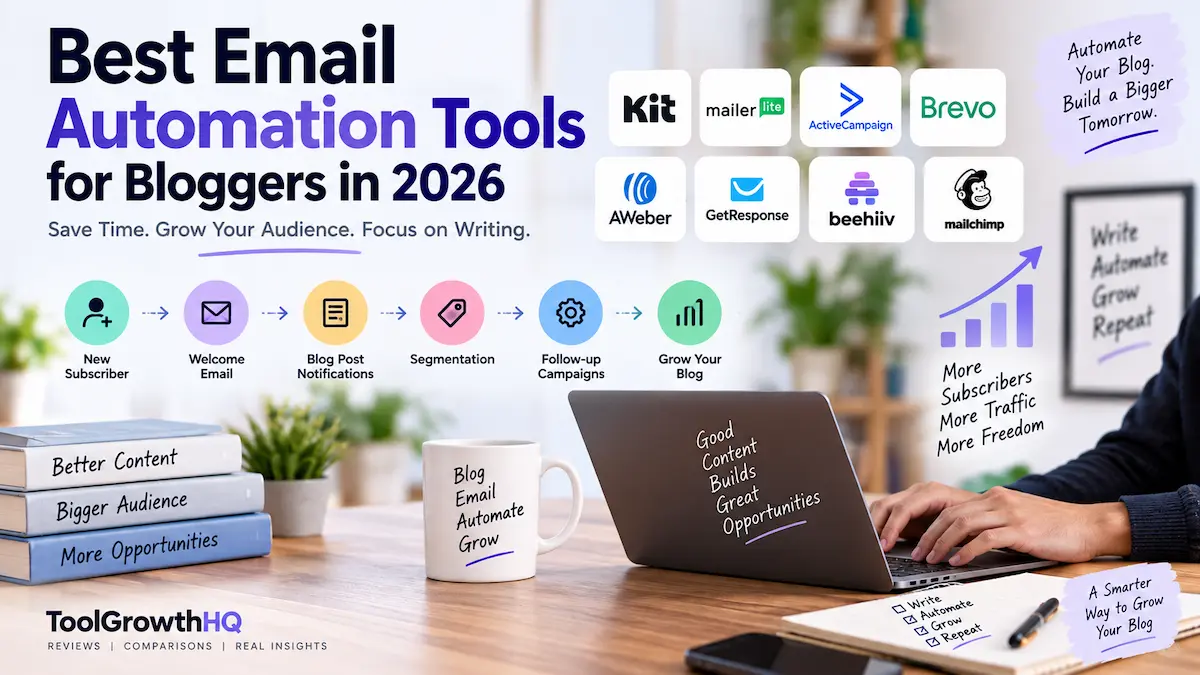
Email automation tools for bloggers can save hours of repetitive work by automatically welcoming new subscribers, delivering lead magnets, sending blog-post notifications, and following up with readers based on their interests.
If you publish a blog regularly, email automation can save you from repeating the same work every time someone subscribes, reads a post, or shows interest in a topic.
The challenge is choosing a platform that actually fits a blogger’s workflow. Some tools are built around creator newsletters, some are better for traditional blog-to-email campaigns, and others become more useful when your blog grows into a larger marketing operation.
This guide compares the leading options based on the things bloggers are most likely to automate: subscriber welcome emails, blog-post notifications, evergreen sequences, segmentation, lead magnets, and follow-up campaigns.
The challenge is choosing a platform that actually fits a blogger’s workflow. Some tools are built around creator newsletters, some are better for traditional blog-to-email campaigns, and others become more useful when your blog grows into a larger marketing operation.
This guide compares the leading options based on the things bloggers are most likely to automate: subscriber welcome emails, blog-post notifications, evergreen sequences, segmentation, lead magnets, and follow-up campaigns.
Methodology: This comparison is based on publicly available pricing and feature documentation, vendor specifications, and verified user reviews, updated as of August 2026. We evaluate each tool against automation depth, RSS/blog functionality, free-plan limits, entry-level pricing, and how the platform scales as a blog grows into a larger business. Pricing can change, and providers calculate costs differently depending on subscribers, contacts, sending volume, or billing period — treat the figures below as a current snapshot rather than a permanent guarantee, and confirm current pricing on the provider’s site before subscribing.
Quick answer: Kit is the strongest fit for creator-focused bloggers who want visual automations and automated email sequences. MailerLite is a practical lower-cost option, while ActiveCampaign is better suited to bloggers who need more sophisticated customer journeys. Brevo is worth considering when email volume matters more than subscriber count. AWeber is particularly relevant to traditional blog and RSS workflows, while GetResponse is stronger when a blog is becoming a broader marketing business. beehiiv is excellent for newsletter-first publishing, but its free plan does not include email automations.
What Should Bloggers Automate?
You do not need a complicated automation system on day one. For most blogs, a useful setup starts with a few repeatable workflows:
- Welcome sequence: introduce new subscribers to your blog and deliver a promised lead magnet or resource.
- New-post notifications: automatically tell subscribers when you publish new content.
- Evergreen sequence: send useful older articles or educational content to new subscribers over time.
- Interest-based segmentation: separate subscribers according to the topics or resources they have shown interest in.
- Product or course follow-up: send relevant information after someone shows interest in an offer.
- Re-engagement: identify subscribers who have stopped interacting and decide how you want to handle them.
The important point is not to automate everything simply because a platform allows it. A small number of useful workflows is usually easier to maintain than a complicated system nobody reviews.
How We Compared These Email Automation Tools
For bloggers, automation depth is only one part of the decision. We looked at:
- Automation and workflow capabilities
- RSS or blog-post automation
- Subscriber tagging and segmentation
- Free-plan limits
- Entry-level paid pricing
- Ease of building a practical blogger workflow
- Ability to expand into products, courses, or broader marketing
- How the pricing model changes as your list grows
1. Kit — Best for Creator-Focused Bloggers
Kit, formerly ConvertKit, is particularly well aligned with bloggers and creators who want email to become part of their content business rather than simply a place to send newsletters.
Its current Free plan supports up to 10,000 subscribers and includes unlimited forms, landing pages, broadcasts, tagging and segmentation. However, the features most relevant to serious automation — Visual Automations, email sequences, rules, and RSS campaigns — are on paid plans.
The current Creator plan starts at $33 per month for 1,000 subscribers when billed annually, with a yearly price of $390. It includes unlimited Visual Automations and email sequences.
Kit also supports RSS connections that can create broadcasts when you publish new blog posts, including the option to send individual post emails or a digest. For a WordPress blog, Kit provides a WordPress plugin that can display forms and other Kit content directly on the site.
Feature snapshot:
- Free-plan subscriber cap: 10,000
- Visual Automations, sequences, rules, RSS campaigns: paid plans only
- Entry paid tier: $33/month (1,000 subscribers, billed annually)
- WordPress plugin: Yes
- RSS-to-broadcast: individual post emails or digest
Best for: bloggers, creators, authors, educators, and independent publishers building an audience around their content.
Why it stands out: the combination of subscriber tagging, visual workflows, sequences, creator-focused tools, and blog/RSS functionality makes it easy to build a content-driven email system.
Watch out for: the free plan is generous for list growth, but the core automation features you may expect from an automation-focused platform require a paid plan.
Choose Kit if: your blog is becoming a creator business and you want your email system to support lead magnets, evergreen content, products, or paid newsletters.
Skip it if: you only need occasional newsletters and simple blog notifications and do not expect to use advanced creator features.
Related: If you are already comparing Kit with other newsletter platforms, see our Kit (ConvertKit) Review 2026 and Kit vs Mailchimp 2026 comparison.
2. MailerLite — Best Value for Smaller Blogs
MailerLite is a good fit for bloggers who want automation without immediately moving into a more complex marketing platform.
Its current Free plan supports up to 250 subscribers and 2,500 monthly emails, including three automations, one website, one landing page, and signup forms. The Comfort plan starts at $12 per month for up to 500 subscribers and includes 5,000 monthly emails at that tier, plus more automation capacity and RSS campaigns.
MailerLite’s RSS-to-email feature can automatically pull new blog content into an email on a daily, weekly, or monthly schedule — useful if your main requirement is simply keeping subscribers informed about new posts.
Feature snapshot:
- Free plan: 250 subscribers, 2,500 emails/month, 3 automations included
- Comfort plan: $12/month, 500 subscribers, 5,000 emails/month
- RSS campaigns: paid feature
- Free trial available: No credit card required to start on Free
Best for: new and growing bloggers who want a straightforward combination of newsletters, forms, automation, and blog-post emails.
Why it stands out: the entry-level cost is relatively low, and the free plan already includes basic automation.
Watch out for: RSS campaigns are a paid feature, and the free plan has a relatively small 250-subscriber limit.
Choose MailerLite if: you want a simple system and do not need the deeper customer-journey capabilities of a dedicated marketing automation platform.
3. ActiveCampaign — Best for Advanced Automation
ActiveCampaign is aimed at a more sophisticated level of marketing automation. For a blogger, that can be useful when the site grows into a business with multiple products, lead magnets, sales processes, or more detailed subscriber journeys.
For 1,000 contacts, ActiveCampaign currently lists Starter at $15 per month, Plus at $49, and Pro at $79. The exact cost can change with contact volume and plan configuration. The Starter plan includes a CRM and automation foundations such as branching and multiple triggers; higher plans add more automation actions and additional marketing and sales functionality.
Feature snapshot:
- Starter: $15/month (1,000 contacts) — CRM, branching, multiple triggers
- Plus: $49/month — expanded automation actions
- Pro: $79/month — full marketing/sales feature set
Best for: established blogs that are developing into larger businesses.
Why it stands out: it provides considerably more room for complex automation than a basic newsletter platform, priced at $15/month versus Kit’s $33/month entry tier — though the two platforms serve different needs.
Watch out for: a blogger who only needs a welcome sequence and RSS newsletter may be paying for complexity they do not actually need.
Choose ActiveCampaign if: you expect your automation logic to become increasingly sophisticated as your business grows.
4. Brevo — Best for a Sending-Volume-Based Model
Brevo uses a different pricing approach from many subscriber-based email platforms. Its plans are strongly tied to email sending volume, which can make the economics attractive for some bloggers but less attractive for others.
Brevo’s Free plan costs $0 and allows up to 300 email sends per day, with storage for up to 100,000 contacts. Marketing automation on the Free plan is limited to up to 2,000 contacts. The current Starter plan begins at $9 per month, while Standard begins at $18 per month; Standard adds unlimited-contact marketing automation, A/B testing, and more advanced reporting.
Feature snapshot:
- Free: 300 sends/day, up to 100,000 stored contacts, automation capped at 2,000 contacts
- Starter: $9/month
- Standard: $18/month — unlimited-contact automation, A/B testing
Best for: bloggers who care about sending volume and want a platform that can also handle broader customer communication.
Why it stands out: the pricing structure is based heavily on sending volume rather than simply charging more because your contact database is larger.
Watch out for: the Free plan’s 300-email-per-day limit can become restrictive for a growing blog with a large subscriber base.
Choose Brevo if: your email volume and broader marketing requirements make its pricing model more attractive than subscriber-based alternatives.
5. AWeber — Best for Traditional Blog and RSS Automation
AWeber has a long-standing focus on email marketing and provides tools specifically aimed at bloggers, including RSS functionality and WordPress integration.
The current Free plan supports up to 500 subscribers and 3,000 emails per month, with one workflow automation or autoresponder campaign. AWeber Lite starts at $15 per month, or $12.50 per month billed annually; at the 500-subscriber tier it includes 5,000 monthly sends. AWeber Plus starts at $30 per month, or $20 per month billed annually, and unlocks its broader feature set.
Feature snapshot:
- Free: 500 subscribers, 3,000 emails/month, 1 workflow
- Lite: $15/month ($12.50/month annually) — 5,000 sends at 500 subscribers
- Plus: $30/month ($20/month annually) — full feature set
- Blog-to-email and WordPress integration: Yes
Best for: bloggers who want a conventional email marketing platform with strong blog and RSS-related functionality.
Why it stands out: its blogger-focused workflow makes it relevant for publishers who mainly want to grow a list and distribute blog content consistently.
Watch out for: if your main goal is highly complex behavioural automation, other platforms may offer a better fit.
6. GetResponse — Best When Your Blog Is Becoming a Marketing Business
GetResponse sits between email marketing and broader marketing automation. That makes it interesting for bloggers who are moving beyond content publishing into courses, funnels, lead generation, or other commercial activities.
The current Starter plan begins at $19 per month for up to 1,000 subscribers when billed monthly, or $15.58 per month billed annually, and includes unlimited email sends plus one custom automation workflow. The Marketer plan starts at $59 per month monthly or $48.38 per month billed annually and adds unlimited automation workflows and advanced audience segmentation.
Feature snapshot:
- Starter: $19/month ($15.58/month annually), 1,000 subscribers, unlimited sends, 1 automation workflow
- Marketer: $59/month ($48.38/month annually) — unlimited workflows, advanced segmentation
Best for: bloggers who are building a larger business around their content.
Why it stands out: it can support email automation alongside landing pages, forms, funnels, and other marketing activities.
Watch out for: the Starter plan’s one-workflow limit may become restrictive if you want several independent automation systems.
Choose GetResponse if: you expect your blog to become part of a broader lead-generation or digital-product business.
7. beehiiv — Best for Newsletter-First Bloggers
beehiiv is a different proposition from traditional email automation platforms. It is designed heavily around newsletter publishing, audience growth, and newsletter monetization.
Its current Launch plan is free for up to 2,500 subscribers and includes unlimited email sends, a website, newsletter publishing, analytics, custom domains, and other publishing features. However, Launch does not include email automations — those are included with the Scale plan, which currently starts at $43 per month or $517 billed annually.
Feature snapshot:
- Launch (free): 2,500 subscribers, unlimited sends, website + custom domain, no automations
- Scale: $43/month ($517/year) — adds email automations
Best for: newsletter-first publishers who care about publishing, audience growth, and newsletter monetization.
Why it stands out: its product is built around the newsletter as a publishing business rather than treating the newsletter as just one feature inside a larger marketing suite.
Watch out for: the free plan does not include email automations.
Choose beehiiv if: your primary goal is to build a newsletter publication and you are comfortable paying for automation as your operation becomes more advanced.
Related: See our beehiiv Review 2026, beehiiv Pricing Explained, and beehiiv vs Kit comparison for more detail.
8. Mailchimp — Best for Familiar, General-Purpose Email Marketing
Mailchimp remains a reasonable option for bloggers who want a widely used general-purpose email marketing platform rather than a creator-specific system.
Its current Free plan supports up to 250 contacts and up to 500 sends per month, with a maximum of 250 sends per day. The Essentials plan starts at $13 per month for 500 contacts, while Standard starts at $20 per month for 500 contacts; annual billing can reduce the displayed monthly equivalent. Automation flows support multiple triggers, conditional splits, delays, email actions, and tagging, with conditional branching available on Standard and higher plans.
Feature snapshot:
- Free: 250 contacts, 500 sends/month, 250 sends/day cap
- Essentials: $13/month (500 contacts)
- Standard: $20/month (500 contacts) — conditional branching included
Best for: bloggers who want a familiar general-purpose email marketing platform and may already be comfortable with Mailchimp.
Why it stands out: its automation flows can go well beyond a simple autoresponder when you move into the appropriate plan.
Watch out for: the free plan is quite limited for a serious automation strategy.
Choose Mailchimp if: you prefer a general-purpose platform and do not specifically need the creator-oriented approach of Kit or the newsletter-first approach of beehiiv.
Email Automation Tools for Bloggers Compared
| Tool | Free-plan position | Automation strength | Best fit |
|---|---|---|---|
| Kit | Up to 10,000 subscribers, but core automations require paid plan | Strong | Creators and content-focused bloggers |
| MailerLite | 250 subscribers and 2,500 emails/month | Good | Small and growing blogs |
| ActiveCampaign | Paid-focused platform | Very strong | Complex customer journeys |
| Brevo | 300 emails/day, automation up to 2,000 contacts | Good | Volume-conscious senders |
| AWeber | 500 subscribers and 3,000 emails/month | Good for straightforward workflows | Traditional bloggers and RSS users |
| GetResponse | Free option available with restrictions | Strong | Blogs growing into marketing businesses |
| beehiiv | Up to 2,500 subscribers, but no email automations | Strong on paid Scale plan | Newsletter-first publishers |
| Mailchimp | 250 contacts and 500 sends/month | Good on paid plans | General-purpose email marketing |
Who Should Use Which Tool
Best for: creator-driven bloggers who want built-in landing pages and sequences → Kit
Best for: solopreneurs on a tight starting budget → MailerLite
Best for: blogs with multiple products or complex customer paths → ActiveCampaign
Best for: high-volume senders who don’t want to pay per subscriber → Brevo
Best for: traditional RSS-to-email blog workflows → AWeber
Best for: blogs pivoting into funnels or courses → GetResponse
Best for: newsletter-as-a-business publishers → beehiiv
Best for: anyone wanting a well-known, general-purpose tool → Mailchimp
Not ideal for beginners on a tight budget: ActiveCampaign and GetResponse’s paid-only automation depth is more than most single-author blogs need at launch.
Which Email Automation Tool Should a Blogger Choose?
If You Are Starting a New Blog
Do not overcomplicate the setup. A free plan from MailerLite, Kit, AWeber, Brevo, or beehiiv can be enough to start building an audience, depending on the workflow you need.
If automated welcome sequences are important from the beginning, pay close attention to the automation restrictions on each free plan. A large contact allowance is not necessarily useful if the workflow you need is locked behind a paid tier.
If You Mainly Want Automatic New-Post Emails
Look closely at RSS functionality. MailerLite, Kit, and AWeber all provide tools designed around automatically distributing blog content. This is often more important to a blogger than having dozens of advanced automation conditions.
If You Sell Courses, Products, or Services
Automation becomes more valuable when subscribers need different follow-up depending on what they do. For this type of workflow, Kit, ActiveCampaign, and GetResponse are worth closer consideration because they provide more room for sequences, segmentation, or broader marketing workflows.
If Your Main Business Is a Newsletter
beehiiv deserves a close look, particularly if publishing and newsletter monetization are more important to you than traditional blog marketing automation. Just remember that the free Launch plan does not include email automations.
If You Want the Simplest Low-Cost Setup
MailerLite is one of the more straightforward choices to evaluate. Its free plan includes basic automation, and the paid Comfort plan currently starts at $12 per month.
A Practical Automation Setup for a Blog
You do not need ten workflows to make email automation useful. A simple setup can look like this:
- Subscriber joins your list.
- Immediately deliver the promised resource, if you offered one.
- Send a short welcome message explaining what subscribers can expect.
- Introduce two or three useful pieces of existing content based on the main topic of your blog.
- Tag or segment subscribers when they show a clear interest in a particular topic.
- Send new blog posts automatically if regular post notifications make sense for your audience.
- Review the workflow periodically and remove outdated content or unnecessary steps.
The goal is not to create an elaborate funnel. The goal is to make sure a new subscriber receives useful information without requiring you to manually remember every step.
Free Plans: What You Should Check Before Choosing One
A free plan can look generous at first glance, but bloggers should check more than the headline subscriber limit.
- How many subscribers are allowed?
- How many emails can you send?
- Are automated sequences included?
- Is RSS automation included?
- How many workflows can you create?
- Are segmentation and tagging available?
- Does the platform add its branding?
- What happens when you exceed the free-plan limit?
For example, Kit’s free plan supports up to 10,000 subscribers, but its Visual Automations, email sequences, rules, and RSS campaigns require a paid plan. By contrast, MailerLite’s free plan has a much smaller subscriber allowance but includes basic automation. That is why the “largest free plan” is not automatically the best free plan for a blogger.
Alternatives to Consider
- Need the largest free subscriber cap: Kit’s free tier goes up to 10,000 subscribers, more than any other platform on this list.
- Need automation on a true $0 plan: MailerLite includes three automations even on Free.
- Need volume-based pricing instead of per-subscriber fees: Brevo charges by sends, not list size.
- Need newsletter monetization tools, not just email: beehiiv builds in a full publishing and monetization layer.
- Need CRM features alongside email: ActiveCampaign bundles a CRM starting on its entry-level plan.
Email Marketing Compliance for USA and UK Bloggers
Email automation does not remove your responsibility to comply with applicable marketing laws.
For US audiences, the FTC’s CAN-SPAM guidance requires commercial email to use accurate header information, avoid deceptive subject lines, include a valid physical postal address, provide a clear opt-out mechanism, and honour opt-out requests appropriately.
For UK individual subscribers, the ICO explains that unsolicited electronic marketing generally requires specific consent unless an applicable soft opt-in applies. The rules also require marketers to identify themselves and provide a valid way for recipients to opt out.
Do not buy random email lists simply because a provider technically allows you to import contacts. Permission, consent records, and the rules applicable to your audience matter more than the size of the list. Your email platform can provide technical tools for compliance, but using those tools does not transfer the underlying legal responsibility away from you.
Common Blogger Automation Mistakes
- Automating too much too early: complicated workflows are difficult to maintain when your content strategy is still changing.
- Sending every article to everyone: subscribers may have very different interests.
- Ignoring the free-plan limits: a platform can become expensive when your list or sending volume grows.
- Building sequences and never reviewing them: old links, outdated recommendations, and expired offers can remain in evergreen workflows.
- Buying subscriber lists: permission-based list building is safer and more appropriate than importing contacts who did not expect your marketing emails.
- Choosing a platform solely because it has the largest feature list: more features do not necessarily mean a better fit for your blog.
Frequently Asked Questions
Does email marketing still make sense for bloggers in 2026?
Yes, email can still be useful for bloggers because it gives readers a direct way to receive new content instead of relying entirely on search or social platforms. The value depends on the quality and relevance of what you send, not simply on having a large list.
What is the best automated email software for bloggers?
There is no single best option for every blog. Kit is a strong choice for creator-focused automation, MailerLite is attractive for smaller budgets, ActiveCampaign is better suited to complex workflows, and beehiiv is more appropriate when newsletter publishing is the primary business.
Can I automate emails from my WordPress blog?
Yes. Several platforms support WordPress integrations or RSS-based workflows. For example, Kit provides a WordPress plugin and RSS functionality, while MailerLite provides RSS-to-email campaigns.
Do I need permission to send marketing emails?
The answer depends on where your recipients are located and the circumstances in which their information was collected. UK rules under PECR generally require consent for unsolicited electronic marketing to individuals unless an applicable exception such as the soft opt-in applies. US commercial email is subject to CAN-SPAM requirements, including a clear opt-out mechanism.
How much does email automation cost for a blogger?
You can start at $0 with several platforms, but the useful automation features may be limited. Paid entry points vary considerably: MailerLite currently starts at $12 per month for Comfort, ActiveCampaign at $15 per month for 1,000 contacts on Starter, GetResponse at $19 per month for 1,000 subscribers on its monthly Starter plan, and Kit at $33 per month for 1,000 subscribers when billed annually. Prices and limits can change, so check the provider’s current pricing before subscribing.
Is it worth paying for automation as a beginner blogger?
Not always. If your list is small and your main need is a welcome email and post notifications, a free or low-cost plan such as MailerLite’s Comfort tier ($12/month) or a provider’s free automation allowance is usually enough. Paying for advanced branching logic before you have the audience or content library to use it rarely pays off.
What’s the difference between RSS-to-email and a full automation workflow?
RSS-to-email simply repackages new blog posts into an email on a set schedule — it does not branch based on subscriber behavior. A full automation workflow can react to what a subscriber clicks, tags them accordingly, and route them into different follow-up sequences. Bloggers who just want post notifications often don’t need the second type.
Final Verdict
The right email automation platform depends more on your blogging model than on the number of features listed on a pricing page.
Choose Kit if you are a creator-focused blogger who wants visual automations, sequences, segmentation, and content-driven email workflows.
Choose MailerLite if you want a simpler and relatively inexpensive starting point with basic automation.
Choose ActiveCampaign if your blog has developed into a more sophisticated marketing operation and you need complex customer journeys.
Choose Brevo if its sending-volume-oriented pricing model fits the way you communicate with your audience.
Choose AWeber if straightforward blog and RSS email workflows are a priority.
Choose GetResponse if your blog is becoming part of a broader funnel, course, or digital-product business.
Choose beehiiv if your primary focus is building a newsletter publication and monetizing that audience.
Choose Mailchimp if you want a familiar general-purpose email marketing platform with more advanced automation available on paid plans.
For most bloggers, the best starting point is the platform that makes the first few useful automations easy to build and maintain. Start with a welcome workflow, a sensible content distribution system, and basic segmentation. Add complexity only when your audience and business actually require it.
Affiliate disclosure: Some links in this article may be affiliate links, which means ToolGrowthHQ may earn a commission if you purchase through them, at no additional cost to you. Recommendations are based on the features, pricing, and use cases discussed in this guide; an affiliate relationship does not change the criteria used for comparison.
About the Author
T. Vasireddi is the founder and editor of ToolGrowthHQ, creating practical, research-based guides on web hosting, WordPress, SaaS tools, and digital marketing. His focus is on providing clear, accurate, and useful information to help readers make better technology and software decisions.
Connect with him:
Follow for more AI tool reviews, SaaS comparisons, and digital marketing tips.