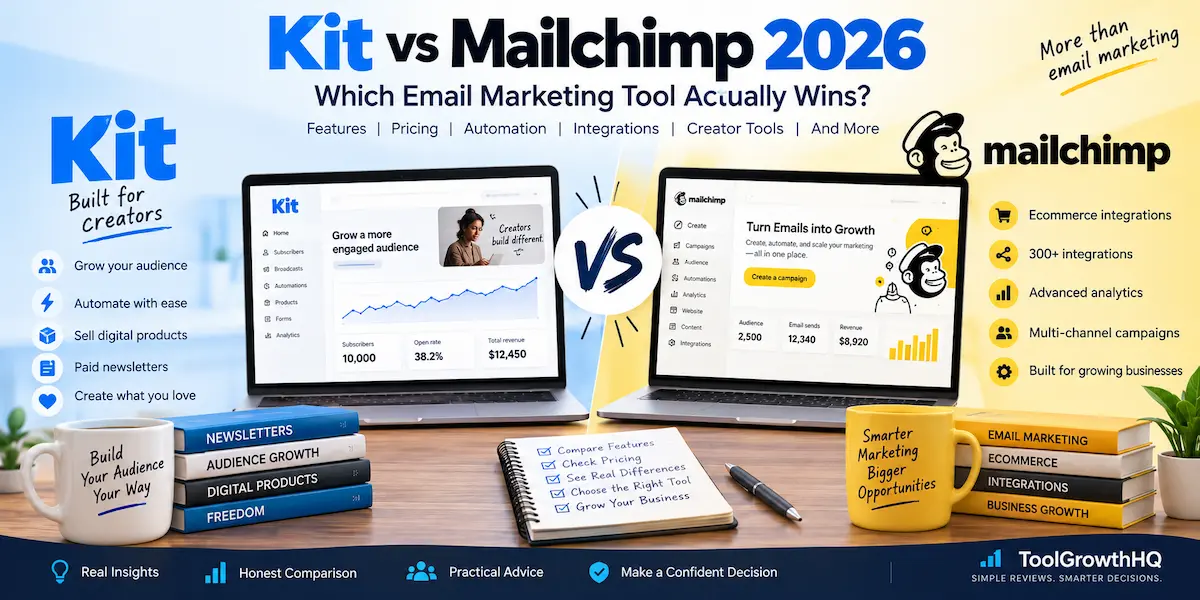
If you are choosing between Kit and Mailchimp in 2026, the biggest mistake is treating them as interchangeable email platforms. They overlap on newsletters, forms, segmentation, automation, and email campaigns, but they are built around different priorities.
Short answer: Kit is the better fit for creators, newsletter businesses, authors, coaches, course creators, and people who want to sell digital products or subscriptions from the same platform. Mailchimp is the stronger fit when you need a broader business marketing toolkit, a large integration ecosystem, and established ecommerce and marketing workflows.
This comparison focuses on the differences that can actually affect your decision: current pricing, subscriber limits, automation, email design, integrations, ecommerce, monetisation, and the limitations you should know before signing up.
How we evaluated these tools: This comparison is based on publicly available pricing and feature documentation, official vendor specifications, and verified user reviews, updated as of August 2026. We evaluate each tool on pricing tiers, subscriber and sending limits, automation depth, integration ecosystem, ecommerce support, and creator monetisation features, so you can match the platform to how your business actually works rather than to a generic feature checklist.
Affiliate disclosure: This article contains affiliate links. If you purchase through an affiliate link, ToolGrowthHQ may earn a commission at no extra cost to you. Our recommendations are based on the features, pricing, limits, and use cases discussed in this article.
Quick Verdict: Kit or Mailchimp?
| What matters most | Better choice | Why |
|---|---|---|
| Large free subscriber allowance | Kit | Kit’s Free plan supports up to 10,000 subscribers, while Mailchimp’s Free plan supports up to 250 contacts. |
| Creator newsletters | Kit | Kit is built around creator-focused publishing, audience growth, automation, and monetisation. |
| Digital products and paid subscriptions | Kit | Kit includes built-in tools for selling digital products, paid newsletters, and recurring subscriptions. |
| Broader business marketing | Mailchimp | Mailchimp combines email marketing with a larger integration ecosystem and broader business-oriented marketing features. |
| Ecommerce integrations | Mailchimp | Mailchimp documents integrations with platforms such as Shopify, WooCommerce, Salesforce, Squarespace, and others. |
| Complex creator automations | Kit | Kit’s Visual Automations are designed around subscriber journeys, tags, sequences, purchases, and behavioural triggers. |
| Large integration ecosystem | Mailchimp | Mailchimp currently advertises 300+ integrations, compared with 100+ direct apps for Kit. |
Overall recommendation: choose Kit if email is central to a creator-led business or newsletter. Choose Mailchimp if email is one part of a broader marketing operation, particularly when ecommerce integrations and a wider business software ecosystem matter more than creator-specific monetisation.
Kit vs Mailchimp Pricing in 2026
Pricing is one of the clearest differences between the two platforms, but simply comparing the headline monthly price can be misleading.
Kit currently offers a Free plan for up to 10,000 subscribers. Its paid Creator plan is listed at $33 per month for 1,000 subscribers, or $390 billed yearly. The Creator Pro plan is listed at $66 per month for 1,000 subscribers, or $790 billed yearly. Kit also advertises a 14-day free trial for its paid plans, with no credit card required to start.
Kit’s Free plan includes unlimited landing pages and forms, unlimited email broadcasts, audience tagging and segmentation, and the ability to sell digital products and subscriptions. Visual Automations and the automation template library are part of the paid Creator and Creator Pro plans.
Mailchimp’s current Free plan supports up to 250 contacts and 500 email sends per month, with a daily sending limit of 250. Its current pricing page displays Essentials from $13 per month, Standard from $20 per month, and Premium from $350 per month under the currently displayed pricing offer. Those figures are not a simple universal price for every account: Mailchimp’s paid pricing depends on the contact tier, and its displayed promotional pricing can change.
Mailchimp also applies contact and sending limits to its paid plans. For example, Essentials supports up to 50,000 contacts with monthly sends calculated at 10 times the contact limit, while Standard supports up to 100,000 contacts with monthly sends calculated at 12 times the contact limit. Premium has different limits and can be customised for larger businesses.
There is another important difference: Mailchimp counts more than just active subscribers toward its contact total. Its documentation says subscribed, unsubscribed, and non-subscribed contacts can be included in the contact count, while archived, cleaned, and deleted contacts do not count.
For current details, always check the official pricing pages before purchasing:
Which pricing model makes more sense?
If you are starting a newsletter and expect your audience to grow quickly, Kit’s 10,000-subscriber Free plan is a major practical advantage.
Mailchimp’s Free plan is much smaller, but Mailchimp’s paid plans give businesses access to a broader set of traditional marketing features. The important point is to compare the plan you would actually need rather than choosing based only on the cheapest advertised price.
For a creator building an audience, the question is often, “How much will I pay when my list grows?” For a business using email alongside ecommerce, CRM, analytics, and other marketing tools, the more useful question may be, “Which platform fits the rest of my stack?”
Kit vs Mailchimp: Free Plans
The free-plan difference is significant.
Kit Free
- Up to 10,000 email subscribers
- Unlimited landing pages and forms
- Unlimited email broadcasts
- Audience tagging and segmentation
- Digital products and subscriptions
- A/B testing on broadcasts
- Free Recommendations through Kit’s Creator Network
- API access
The major limitation is that Kit’s full Visual Automations and automation template library require a paid plan.
Mailchimp Free
- Up to 250 contacts
- Up to 500 email sends per month
- Maximum of 250 sends per day
- One audience
- One user seat
- Limited email template selection
- Basic reporting
- Landing pages and forms
Mailchimp’s Free plan also does not include marketing automation flows, and email scheduling is not included on the Free plan.
Winner for free usage: Kit. The difference is simply too large to ignore if your primary goal is building an email audience without paying immediately.
Automation: Kit vs Mailchimp
This is where the philosophies of the two platforms become much clearer.
Kit’s Visual Automations are designed around subscriber journeys. You can build workflows that respond to actions such as sign-ups, clicks, purchases, inactivity, tags, and other conditions. You can then move subscribers into sequences, apply tags, create delays, and branch the journey.
That makes Kit particularly suitable for a creator workflow such as:
- A reader downloads a free guide.
- Kit adds the subscriber to the appropriate audience or segment.
- A welcome sequence begins.
- The subscriber receives educational emails.
- Engagement or purchase behaviour determines what happens next.
- The subscriber can eventually be offered a paid product, subscription, or other relevant offer.
Kit’s current pricing documentation places unlimited Visual Automations and unlimited email sequences on the Creator plan and above.
Kit’s official automation documentation provides more detail on how its Visual Automations work.
Mailchimp also has automation flows, but the feature structure is different. Its current pricing information lists no automation flows on Free, automation flows of up to four steps on Essentials, and expanded automation capabilities on Standard and Premium.
Mailchimp’s approach makes more sense when automation is part of a wider business marketing system rather than primarily a creator funnel.
Winner for creator-focused automation: Kit.
Winner for broader business marketing workflows: Mailchimp.
Email Design and Templates
Mailchimp has traditionally placed a lot of emphasis on visual email creation, and its current product still offers a broad template and content-building system. Its documentation describes drag-and-drop content blocks, reusable templates, custom-coded templates, A/B testing, dynamic content, and other campaign-building tools depending on the plan.
The Free plan is more restricted, while Essentials and higher plans provide access to a larger template set.
Kit has also invested heavily in its email editor. Kit currently advertises more than 40 creator-made email templates, along with visual editing, reusable templates, personalisation, conditional content, and integrations with services such as Canva and Shopify.
The practical difference is less about whether either platform can create attractive emails and more about the type of email you want to produce.
If your newsletter is primarily text, stories, education, links, product recommendations, or creator content, Kit’s design approach is well aligned with that workflow.
If you need highly branded promotional campaigns with a wider range of business-oriented layouts and marketing content, Mailchimp deserves closer consideration.
Winner: Mailchimp for broader campaign design flexibility; Kit for creator-focused newsletters.
Subscriber Management and Segmentation
Both platforms provide tools for organising audiences, but their terminology and pricing structures differ.
Kit includes subscriber tagging and segmentation. You can use tags to organise people according to where they joined, what they are interested in, or what actions they have taken.
This works particularly well for creators who might have several related audience interests. For example, a business could have separate groups for people interested in blogging, online courses, digital products, or a specific newsletter topic.
Mailchimp also provides segmentation and audience management, with more advanced segmentation available on higher plans. One important pricing consideration is that Mailchimp’s contact total can include unsubscribed and non-subscribed contacts.
That makes list management important if you are trying to control your Mailchimp bill as your database grows.
Winner: Tie. Kit is particularly attractive for creator-style tagging and subscriber journeys, while Mailchimp offers a broader business audience-management system.
Kit vs Mailchimp for Ecommerce
This category requires a more careful answer than simply saying one platform is “better for ecommerce.”
Mailchimp has a broad ecommerce integration ecosystem. Its official documentation lists integrations with platforms including Shopify and WooCommerce, along with Salesforce, Squarespace, QuickBooks, Canva, Zapier, Google Analytics, and many others.
Those integrations can be useful when email marketing needs to connect with customer, product, purchase, and business data.
Kit approaches ecommerce from a different angle. Its Commerce features are closely tied to creator monetisation and include digital products, paid newsletters, recurring subscriptions, and tip jars. Kit also supports integrations with services such as Shopify.
So the distinction is useful:
- Online store with a broader marketing stack: Mailchimp deserves serious consideration.
- Creator selling digital products or subscriptions: Kit is a natural fit.
- Newsletter business with paid content: Kit has a stronger built-in monetisation story.
- Large existing software stack: compare the specific integrations you actually use rather than relying on an overall integration count.
Mailchimp currently advertises more than 300 integrations, while Kit lists more than 100 direct apps. A larger integration count does not automatically mean a better integration for your particular business, so check the exact connection you need before switching platforms.
Creator Monetisation: Where Kit Has a Clear Advantage
This is probably the most important difference if you are a creator.
Kit is not limited to sending newsletters. Its current product includes tools for selling digital products, running paid newsletters, accepting recurring subscriptions, and using newsletter recommendations and sponsorship-related features.
That means a creator can build a workflow around an audience rather than treating email as a standalone broadcasting tool.
For example, consider an author who publishes a weekly newsletter and sells a digital writing course. With Kit, the email list, automated sequences, landing pages, audience segmentation, and digital-product sales can form part of the same ecosystem.
Mailchimp can certainly support marketing for products and ecommerce businesses, but its product positioning is broader. It is not built specifically around the creator monetisation model in the same way Kit is.
Winner for creator monetisation: Kit.
If you are primarily interested in newsletters, you may also want to compare Kit with other newsletter-focused platforms in our Best Newsletter Platforms for Creators in 2026 guide.
Integrations: Mailchimp Has the Broader Ecosystem
Integration count alone should never decide which email platform you buy, but it does tell you something about the intended role of each product.
Mailchimp currently advertises more than 300 integrations. Its ecosystem includes ecommerce platforms, CRM systems, analytics tools, website builders, design software, payment-related services, and automation tools.
Kit lists more than 100 direct apps in its App Store and also supports API access and creator-focused connections.
For a creator using a relatively simple stack, Kit may provide everything necessary without needing hundreds of integrations.
For a company that already relies on several business systems, Mailchimp’s broader integration ecosystem may reduce the need for workarounds.
Winner for integration breadth: Mailchimp.
Analytics, Testing, and Reporting
Both platforms provide reporting and testing tools, but the depth depends on the plan.
Kit’s Free plan includes A/B testing on broadcasts. Creator adds A/B testing for subject lines, while Creator Pro adds more advanced testing and engagement-oriented reporting features such as Subscriber Signals, engagement analytics, engagement scoring, and deliverability reporting.
Mailchimp provides reporting and A/B testing across its plans, with more advanced segmentation, testing, reporting, and predictive features on higher tiers.
For a solo creator, you may not need an enormous analytics dashboard. You may mainly want to know which emails get opened, which links get clicked, which subscribers are engaged, and which campaigns generate sales.
A larger marketing team may benefit more from Mailchimp’s broader reporting and segmentation environment.
Winner: Depends on the business.
Ease of Use: Which One Is Simpler?
There is no useful universal answer here because “easy” depends on what you are trying to build.
Kit can feel more straightforward when your workflow is centred on a newsletter, subscriber tags, landing pages, sequences, and creator products. Its interface and feature set are closely aligned with that model.
Mailchimp has more breadth. That can be an advantage, but a broader platform naturally gives you more concepts, settings, integrations, and marketing options to manage.
If you only need a weekly newsletter and a simple welcome sequence, you may not benefit from having a much larger marketing toolbox.
If your business needs multiple audiences, ecommerce connections, marketing automation, reporting, and other channels, the additional breadth can be useful rather than distracting.
Kit Pros and Cons
Kit Pros
- Free plan supports up to 10,000 subscribers — 40x Mailchimp’s free contact limit.
- Unlimited broadcasts on the Free plan.
- Strong tagging and segmentation built for creator workflows.
- Visual Automations built around subscriber journeys, tags, sequences, and purchase behaviour.
- Digital products and paid subscriptions built directly into the platform.
- Paid newsletters and other creator monetisation options available out of the box.
- Creator-focused recommendations and newsletter cross-promotion features.
- 100+ direct apps plus open API access.
Kit Cons
- The Free plan does not include the full Visual Automation system — that requires the $33/month Creator plan or higher.
- Paid plans scale with subscriber count, so cost can grow meaningfully as your list grows past 1,000 subscribers.
- Its product philosophy is more creator-focused than general-purpose business marketing.
- Businesses needing a very broad marketing ecosystem may find Mailchimp’s 300+ integration catalogue more useful.
Mailchimp Pros and Cons
Mailchimp Pros
- Broad email marketing and business marketing feature set.
- 300+ integrations currently advertised, including Shopify, WooCommerce, Salesforce, and QuickBooks.
- Strong ecommerce integration options for online stores.
- Large template and email-building ecosystem with drag-and-drop and custom-coded templates.
- Multiple paid tiers (Essentials from $13/month, Standard from $20/month, Premium from $350/month) for different business sizes.
- Advanced segmentation, reporting, testing, and automation on Standard and Premium plans.
- SMS marketing available as an add-on in supported markets and plans.
Mailchimp Cons
- The Free plan is limited to 250 contacts — well below what most growing newsletters need.
- The Free plan allows only 500 email sends per month and 250 per day.
- Marketing automation is not included on the Free plan.
- Pricing is tied to contact tiers and sending limits, which can make costs harder to predict.
- Some contact types (unsubscribed, non-subscribed) can still count toward the billable contact total.
- Overages can apply when contact or sending limits are exceeded on paid plans.
Who Should Choose Kit?
Kit is the stronger choice if most of the following describe your business:
- You are a creator, author, blogger, coach, course creator, podcaster, or newsletter publisher.
- Your email list is one of your main business assets.
- You want a generous free starting point.
- You plan to sell digital products or paid subscriptions.
- You want subscriber journeys based on tags, clicks, purchases, or engagement.
- You prefer a creator-focused platform instead of a broad marketing suite.
Best for: creators, authors, coaches, and course creators who want to grow and monetise an audience from one platform.
Not ideal for: businesses that need deep ecommerce or CRM integrations beyond Shopify, or teams that need a large multi-user marketing suite.
If that sounds like you, our Kit (ConvertKit) Review 2026 goes deeper into the platform itself.
If you decide Kit is the better fit, you can learn more about Kit through our approved partner link and try it free for 14 days, no credit card required.
Who Should Choose Mailchimp?
Mailchimp is more compelling if you are running a broader business marketing operation and need several of the following:
- Ecommerce integrations are important.
- You rely on Shopify, WooCommerce, Salesforce, or other business software.
- You want a large integration ecosystem.
- You need broader marketing and reporting features.
- Your email campaigns need more traditional branded marketing layouts.
- You expect multiple people or teams to work inside the marketing platform.
- You want email marketing to sit alongside other business marketing functions.
Best for: ecommerce businesses and marketing teams that need a wide integration ecosystem and multi-channel campaign tools.
Not ideal for: solo creators on a tight budget who mainly need a simple newsletter and audience monetisation.
For a small business that is mainly looking for an email platform, it is also worth comparing Mailchimp with other options rather than assuming its wider feature set automatically makes it the right choice. Our Best Email Marketing Platform for Small Businesses in 2026 comparison can help with that broader decision.
Who Should Skip Kit?
Kit may not be the best starting point if your primary requirement is a broad business marketing ecosystem rather than creator publishing and monetisation.
For example, if your business depends heavily on several ecommerce, CRM, analytics, and marketing integrations, it makes sense to compare the exact integrations you need before moving to Kit.
Who Should Skip Mailchimp?
Mailchimp may be unnecessary if you simply want to build a creator newsletter with a large free subscriber allowance and eventually sell digital products or paid subscriptions.
In that situation, paying for a broader business marketing platform may add complexity without giving you much practical benefit.
Common Mistakes When Choosing Between Kit and Mailchimp
1. Choosing based only on the monthly price
A lower starting price does not necessarily mean a lower total cost. Look at your expected contact count, email volume, required automation features, and the integrations you actually need.
2. Comparing Kit’s subscriber count with Mailchimp’s contact count without reading the definitions
The platforms do not use exactly the same pricing terminology. Mailchimp’s contact total can include subscribed, unsubscribed, and non-subscribed contacts. That can matter when estimating your real cost.
3. Assuming the free plan will be enough forever
A free plan is useful for starting, but your requirements may change as your audience grows. Before choosing a platform, identify the paid feature you are most likely to need first.
4. Buying features you will never use
A large marketing platform can look impressive on a feature comparison table. But if your business only needs newsletters, a welcome sequence, landing pages, segmentation, and a few products, you may be better served by a more focused platform.
5. Ignoring the software you already use
If your website, store, CRM, analytics system, course platform, or other business tools are already established, check the exact integration before switching. An integration that you actually need is more important than an impressive overall integration count.
Kit vs Mailchimp: A Practical Decision Framework
If you are still undecided, answer these questions:
- Is your business primarily creator-led? If yes, start with Kit.
- Do you want to sell digital products, paid newsletters, or subscriptions directly from the email platform? Kit has a stronger built-in fit.
- Do you need a broad business and ecommerce integration ecosystem? Mailchimp deserves the edge.
- Do you want a large free subscriber allowance? Kit has the clear advantage.
- Do you need complex automation? Compare the exact workflow you need. Kit’s Visual Automations are especially well aligned with creator subscriber journeys.
- Do you already use several business marketing tools? Check Mailchimp’s specific integrations before making a decision.
- Are you choosing mainly because one product is cheaper? Recalculate the cost using your expected list size and required plan features.
What About Beehiiv?
If your main goal is building a newsletter business rather than running conventional email marketing for a broader business, it is worth considering Beehiiv alongside Kit.
We already cover that comparison in Beehiiv vs ConvertKit (Kit): Which Newsletter Platform Wins in 2026?
You can also see how Kit and Beehiiv fit into the wider newsletter software market in our Best Newsletter Platforms for Creators in 2026 comparison.
Frequently Asked Questions
Is Kit worth it for beginners?
Kit’s Free plan supports up to 10,000 subscribers with unlimited broadcasts, landing pages, and forms, which makes it a low-risk starting point for a new newsletter. The main trade-off is that Visual Automations require a paid Creator plan once you need multi-step subscriber journeys.
Is Mailchimp worth it for beginners?
Mailchimp’s Free plan is much more limited (250 contacts, 500 sends per month), so it suits someone testing a very small list or evaluating the interface before committing to a paid tier. Beginners expecting fast list growth often outgrow the Free plan quickly.
Can I sell digital products directly through Kit?
Yes. Kit’s Commerce features include digital products, paid newsletters, and recurring subscriptions built directly into the platform, so you don’t need a separate checkout tool for simple digital offers.
Can I sell digital products directly through Mailchimp?
Mailchimp is not built around native digital-product sales in the same way. It’s designed to integrate with ecommerce platforms like Shopify and WooCommerce rather than replace them.
Does Kit or Mailchimp have better deliverability?
Neither company publishes a directly comparable, independently verified deliverability benchmark, so this comparison does not rate deliverability with a specific number. Both platforms provide engagement and deliverability-related reporting on their higher-tier plans, and actual deliverability depends heavily on your sending practices and list quality.
What’s the real cost difference as my list grows?
Kit’s Creator plan is priced at $33/month for 1,000 subscribers ($66/month for Creator Pro), while Mailchimp’s paid tiers are priced by contact tier and include sending-limit multipliers (for example, Essentials sends are capped at 10x your contact limit per month). Model your expected list size in both pricing calculators before deciding, since the cheaper-looking plan can change as your list scales.
Do I need coding skills to use either platform?
No. Both Kit and Mailchimp offer drag-and-drop email builders and pre-built templates. Mailchimp also supports custom-coded templates for teams that want full design control, which Kit does not emphasize to the same degree.
Which platform integrates better with Shopify?
Both platforms support Shopify integration. Mailchimp’s integration sits within a broader 300+ app ecosystem aimed at connecting ecommerce, CRM, and analytics data, while Kit’s Shopify integration is oriented toward creator commerce features like digital products and recommendations.
Final Verdict: Which Email Marketing Tool Actually Wins?
There is no single winner for every business.
Kit wins if your email list is the centre of a creator business. Its generous Free plan, creator-focused automation, subscriber segmentation, digital-product tools, paid newsletter capabilities, and subscription features make it particularly well suited to people building an audience and turning that audience into a business.
Mailchimp wins when email is part of a broader business marketing system. Its larger integration ecosystem, ecommerce connections, campaign-building tools, segmentation, reporting, and wider marketing capabilities make it a more natural fit for many conventional businesses.
The simplest way to make the decision is to stop asking, “Which platform has more features?” and ask, “Which platform matches the way my business actually works?”
If you are a creator starting a newsletter today and want room to grow before paying for the platform, Kit is the more compelling starting point — try Kit free for 14 days through our partner link, no credit card required. If you are managing a broader marketing operation with ecommerce and multiple business integrations, Mailchimp is likely the more practical choice.
Before subscribing, check the current official pricing and feature pages because plan limits, prices, integrations, and included features can change over time.
Official product information:
About the Author
T. Vasireddi is the founder and editor of ToolGrowthHQ, creating practical, research-based guides on web hosting, WordPress, SaaS tools, and digital marketing.
His focus is on providing clear, accurate, and useful information to help readers make better technology and software decisions.
Connect with him:
Follow for more AI tool reviews, SaaS comparisons, and digital marketing tips.