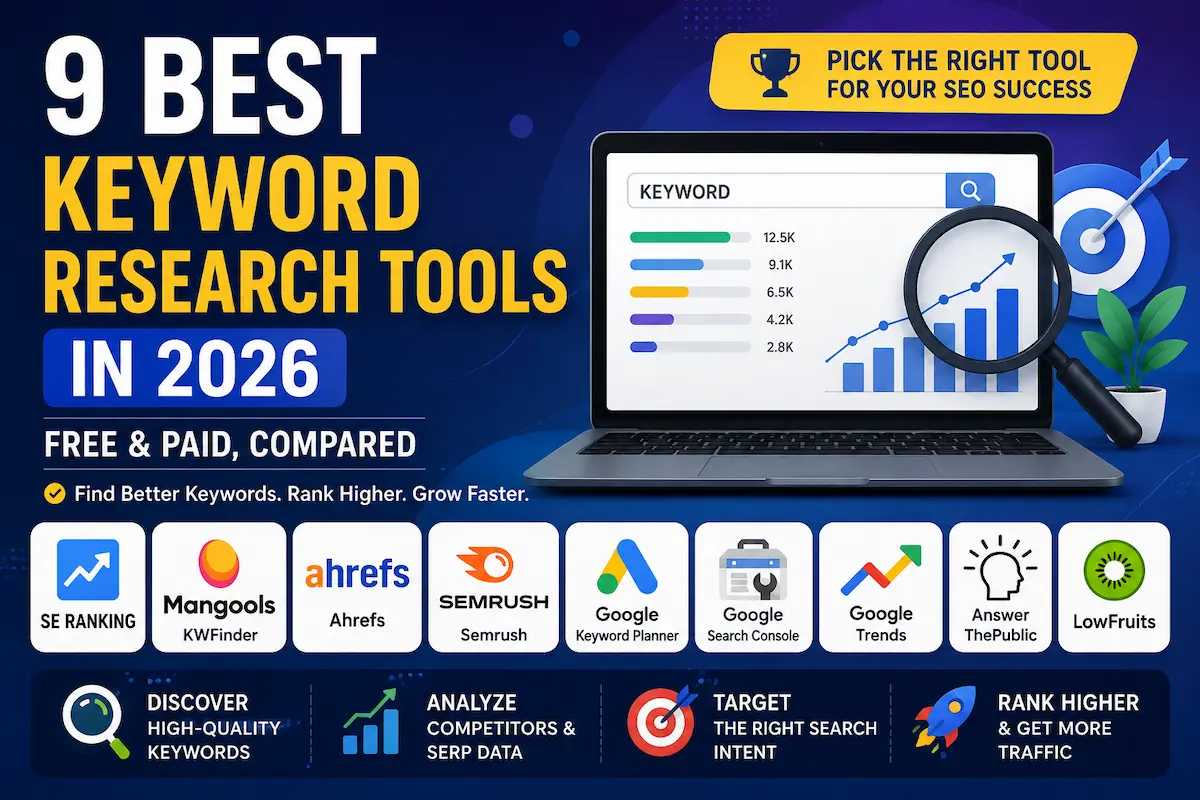
Affiliate Disclosure: Some links in this article are affiliate links. If you purchase or sign up through one of those links, ToolGrowthHQ may earn a commission at no extra cost to you. This does not increase the price you pay. Our recommendations are based on the features, use cases, limitations, and publicly available information discussed in this article.
Methodology note: This comparison is based on publicly available pricing and feature documentation, vendor specifications, and verified user reviews, current as of August 2026. We evaluate each tool against a fixed set of criteria — keyword discovery quality, difficulty/SERP analysis, competitor research, rank tracking, country-level usefulness for US and UK searches, ease of use, free-access options, and overall value — so you can compare them on the same basis rather than relying on marketing claims alone.
Choosing the best keyword research tools is not really about finding the platform with the biggest database. It is about finding the right data for your website, your audience, and the type of content you want to create.
Keyword research sounds simple until you actually start doing it. One tool gives you a big list of keywords, another gives you a difficulty score, and another tells you what competitors are ranking for. The hard part is knowing which numbers are useful for your particular website.
That is why this guide is not simply a list of the tools with the biggest databases. We are looking at what each tool is actually good for, who should use it, what it does not do well, and whether you really need to pay for it.
Table of Contents
- Quick Answer
- Quick Verdict
- How We Evaluated These Tools
- 1. SE Ranking
- 2. Mangools (KWFinder)
- 3. Ahrefs
- 4. Semrush
- 5. Google Keyword Planner
- 6. Google Search Console
- 7. Google Trends
- 8. AnswerThePublic
- 9. LowFruits
- Comparison Table
- Which Tool Fits Your Situation?
- Keyword Research in the Age of AI Search
- Keyword Research Mistakes to Avoid
- Who Should Use a Paid Tool?
- Who Should Stick With Free Tools?
- Who Should Use Each Tool (At a Glance)
- Alternatives to Consider
- Frequently Asked Questions
- Final Verdict
Quick Answer
There is no single keyword research tool that is best for every website.
SE Ranking is a strong all-around option if you want keyword research together with rank tracking, competitor research, and site auditing. Mangools’ KWFinder is easier to understand and makes a lot of sense for beginners, bloggers, and smaller websites. Ahrefs and Semrush are better suited to users who need deeper competitor, backlink, technical SEO, or content research.
If you are just starting and do not have a budget yet, you can do surprisingly useful research with Google Keyword Planner, Google Search Console, and Google Trends.
The right choice depends on how much research you actually need to do each month — not simply on which platform has the largest database.
Quick Verdict
- Best all-around paid option: SE Ranking
- Best for beginners and niche sites: Mangools (KWFinder)
- Best for deep competitor and backlink research: Ahrefs
- Best full-stack SEO platform: Semrush
- Best free starting point for keyword ideas: Google Keyword Planner
- Best free tool for data from your own website: Google Search Console
- Best for spotting search-interest trends: Google Trends
- Best for question-based content ideas: AnswerThePublic
- Best for finding potentially weak SERPs: LowFruits
How We Evaluated the Best Keyword Research Tools
We looked at these platforms from the perspective of someone actually trying to build organic traffic — not someone trying to collect the largest possible list of software subscriptions.
The main factors considered were:
- Keyword discovery and suggestion quality
- Keyword difficulty and SERP analysis
- Competitor research
- Rank tracking and related SEO features
- Country-level usefulness for US and UK searches
- Ease of use
- Free access or trial availability
- Value for bloggers, small businesses, freelancers, and agencies
Feature availability and pricing can change, so you should always check the provider’s current plan information before purchasing.
1. SE Ranking
Best for: All-around SEO research without building a large collection of separate tools
SE Ranking is probably the easiest recommendation on this list if you want more than just a keyword database.
Its keyword research features sit inside a broader SEO platform that also includes rank tracking, competitor research, backlink research, website auditing, on-page tools, and other SEO workflows. That makes a difference when keyword research is only one part of what you need to do.
For example, you might start by finding a keyword, examine the competing pages, decide whether the search results look realistic for your website, and then add the keyword to your tracking workflow. Having those activities in one platform can save time compared with moving between several tools.
SE Ranking also provides country-specific SEO data, which is useful if your audience is split between markets such as the United States and United Kingdom.
Verifiable specs:
- Core plan: $129/month, or $103.20/month billed annually
- Free trial: 14 days (per current vendor listing)
- Includes: rank tracking, competitor research, backlink research, site audit, and on-page tools in one platform
Check the provider’s pricing page before subscribing because plans and limits can change.
Try it here: If you want to evaluate SE Ranking yourself, you can check SE Ranking’s current plans and start a free 14-day trial.
Pros
- All-in-one platform: keyword research, rank tracking, competitor research, backlink research, and site auditing in a single subscription
- Country-specific SEO data, useful for sites splitting traffic between the US and UK
- 14-day free trial with no long-term commitment required to test the platform
- Designed to scale with a growing site rather than a keyword-only snapshot tool
Cons
- $129/month (Core plan) is a meaningful step up from lightweight keyword-only tools
- Broader feature set means a longer learning curve for a first-time user
- Overkill if your only need is occasional keyword brainstorming
Our take: SE Ranking is a particularly practical choice for a small business or content site that expects its SEO workflow to become more sophisticated over time.
2. Mangools (KWFinder)
Best for: Beginners, bloggers, freelancers, and smaller websites
KWFinder is one of those tools that makes sense almost immediately.
You enter a topic or seed keyword and the interface gives you keyword suggestions, search-related metrics, trend information, and a difficulty estimate. The SERP view also helps you look at the pages currently ranking for a term instead of relying entirely on a single difficulty number.
That simplicity is the main reason Mangools remains useful. You do not need to understand dozens of SEO metrics before you can start researching topics.
It is especially useful when your workflow looks something like this:
- Find a keyword with meaningful search demand
- Check whether the current SERP looks achievable
- Look for related long-tail variations
- Choose a topic that matches the searcher’s intent
- Build the article around the strongest opportunity
If that is most of what you need, paying for a much larger SEO platform may not give you enough additional value to justify the extra cost.
For a deeper look at the platform, you can read our Mangools Review 2026 and our dedicated KWFinder Review 2026.
We have also compared Mangools directly with two larger SEO platforms in our Mangools vs Ahrefs comparison and Mangools vs Semrush comparison.
Verifiable specs:
- Includes: keyword suggestions, difficulty score, SERP checker, and trend data in one interface
- Aimed at single-user or small-team workflows rather than agency-scale research
Try it here: If KWFinder looks like the better fit for your workflow, you can try KWFinder or check Mangools’ current pricing.
Pros
- Simple, uncluttered interface — usable within minutes without prior SEO training
- SERP checker shows the actual ranking pages next to the difficulty score, not just a raw number
- Priced and scoped for solo bloggers and small-site owners rather than agencies
- Strong fit for keyword-to-article workflows (find keyword → check SERP → find long-tails → write)
Cons
- Not built to replace a full technical SEO platform (no deep backlink or crawl auditing)
- Lower-tier plans carry usage limits on lookups and tracked keywords
- Less suited to agency-scale, multi-client competitive research
Our take: If you are a blogger or small business owner who mainly wants to find realistic keywords without learning an enormous SEO platform, KWFinder is one of the easiest places to start.
3. Ahrefs
Best for: Deep competitor, backlink, and SEO research
Ahrefs is aimed at users who want considerably more depth than a simple keyword suggestion tool.
Its Keywords Explorer is part of a larger ecosystem that includes competitor research, backlink analysis, site auditing, rank tracking, and content research. That becomes valuable when your keyword research questions start becoming more complicated.
For example, instead of asking only, “How many people search for this keyword?” you may want to know:
- What pages are already ranking?
- How much organic traffic do those pages receive?
- What other keywords do those pages rank for?
- What backlinks are helping competing pages?
- Is there a broader topic behind this keyword?
Those are the kinds of questions where Ahrefs becomes more useful.
Verifiable specs:
- Lite plan: £99/month (per current Ahrefs pricing page)
- Higher tiers increase projects, tracked keywords, crawl capacity, and historical data
- Uses a credit-based system across parts of the platform
Annual billing can reduce the effective monthly price. Because Ahrefs uses usage limits and credits across parts of the platform, checking the current plan details before buying is important.
For a direct comparison with Mangools, see our Mangools vs Ahrefs comparison.
Pros
- Backlink index and competitor-gap tools go well beyond basic keyword suggestion
- Site Explorer lets you see what content is already driving traffic to a ranking page, not just that it ranks
- Rank tracking and site auditing are included alongside keyword research
- Strong fit once SEO decisions depend on competitive intelligence, not just search volume
Cons
- £99/month starting price is higher than beginner-focused, keyword-only tools
- Credit-based usage across features adds a layer of complexity for new users
- Steeper learning curve than a single-purpose keyword tool
Our take: Ahrefs makes more sense once SEO research is a serious part of your business rather than an occasional task.
4. Semrush
Best for: Full-stack SEO, content, competitor, and marketing research
Semrush takes an even broader approach. Instead of focusing primarily on keyword research, it brings together SEO, competitive research, content-related workflows, technical auditing, and other digital marketing functions.
Its keyword research tools are useful when you want to move from a single keyword into a larger content strategy. You can investigate related terms, search intent, competitors, keyword gaps, and other signals before deciding what deserves its own page.
That depth is powerful, but it also creates the biggest downside for beginners: there is simply more to learn.
Verifiable specs:
- Entry SEO plan: $139/month, billed monthly (lower effective rate on annual billing)
- Higher tiers expand project, keyword tracking, and reporting limits
- Combines keyword research with content, technical SEO, and broader marketing tools in one suite
Exact pricing and included features can change, so check the current official pricing page before subscribing.
Our Mangools vs Semrush comparison goes into more detail on the differences between the two platforms.
Pros
- Keyword gap analysis surfaces terms competitors rank for that your site does not — useful for content planning
- Bundles SEO, content, and broader marketing research tools rather than a single narrow feature set
- Technical SEO auditing is included alongside keyword and content tools
- Suited to teams managing SEO as part of a wider marketing operation
Cons
- $139/month starting price puts it among the more expensive options on this list
- Breadth of features can be overwhelming for a single-site blogger
- Easy to end up paying for modules (like broader marketing tools) that a small site rarely uses
Our take: Semrush is most attractive when SEO is part of a broader marketing operation and you will actually use its wider toolkit.
5. Google Keyword Planner
Best for: Free keyword discovery and search-demand research
Google Keyword Planner is still worth using even if you eventually subscribe to a premium SEO platform.
The reason is simple: it is part of Google Ads and is designed around Google’s own search ecosystem. You can use it to discover keyword ideas, examine historical search information, and explore forecasts for advertising campaigns.
It is important, however, to understand what the data means. Keyword Planner is an advertising tool first. It should not be treated as a perfect prediction of the organic traffic your future article will receive.
You may also see grouped or rounded search-volume information rather than the kind of precise-looking number that some third-party SEO tools display.
Another important point: access to Keyword Planner requires setting up a Google Ads account and completing the account setup requirements. You should check Google’s current requirements because access conditions can change.
Pricing: No separate subscription fee for Keyword Planner itself; requires a Google Ads account.
Pros
- No subscription cost — only requires a Google Ads account
- Pulled directly from Google’s own advertising data, not a third-party estimate
- Useful for spotting commercial-intent terms advertisers are actively bidding on
- Works well as a free complement to a paid SEO platform, not just a standalone tool
Cons
- Built primarily for advertisers, so organic-traffic relevance is indirect
- Search-volume figures are often shown as rounded ranges rather than exact numbers
- Requires Google Ads account setup, which adds friction for a purely organic use case
Our take: Do not ignore Keyword Planner just because it is free. Used alongside SERP research and other SEO data, it can be genuinely useful.
6. Google Search Console
Best for: Finding keyword opportunities from your own website
Google Search Console is different from almost every other tool on this list because it is not trying to estimate what your competitors are doing. It shows how your own site is appearing in Google Search.
Once your website has search visibility, the Performance report can show queries, clicks, impressions, click-through rate, average position, pages, countries, and other dimensions.
That creates a particularly useful workflow.
Suppose you have an article ranking around the bottom of page one or somewhere on page two. Search Console may show that the page is receiving impressions for several related searches that you did not originally target.
Those queries can become clues for improving the article, adding useful sections, clarifying search intent, or creating a related page where appropriate.
Google also allows you to analyse performance by country, which is useful when you care about US and UK search visibility.
Pricing: Free.
Pros
- Completely free with no usage limits on core reporting
- Based on your own site’s actual impressions and clicks, not a modeled estimate
- Country and device filters make US vs. UK performance comparisons straightforward
- Directly surfaces “near-miss” queries — terms you already get impressions for but haven’t targeted
Cons
- Only useful once a page has started receiving impressions, so it doesn’t help with brand-new topic discovery
- Some low-volume queries are anonymized or omitted from reports
- Does not provide competitor or backlink data
Our take: Every site owner serious about Google Search should use Search Console, regardless of whether they also pay for an SEO tool.
7. Google Trends
Best for: Understanding whether interest in a topic is rising, falling, or seasonal
Search volume alone can sometimes hide an important detail: when people search for something.
Google Trends is useful for seeing how search interest changes over time and comparing interest between topics, locations, and related searches.
This can be especially helpful for content planning.
Imagine two keywords that appear attractive in a traditional keyword tool. One may have stable interest throughout the year. The other may be highly seasonal. If you publish the second topic several months before its peak season, the early traffic may look disappointing even though the topic itself is perfectly valid.
For a site targeting both the United States and United Kingdom, Trends can also help you investigate whether a topic behaves differently by market.
Pricing: Free.
Pros
- Free, with no account or sign-up required to run a comparison
- Shows relative interest over time, which flags seasonality that a static volume number hides
- Side-by-side comparison of up to five terms at once
- Location filtering helps identify US vs. UK differences in interest
Cons
- Shows relative interest, not absolute search volume — needs pairing with a volume-based tool
- Does not provide the full SEO workflow (no difficulty score, no SERP data)
- Short-term spikes can be noisy and require judgment to interpret
Our take: Trends is not a replacement for KWFinder, Ahrefs, Semrush, or SE Ranking. It is a useful second layer that can prevent you from misreading seasonal or changing search demand.
8. AnswerThePublic
Best for: Questions, long-tail topics, and content ideas
AnswerThePublic takes a different approach from traditional keyword platforms.
Instead of primarily asking, “How difficult is this keyword?”, it helps you explore the questions and phrases people associate with a topic.
That makes it particularly useful when you already know your broad topic but are struggling to turn it into a useful article structure.
For example, instead of writing a generic article about “email marketing,” you could use question-based research to identify subtopics around pricing, automation, deliverability, integrations, beginner setup, and comparisons.
Those ideas can then be checked against actual SERPs and other keyword data before you decide what deserves a full article and what belongs as a section inside a larger guide.
Pros
- Organizes results by question type (who/what/why/how), which maps directly to FAQ and H2/H3 structure
- Useful specifically for FAQ and outline research, a gap most keyword-difficulty tools leave unfilled
- Simple enough for a first-time user to get value in one session
- Good for finding subtopics inside a broad head term
Cons
- Not a full SEO platform — no difficulty score, backlink data, or rank tracking
- Free daily searches are limited, pushing frequent users toward a paid plan
- Question data still needs to be checked against actual SERPs before you commit to a topic
Our take: Use AnswerThePublic as an idea-generation layer, not as the only source of truth for deciding which keywords to target.
9. LowFruits
Best for: Finding keywords where the current SERP may contain weaker competitors
LowFruits is interesting because it focuses on a problem that many new websites have: a keyword may have a reasonable search volume, but the top results can look intimidating when you only look at a conventional keyword difficulty score.
LowFruits looks for what it describes as weaker spots in the search results. The idea is to identify queries where some of the ranking pages may have relatively weak authority or other characteristics that make the SERP more approachable.
That can be useful for smaller websites that do not yet have the authority of large publishers.
But there is an important distinction: a “weak spot” does not mean an automatic ranking opportunity. You still need to inspect the actual search results, understand the intent, and create something genuinely better or more useful.
Pros
- Purpose-built to flag SERPs with comparatively weaker-authority ranking pages
- Useful specifically for sites without established domain authority
- Narrows a large keyword list down to a smaller, more actionable shortlist
Cons
- Narrower feature set than an all-in-one SEO platform — no backlink index or rank tracking
- A flagged “weak spot” still requires manual SERP review before you commit to writing
- Less useful once your site already has enough authority to compete broadly
Our take: LowFruits is most interesting when your biggest problem is not finding keywords, but finding keywords where a smaller site has a realistic chance of competing.
Comparison Table
| Tool | Best For | Free Option | Starting Price | Full SEO Platform? | Ease of Use |
|---|---|---|---|---|---|
| SE Ranking | All-around SEO workflow | 14-day free trial | $129/mo ($103.20/mo annual) | Yes | Moderate |
| Mangools / KWFinder | Beginners and niche sites | Limited access/trial | Varies by plan | SEO-focused suite | Easy |
| Ahrefs | Competitor and backlink research | Limited free tools | £99/mo (Lite) | Yes | Moderate to advanced |
| Semrush | Full-stack SEO and marketing | Limited free access | $139/mo (entry SEO plan) | Yes | Moderate to advanced |
| Google Keyword Planner | Keyword discovery | Yes (free) | Free | No | Moderate |
| Google Search Console | Existing-site search data | Yes (free) | Free | No | Easy to moderate |
| Google Trends | Trends and seasonality | Yes (free) | Free | No | Easy |
| AnswerThePublic | Questions and content ideas | Limited | Varies by plan | No | Easy |
| LowFruits | Lower-competition opportunities | Limited access | Varies by plan | Partially | Easy to moderate |
Pricing, usage limits, features, and free-access conditions can change. Always check the provider’s current pricing and documentation before purchasing.
Which Keyword Research Tool Fits Your Situation?
If you are starting a new blog
You probably do not need an expensive SEO platform on day one.
Start with Google Keyword Planner, Google Trends, and manual Google SERP research. Once your site begins collecting impressions, add Google Search Console to the workflow.
If you want an easier way to evaluate keyword difficulty and SERPs, Mangools is a sensible paid step up.
If you run a small business website
SE Ranking is worth considering because keyword research is only one part of SEO. Rank tracking, competitor research, and technical auditing can all become useful as your website grows.
If you are a blogger or niche-site publisher
Mangools and KWFinder are particularly appealing when your main job is finding realistic topics and turning them into useful articles.
You do not necessarily need every enterprise-level SEO feature just because a larger platform offers them.
If you run an SEO agency
Once you are managing multiple clients, reporting, competitor analysis, backlink research, technical auditing, and rank tracking become more important.
At that stage, a broader platform such as SE Ranking, Ahrefs, or Semrush can make more sense than a lightweight keyword-only workflow.
If your budget is zero
Use Google Keyword Planner, Google Search Console, Google Trends, and manual SERP research.
The biggest mistake is assuming that a free tool means you cannot do serious research. The bigger limitation is usually the amount of time you have to spend doing the analysis manually.
Keyword Research in the Age of AI Search
Keyword research has become more complicated because Google Search now includes generative AI experiences alongside traditional search results.
That does not mean traditional keyword research is dead. It means you should be more careful about what a search-volume number actually tells you.
A keyword can have strong search demand but still produce fewer clicks than expected if the search results answer the question directly through features such as AI Overviews, featured snippets, or other SERP elements.
Google Search Console now includes a generative AI performance report covering supported Google Search generative AI experiences, including AI Overviews and AI Mode. That gives site owners another reason to pay attention to how their content is appearing, rather than looking only at traditional rankings.
For practical keyword research in 2026, we recommend looking at four things together:
- Search demand: Is there meaningful interest?
- Search intent: What does the searcher actually want?
- SERP competition: Who is currently ranking?
- Click potential: Is the SERP likely to send meaningful traffic to your page?
This is one reason we would not choose a keyword solely because a tool gives it a low difficulty score.
Keyword Research Mistakes to Avoid
1. Chasing search volume instead of intent
A keyword with 50,000 searches is not automatically better than one with 500 searches.
If the smaller keyword is closely connected to what your business sells or what your website is trying to achieve, it may be much more valuable.
2. Trusting a difficulty score blindly
Keyword difficulty is a useful shortcut, but it is still an estimate.
Open the actual Google results. Look at the websites ranking, the quality of their pages, their relevance to the query, and what the searcher appears to want.
3. Ignoring country differences
A keyword can behave differently in the United States and United Kingdom.
Spelling, terminology, products, companies, buying behaviour, and search demand can all vary by market.
If you are targeting both audiences, check the relevant country data instead of assuming that US search behaviour automatically represents UK search behaviour.
4. Creating one article for every tiny keyword variation
This is a common mistake.
If several keywords have essentially the same search intent, creating separate pages for each variation can produce unnecessary overlap.
Sometimes the better approach is one genuinely comprehensive page that naturally covers the related terms.
5. Publishing content just because a keyword looks easy
A low difficulty score is not a content strategy.
The keyword still needs to make sense for your website, your audience, and your broader topic coverage.
6. Treating AI-generated content as a substitute for research
AI can help with outlining, brainstorming, and editing, but it should not replace checking the actual search results and verifying important product or pricing claims.
The value of a keyword article comes from the research and judgment behind it, not simply from producing more words.
Who Should Use a Paid Keyword Research Tool?
A paid tool starts making more sense when keyword research is becoming a regular part of your work.
You may benefit from paying when:
- You publish content frequently
- You manage more than one website
- You need competitor keyword data
- You need keyword difficulty and SERP analysis
- You track rankings regularly
- You work with clients
- Manual research is taking too much time
The important question is not whether a paid tool is “better.” It is whether the additional data saves enough time or improves enough decisions to justify the subscription.
Who Should Stick With Free Tools?
Free tools are perfectly reasonable if you are:
- Testing a new website idea
- Publishing occasionally
- Still learning SEO
- Working with a very small content budget
- Not yet sure whether SEO will become a major traffic channel
A combination of Google Keyword Planner, Google Trends, Google Search Console, and manual SERP research can take you a long way.
Upgrade when the limitations start costing you more time than the subscription costs.
Who Should Use Each Tool (At a Glance)
SE Ranking — Best for: small business owners and growing content sites that want keyword research bundled with rank tracking and audits. Not ideal for: anyone who only needs occasional keyword brainstorming.
Mangools/KWFinder — Best for: beginner bloggers, niche site owners, and freelancers who want a simple, focused tool. Not ideal for: agencies running deep multi-client competitive research.
Ahrefs — Best for: SEOs and site owners who need backlink and competitor depth. Not ideal for: beginners on a tight budget who just need keyword ideas.
Semrush — Best for: teams running SEO as part of a broader marketing operation. Not ideal for: a single blogger who will only ever use the keyword module.
Google Keyword Planner / Search Console / Trends — Best for: anyone starting with a zero-dollar budget. Not ideal for: users who need competitor or backlink data these free tools don’t provide.
Alternatives to Consider
- If you need a simpler paid option than SE Ranking, Ahrefs, or Semrush: Mangools/KWFinder is the lighter-weight paid alternative on this list.
- If you need zero-cost tools first: pair Google Keyword Planner with Google Search Console and Google Trends before paying for anything.
- If your gap is content ideas rather than difficulty scoring: AnswerThePublic fills that specific gap better than a traditional keyword tool.
Frequently Asked Questions
What is the best keyword research tool in 2026?
There is no universal winner. SE Ranking is a strong all-around choice, Mangools is particularly friendly for beginners, Ahrefs is strong for deep competitor and backlink research, and Semrush is useful for broader SEO and marketing workflows.
What is the best free keyword research tool?
For new keyword discovery, Google Keyword Planner is a useful starting point. For a website that already has search visibility, Google Search Console can be even more valuable because it shows the queries and pages already generating impressions and clicks for your site.
Is KWFinder good enough for a small website?
For many small websites, yes. If your main needs are keyword discovery, difficulty analysis, SERP research, and related keyword ideas, KWFinder can cover a large part of that workflow without the complexity of a larger SEO platform.
If you want more context, read our KWFinder Review 2026.
Should I choose Ahrefs or Semrush?
Both are powerful, but their strengths differ. Ahrefs is particularly strong for backlink and competitor research, while Semrush provides a broad SEO and marketing toolkit. The better choice depends on which workflow you will actually use.
Do I need a paid keyword research tool to rank on Google?
No.
You can perform useful keyword research with free tools. Paid platforms mainly give you more data, faster workflows, competitive insights, and additional SEO features.
Is Google Keyword Planner accurate for SEO?
It can be useful for understanding search demand, but it is an advertising-focused tool. Its forecasts and keyword data should not be interpreted as a guaranteed prediction of organic rankings or traffic.
Can Google Search Console replace Ahrefs or Semrush?
No. Search Console is excellent for understanding your own site’s Google Search performance, but it does not provide the same broad competitor, backlink, keyword database, or technical SEO functionality offered by major paid platforms.
Are these tools useful for UK keyword research?
Yes, but you should check country-specific data rather than assuming US search behaviour is identical to UK behaviour. Search terminology, spelling, demand, and SERPs can vary between markets.
Should I target keywords with high search volume?
Not automatically. Search intent, competition, relevance, click potential, and your website’s ability to satisfy the query are often more important than raw volume.
Can I use more than one keyword research tool?
Yes. In fact, combining tools can be useful because different platforms present data differently. A practical setup might use a paid tool for keyword difficulty and competitor research, Google Search Console for your own performance data, and Google Trends for seasonality and changing search interest.
Which tool is best if I only manage one small blog?
For a single small blog, Mangools/KWFinder generally offers the best balance of simplicity and capability, backed by free tools like Google Search Console and Google Trends for ongoing monitoring.
Final Verdict
The best keyword research tool is not necessarily the one with the biggest database or the most impressive feature list.
It is the one that helps you make better content decisions without adding unnecessary complexity or cost.
Choose SE Ranking if you want keyword research inside a broader SEO workflow.
Choose Mangools and KWFinder if you want a simpler experience and your main focus is keyword research and SERP analysis.
Choose Ahrefs if deep competitor and backlink research are central to your SEO work.
Choose Semrush if you want a broader SEO and marketing platform and will actually use its wider feature set.
Choose Google’s free tools if you are starting out and want to keep your costs at zero.
Choose AnswerThePublic or Google Trends when your main problem is understanding what people are asking or how interest in a topic is changing.
Choose LowFruits if your priority is finding search results where a smaller website may have a realistic opportunity to compete.
Conclusion
You do not need every keyword research tool on this list.
Start with the smallest setup that gives you enough information to make good decisions. For a new site, that may be Google Keyword Planner, Google Trends, Search Console, and manual SERP research. As your content operation grows, a platform such as Mangools or SE Ranking can save time. If your SEO work becomes more competitive and data-heavy, Ahrefs or Semrush may eventually justify their higher cost.
The important part is what happens after the keyword research.
Choose a topic that matches the searcher’s intent, study the pages already ranking, create something genuinely useful, and keep improving the page based on real performance data.
That approach will usually matter more than whether your keyword tool is the most expensive one on the market.
Related Reading
If you are comparing SEO tools for your own website, these related guides may help:
- Mangools Review 2026: Is It Still Worth It for SEO?
- KWFinder Review 2026: Is Mangools’ Keyword Tool Worth It?
- Mangools vs Ahrefs: Which SEO Tool Actually Fits Your Budget?
- Mangools vs Semrush: Which SEO Tool Is Worth Your Money?
Affiliate note: Some links to SEO software in this article are affiliate links. If you choose to purchase through one of those links, ToolGrowthHQ may earn a commission at no additional cost to you.
About the Author
T. Vasireddi is the founder and editor of ToolGrowthHQ, creating practical, research-based guides on web hosting, WordPress, SaaS tools, and digital marketing.
His focus is on providing clear, accurate, and useful information to help readers make better technology and software decisions.
Connect with him:
Follow for more AI tool reviews, SaaS comparisons, and digital marketing tips.