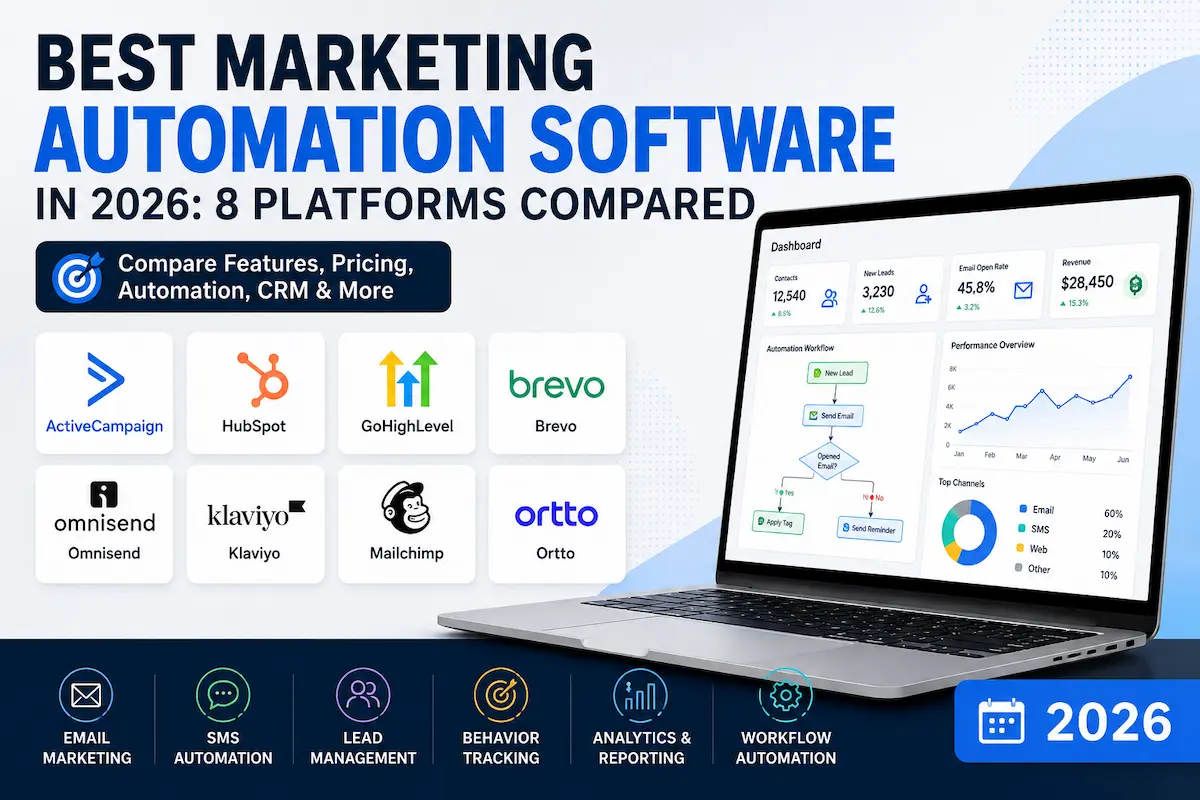
Choosing marketing automation software can get confusing quickly. One platform may be excellent for ecommerce, another may be built around CRM and sales automation, while an agency may care more about client accounts, white-label capabilities, and automated follow-up.
So instead of treating every platform as interchangeable, this comparison looks at where each tool fits best, what it does well, where it may fall short, and what type of business is likely to get the most value from it.
Affiliate Disclosure: Some links in this article are affiliate links. If you purchase or sign up through an affiliate link, ToolGrowthHQ may earn a commission at no additional cost to you. This does not increase the price you pay, and our editorial recommendations are based on the use case, features, pricing considerations, and limitations discussed in this article.
Best marketing automation software can make repetitive marketing tasks easier to manage, but the right platform depends on what you’re actually trying to automate. One platform may be excellent for ecommerce, another may be built around CRM and sales automation, while an agency may care more about client accounts, white-label capabilities, and automated follow-up.
Quick Answer
There isn’t one universally best marketing automation platform. The right choice depends heavily on what you’re trying to automate.
- ActiveCampaign: A strong all-around option for small and mid-sized businesses that want advanced automation with CRM capabilities.
- HubSpot Marketing Hub: A strong fit for B2B organisations that want marketing, CRM, sales, reporting, and automation in one ecosystem.
- GoHighLevel: Particularly interesting for agencies and businesses managing multiple client accounts, funnels, CRM workflows, and communication channels.
- Brevo: A practical option for businesses that want email marketing and automation without pricing primarily around the number of contacts stored.
- Omnisend: Designed around ecommerce marketing journeys such as abandoned carts, post-purchase communication, and customer segmentation.
- Klaviyo: A strong ecommerce-focused option when behavioural data, segmentation, and customer revenue analysis matter.
- Mailchimp: A familiar starting point for smaller businesses with relatively straightforward email automation requirements.
- Ortto: Worth considering for teams that already have a CRM and want a dedicated customer journey, automation, and analytics layer.
Quick Verdict
| Platform | Best Fit | Main Reason to Consider It |
|---|---|---|
| ActiveCampaign | Small and mid-sized businesses | Advanced automation plus CRM capabilities |
| HubSpot Marketing Hub | B2B and growing teams | Connected marketing, CRM, sales, and reporting |
| GoHighLevel | Agencies and multi-client businesses | CRM, funnels, automation, communication, and agency features |
| Brevo | Budget-conscious businesses | Email-focused pricing structure and broad messaging capabilities |
| Omnisend | Ecommerce | Pre-built ecommerce automation journeys |
| Klaviyo | Data-driven ecommerce brands | Detailed customer segmentation and behavioural targeting |
| Mailchimp | Beginners | Accessible campaign and automation tools |
| Ortto | Teams with an existing CRM | Customer journey automation and analytics |
Pricing, limits, included features, and plan names can change. Always confirm the current offer with the provider before making a purchasing decision.
What Is Marketing Automation Software?
Marketing automation software helps businesses automatically respond to customer behaviour instead of relying on someone to manually send every message or update every contact.
For example, imagine someone downloads a guide from your website. A marketing automation system could add that person to an appropriate segment, send a follow-up email, wait a few days, check whether they interacted with the message, and then move them into a different workflow depending on what they did.
The same principle can apply to ecommerce purchases, abandoned carts, sales leads, appointment bookings, trial signups, onboarding sequences, and customer re-engagement.
That makes marketing automation different from basic email broadcasting. A newsletter might send one message to an entire list. An automation platform can create a sequence that changes according to each contact’s behaviour.
How We Evaluated These Marketing Automation Platforms
There is no useful way to compare eight marketing platforms simply by counting features. A long feature list does not automatically mean a better product.
For this comparison, the more useful questions are:
- Automation depth: Can you build useful multi-step workflows with conditions and branching?
- CRM capabilities: Does the platform include contact records, pipelines, lead management, or useful CRM integrations?
- Segmentation: Can you target contacts according to behaviour, lifecycle stage, purchases, or custom information?
- Channel support: Does the platform go beyond email where the business actually needs it?
- Ease of use: Can a normal marketing team manage workflows without constantly depending on a developer?
- Integrations: Does it connect with the tools the business already relies on?
- Pricing model: Does the pricing structure remain sensible as contacts, messages, users, or client accounts increase?
- Business fit: Is the platform actually designed for the type of company using it?
The 8 Best Marketing Automation Platforms in 2026
1. ActiveCampaign
Best for: Small and mid-sized businesses that want advanced automation and CRM capabilities.
ActiveCampaign is one of the more automation-focused choices in this comparison. Its appeal is the combination of automated customer journeys, segmentation, behavioural triggers, and CRM functionality.
For a growing business, that combination can be useful because marketing and sales activities do not have to live completely separately. A lead can enter an automated sequence, meet certain conditions, move into another segment, and eventually be handled through a sales pipeline.
Who it’s best for: Growing teams that want more than simple email newsletters and need reasonably sophisticated workflows without immediately moving into a large enterprise marketing suite.
Who should look elsewhere: Businesses that only need basic newsletter sends, or teams unwilling to invest time learning workflow logic.
Watch out for: Pricing can change substantially as your contact database grows, so don’t evaluate the platform only using the price for a small list. Estimate the cost at the size you expect to reach over the next year or two.
2. HubSpot Marketing Hub
Best for: B2B organisations and teams that want marketing, CRM, sales, and reporting closely connected.
HubSpot takes a broader approach than a standalone email automation tool. Marketing automation sits alongside CRM, sales, content, service, reporting, and other business functions within the wider HubSpot ecosystem.
That can become especially valuable when a company has a longer sales cycle. Marketing may generate the lead, sales may qualify it, and management may want to understand how those activities connect to revenue.
The trade-off is cost. HubSpot’s current Marketing Hub pricing varies significantly by tier and billing arrangement. Its current pricing page lists Professional at hundreds of dollars per month and notes a required one-time Professional onboarding fee. Confirm the current pricing and included limits before purchasing.
Who it’s best for: Businesses that value an integrated CRM and marketing ecosystem more than finding the lowest-cost automation tool.
Who should look elsewhere: Solo operators or small teams who mainly need email automation without a full CRM and sales stack — the onboarding fee and tier pricing are hard to justify at that scale.
Alternative to consider: If you want CRM plus marketing without HubSpot’s price tier, GoHighLevel (below) bundles similar functionality at a flatter cost structure aimed at agencies and multi-client operations.
Watch out for: The total cost can be substantially higher than entry-level email automation products, particularly once advanced functionality, contacts, seats, credits, and onboarding are taken into account.
3. GoHighLevel
Best for: Agencies, consultants, and businesses managing multiple marketing operations or client accounts.
GoHighLevel takes an all-in-one approach that combines CRM, funnels, websites, appointment scheduling, conversations, email and SMS marketing, workflow automation, reporting, and other marketing functions.
Its agency-oriented structure is one of the main reasons it deserves a place in this comparison. Instead of building a separate stack for every client, an agency can manage multiple sub-accounts from one environment.
GoHighLevel’s current official pricing page lists Starter at $97/month, Unlimited at $297/month, and Agency Pro at $497/month, with annual billing options also shown. The platform currently advertises a 14-day free trial. Pricing and included features can change, so check the official offer before signing up.
Who it’s best for: Agencies or consultants who need CRM, funnels, communication, workflow automation, and client management in one platform — this can be much more relevant than a traditional email-only automation tool.
Who should look elsewhere: Single-brand businesses with no client accounts to manage may find the agency-oriented feature set unnecessary compared to a leaner platform like ActiveCampaign or Brevo.
Watch out for: Its large feature set can take time to learn. If you only need basic email automation, paying for a broader platform may add unnecessary complexity.
Affiliate disclosure: The GoHighLevel links in this section are affiliate links. If you sign up through them, ToolGrowthHQ may earn a commission at no additional cost to you. This relationship does not change the reasons or limitations discussed above.
If you want to compare its plans before making a decision, you can check GoHighLevel’s current pricing and plans.
If you’d rather evaluate the platform first, you can start the GoHighLevel trial and decide whether its workflow and agency features match your business.
For a deeper evaluation, see our GoHighLevel Review 2026, or compare its CRM approach with HubSpot in our GoHighLevel vs HubSpot comparison.
If pricing is the main factor you’re evaluating, our GoHighLevel Pricing Guide goes into the plan structure and additional costs in more detail.
4. Brevo
Best for: Businesses that want email marketing and automation with a pricing model that can work well for larger contact databases.
Brevo is useful for businesses that don’t want their software bill to be determined solely by the number of contacts sitting in their database.
The platform combines email marketing with other communication capabilities and also provides transactional email functionality. Its Free plan currently has a daily sending limit, while paid plans provide higher sending capacity and additional functionality.
Who it’s best for: Businesses with a relatively large contact database but moderate email-sending requirements.
Who should look elsewhere: High-volume senders who email their full list frequently may find contact-agnostic pricing less of an advantage once sending volume becomes the real cost driver.
Watch out for: Compare the actual sending volume you need rather than looking only at the number of contacts you can store. A platform that looks inexpensive for storage can still become expensive if your monthly sending requirements are high.
5. Omnisend
Best for: Ecommerce stores that want marketing automation connected closely to customer and shopping behaviour.
Omnisend is built around ecommerce use cases rather than trying to be a general-purpose CRM for every type of organisation.
That focus can be useful when the main automation jobs involve abandoned carts, post-purchase communication, product-related segmentation, customer reactivation, and other ecommerce journeys.
Who it’s best for: Ecommerce businesses that want pre-built customer journeys and marketing automation designed around online shopping behaviour.
Who should look elsewhere: If your business is primarily B2B lead generation rather than ecommerce, a CRM-oriented platform like ActiveCampaign or HubSpot may be a better match.
6. Klaviyo
Best for: Ecommerce and consumer brands that rely heavily on customer data and behavioural segmentation.
Klaviyo is another ecommerce-focused platform, but its appeal is particularly strong for businesses that want detailed customer segmentation and data-driven campaigns.
For example, a retailer may want different messaging for a first-time buyer, a repeat customer, a high-value customer, and someone who has stopped purchasing. The usefulness of a platform like Klaviyo comes from being able to build those distinctions into marketing workflows.
Who it’s best for: Ecommerce teams that care about behavioural data, segmentation, and tying marketing activity more closely to customer value.
Who should look elsewhere: Smaller stores without much purchase history data to segment on may not yet see the benefit over a simpler ecommerce tool like Omnisend.
Watch out for: Costs can rise as the number of active profiles and messaging requirements increase, so model your expected customer database before choosing a plan.
7. Mailchimp
Best for: Beginners and small businesses with relatively straightforward marketing automation requirements.
Mailchimp remains familiar to many small businesses because it makes the basic parts of email marketing relatively approachable.
If your requirements are mainly newsletters, welcome sequences, simple customer follow-ups, or basic ecommerce automation, you may not need the complexity of a much larger marketing automation platform.
Who it’s best for: Businesses that want a familiar starting point and don’t yet need highly complex automation architecture.
Who should look elsewhere: Teams that already know they need multi-step branching workflows or CRM-level lead management should look at ActiveCampaign or HubSpot instead.
Watch out for: As workflows become more sophisticated, you may eventually need stronger branching, segmentation, CRM functionality, or multi-channel automation than a basic setup provides.
8. Ortto
Best for: Teams that already have a CRM and want a dedicated customer journey and automation layer.
Ortto takes a different position from platforms that try to replace your entire CRM. It can be relevant when a company already has systems for sales or customer management but wants stronger tools for creating customer journeys and analysing marketing activity.
Who it’s best for: Businesses that want to build more sophisticated customer journeys without necessarily replacing their existing CRM.
Who should look elsewhere: Businesses starting from scratch, with no CRM in place, may be better served by a platform that combines CRM and automation together, such as ActiveCampaign or GoHighLevel.
Watch out for: If you’re starting from scratch and want one platform to handle CRM, marketing, sales, and automation together, a more integrated platform may be easier to manage.
Marketing Automation Software Comparison
| Platform | Best For | CRM Approach | Main Strength |
|---|---|---|---|
| ActiveCampaign | Small and mid-sized businesses | Built-in CRM | Automation and segmentation |
| HubSpot | B2B and growing teams | Integrated CRM ecosystem | Full-funnel marketing and sales |
| GoHighLevel | Agencies | Built-in CRM | Agency and multi-account workflows |
| Brevo | Budget-conscious businesses | CRM and contact features | Email and messaging value |
| Omnisend | Ecommerce | Ecommerce-oriented | Shopping and customer journeys |
| Klaviyo | Ecommerce brands | Customer-data focused | Segmentation and behavioural targeting |
| Mailchimp | Beginners | Basic CRM/contact capabilities | Ease of entry |
| Ortto | Existing-CRM teams | Works with existing CRM systems | Customer journeys and analytics |
Important: Don’t choose a platform solely because it appears first in a “best” list. Your contact volume, sales process, ecommerce platform, existing CRM, required channels, and budget can change the answer completely.
How to Choose the Right Marketing Automation Software
A useful way to narrow the options is to start with your customer journey rather than the software itself.
1. Start with the process you want to automate
Write down what currently happens when someone becomes a lead or customer.
- How do they enter your system?
- What information do you collect?
- What happens after the first interaction?
- When should sales become involved?
- What happens after a purchase?
- What should happen if the person stops responding?
If you cannot describe the process clearly, buying a more powerful automation platform probably won’t solve the underlying problem.
2. Look at your expected contact volume
Don’t compare plans only using today’s database size. Think about where your business could be 12 to 24 months from now.
A platform that is affordable with 2,000 contacts may have a very different cost structure at 20,000 contacts. The same applies to email volume, active profiles, users, client accounts, and other usage-based limits.
3. Decide whether you actually need a CRM
Some businesses need detailed deal pipelines and sales management. Others simply need reliable email automation.
If you already have a CRM that your sales team likes, replacing it may create unnecessary disruption. In that situation, an automation platform that integrates with your existing stack may make more sense.
4. Think about channels, not just email
Email may be enough for some businesses. Others may need SMS, appointment reminders, web messaging, push notifications, or other communication channels.
Choose based on the channels your customers actually use rather than selecting the platform with the longest feature list.
5. Check integrations before signing up
A sophisticated automation platform isn’t useful if it doesn’t connect properly with the systems that contain your customer data.
Check your website platform, ecommerce store, CRM, payment system, analytics tools, forms, calendar, and other core applications before committing to a platform.
Who Should Use Marketing Automation Software?
Marketing automation usually becomes valuable when a business has a repeatable customer journey.
- A lead downloads a resource and needs follow-up.
- A prospect requests information and needs qualification.
- A customer starts a trial and needs onboarding.
- A shopper abandons a cart.
- A customer purchases and should receive post-purchase communication.
- An old customer needs a re-engagement campaign.
- An agency needs to manage repeatable workflows across several client accounts.
Who Shouldn’t Buy Marketing Automation Software Yet?
If you don’t yet have consistent traffic, leads, customers, or an established marketing process, a sophisticated automation platform may be premature.
Automation doesn’t create a customer journey from nothing. It makes an existing process faster and more consistent.
If you’re only sending an occasional newsletter, a simpler email marketing platform may be enough. You can move to a more advanced system when your workflows become difficult to manage manually.
Marketing Automation vs Email Marketing
These terms are often used interchangeably, but they are not exactly the same.
| Email Marketing | Marketing Automation |
|---|---|
| Often focuses on campaigns and newsletters | Focuses on behaviour-triggered workflows |
| Can send the same campaign to a segment | Can change the next action based on behaviour |
| Usually simpler to manage | Can involve complex branching workflows |
| Good for regular communication | Good for repeatable customer journeys |
There is plenty of overlap between the two categories. In fact, many modern email platforms now include automation features, while larger marketing automation platforms also include email campaign tools.
If you’re still deciding whether you need a basic email platform or something more sophisticated, our guide to the best email marketing platforms for small businesses is a useful next comparison.
Frequently Asked Questions
Is marketing automation software worth it for a small business?
It can be, especially when the business has a repeatable process such as lead nurturing, onboarding, appointment follow-up, or abandoned-cart recovery. If you’re only sending occasional newsletters, a simpler email platform may provide better value.
What’s the difference between marketing automation and email marketing software?
Email marketing software is primarily used to create and send email campaigns. Marketing automation software goes further by using triggers, conditions, customer behaviour, segmentation, and multi-step workflows to decide what happens next.
Do I need a separate CRM if I use marketing automation software?
Not necessarily. Some platforms include CRM functionality, while others are designed to work alongside an existing CRM. The right choice depends on whether your sales process requires pipelines, deal management, lead scoring, and detailed customer records.
Which marketing automation platform is cheapest?
There isn’t one universal winner because the pricing models differ. Some platforms primarily consider contacts, others consider active profiles, message volume, users, features, or client accounts. Compare the total cost at your expected usage rather than comparing only the lowest advertised starting price.
Is GoHighLevel a marketing automation platform or a CRM?
It is both. GoHighLevel combines CRM capabilities with workflow automation, funnels, communication tools, appointment scheduling, reporting, and other marketing functions. Its agency and multi-account capabilities are particularly relevant to agencies and consultants.
Is marketing automation useful for ecommerce?
Yes. Ecommerce is one of the clearest use cases because businesses can automate abandoned-cart reminders, post-purchase communication, customer segmentation, product-related campaigns, and re-engagement journeys.
Can I switch marketing automation platforms later without losing my data?
Most platforms allow you to export contacts and campaign history, but automation workflows, tags, and segmentation logic typically don’t transfer automatically and need to be rebuilt. Factor migration effort into your decision if you expect to outgrow a starter platform quickly.
How long does it take to set up marketing automation from scratch?
This varies by platform complexity and how clearly the customer journey is mapped out beforehand. Simpler platforms like Mailchimp can have a basic welcome sequence running within a day, while multi-step CRM-integrated workflows on platforms like HubSpot or GoHighLevel typically take longer to configure properly.
Related Guides
If you’re comparing marketing automation with CRM, funnels, or email marketing software, these related ToolGrowthHQ guides may help:
- GoHighLevel Review 2026: Features, Pricing, Pros & Cons
- GoHighLevel Pricing Guide 2026: Plans, Add-Ons & Hidden Costs Explained
- GoHighLevel vs HubSpot: Which CRM Fits Your Business?
- Best CRM for Agencies in 2026
- Best Email Marketing Platform for Small Businesses in 2026
- Best All-in-One Marketing Platform in 2026
- Best Sales Funnel Software in 2026
- Best Funnel Builder for Affiliate Marketing in 2026
Final Verdict
The best marketing automation software is the platform that fits the way your business actually works.
ActiveCampaign is a strong choice for small and mid-sized businesses that want serious automation without immediately moving into a large enterprise ecosystem.
HubSpot makes more sense when marketing, CRM, sales, reporting, and longer B2B customer journeys need to work closely together and the budget supports that broader platform.
GoHighLevel stands out for agencies and consultants that need CRM, funnels, communication, workflow automation, and multiple client accounts in one environment.
Brevo is worth considering when email and messaging value are important, particularly for businesses with larger contact databases and moderate sending requirements.
Omnisend and Klaviyo deserve particular attention from ecommerce businesses because their strengths are closely connected to shopping and customer behaviour.
Mailchimp remains a reasonable starting point when simplicity matters more than highly complex automation.
Ortto can be interesting for teams that already have a CRM and want another layer for customer journeys and marketing analysis.
Most importantly, don’t buy automation software simply because a comparison article calls it “the best.” Map your customer journey first, identify the repetitive work you want to automate, calculate the likely cost at your future contact volume, and then choose the platform that solves that specific problem.
Pricing and product features change frequently. Before purchasing, review the provider’s current pricing, feature limits, contract terms, and applicable regional terms directly on the provider’s website.
About the Author
T. Vasireddi is the founder and editor of ToolGrowthHQ, creating practical, research-based guides on web hosting, WordPress, SaaS tools, and digital marketing.
His focus is on providing clear, accurate, and useful information to help readers make better technology and software decisions.
Connect with him:
Follow for more AI tool reviews, SaaS comparisons, and digital marketing tips.