Affiliate Disclosure: Some links in this article are affiliate links. If you purchase through one of our links, we may earn a commission at no additional cost to you. This does not affect how we evaluate or compare hosting providers. Hosting prices, features, limits, and promotional offers can change, so verify the current details with the provider before purchasing.
Our Methodology: This comparison examines publicly available hosting plan details, pricing, renewal terms, WordPress management features, security, backups, performance tools, support, and migration options. We distinguish provider-documented features from performance outcomes that vary by website. We do not claim to have independently benchmarked either platform unless a test and its methodology are explicitly documented.
Table of Contents
- Kinsta vs SiteGround: Quick Answer
- Kinsta vs SiteGround at a Glance
- What Is the Main Difference?
- Pricing, Renewal Rates, and Hidden Costs
- Performance and Infrastructure
- CDN, Caching, and Site Speed
- Security and Backups
- Ease of Use and WordPress Management
- Customer Support
- Site Migration
- Who Should Use Kinsta vs SiteGround?
- Which Is Better for Small Businesses?
- Which Is Better for Bloggers?
- Which Is Better for WooCommerce?
- Pros and Cons
- Alternatives to Consider
- Frequently Asked Questions
- Final Verdict
Kinsta vs SiteGround: Quick Answer
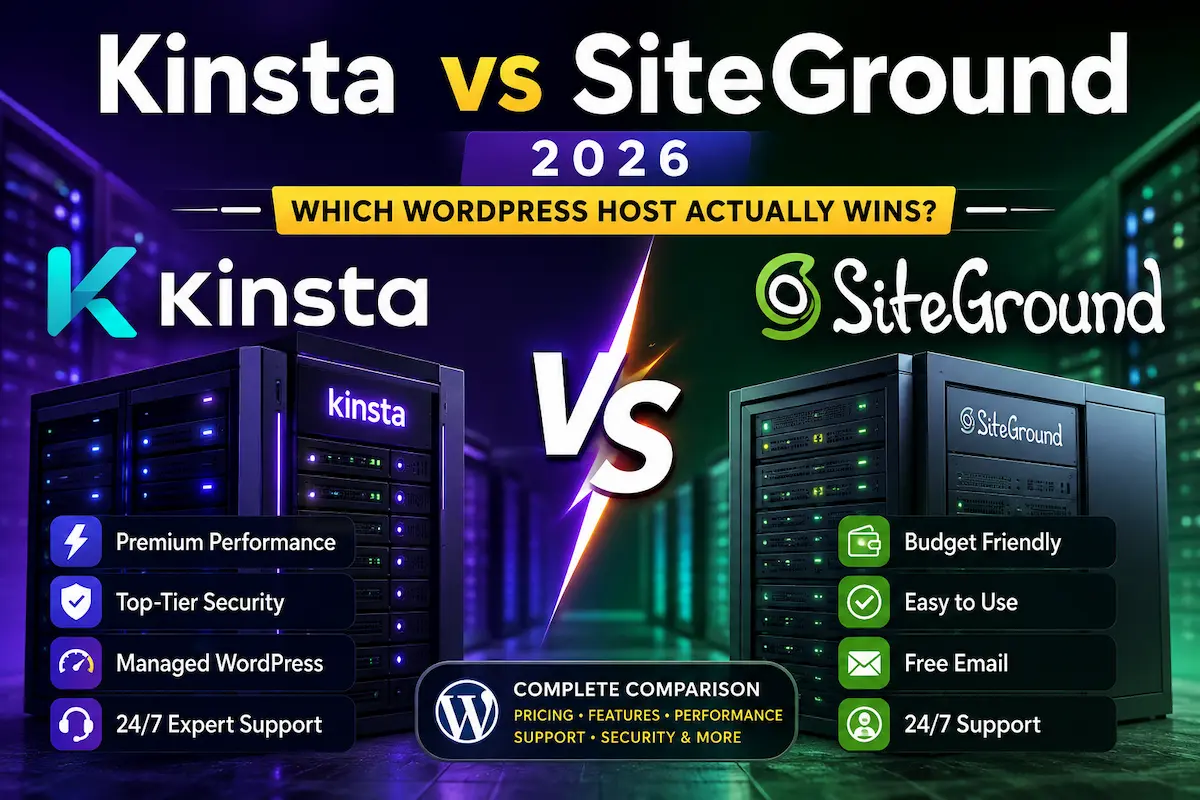
Kinsta vs SiteGround comes down to budget, hosting requirements, and how much managed WordPress infrastructure your website needs. SiteGround is generally the more affordable entry point for a new website and includes traditional hosting features such as email hosting. Kinsta is a premium managed WordPress platform with isolated site environments, Cloudflare-powered CDN and edge caching, built-in application performance monitoring, and specialist support.
For a new blog or small business website with a limited hosting budget, SiteGround is worth considering first. For an established WordPress website where performance diagnostics, managed infrastructure, and specialist support justify a higher cost, Kinsta may be a better fit.
Neither host is automatically faster for every website. Actual results depend on the WordPress theme, plugins, caching, database, images, traffic, and site configuration. Compare the features and total hosting cost against your own requirements before choosing.
To review the managed WordPress features and current plans, check Kinsta’s managed WordPress hosting.
Kinsta vs SiteGround at a Glance
| Feature | Kinsta | SiteGround |
|---|---|---|
| Main focus | Premium managed WordPress hosting | Web hosting with WordPress management |
| Entry-level advertised price | Single 20GB bandwidth plan: $35/month or $350/year | StartUp: $2.99/month promotional price for a qualifying 12-month term |
| Renewal pricing | Check the selected plan and billing option | StartUp currently lists $17.99/month renewal for the qualifying term |
| Entry-level storage | 10GB on Single 20GB bandwidth plan | 10GB on StartUp |
| WordPress sites | One on Single 20GB; higher plans support more | One on StartUp; GrowBig and GoGeek support multiple websites within plan limits |
| Backups | Automatic daily backups; retention varies by plan | Automated daily backups |
| CDN | Cloudflare-powered CDN and edge caching | SiteGround CDN |
| Performance diagnostics | Built-in Kinsta APM | SiteGround performance and optimization tools |
| Email hosting | Traditional mailbox hosting is not included | Email hosting is included in shared hosting plans |
| Migration | Unlimited free WordPress migrations | Free migration options; check the current plan and service terms |
| Best fit | Businesses that value premium managed WordPress tools | Budget-conscious websites that need broader hosting features |
Prices are in USD and can change. Promotional eligibility, included features, taxes, and billing terms vary. Confirm the current checkout price before purchasing.
What Is the Main Difference Between Kinsta and SiteGround?
The simplest distinction is that Kinsta focuses on premium managed WordPress hosting, while SiteGround offers a broader hosting platform at a lower introductory price.
Kinsta uses isolated software containers for individual WordPress sites and runs its platform on Google Cloud infrastructure. Its managed environment includes WordPress-focused tools for backups, staging, caching, monitoring, and site management.
SiteGround combines WordPress management with features such as email hosting, daily backups, CDN, caching, migration tools, and a website builder. Higher-tier plans offer additional resources and features such as staging.
Neither approach is automatically right for every website. The decision depends on your budget, traffic, technical requirements, and how important your website is to your business.
Pricing, Renewal Rates, and Hidden Costs
Price is one of the clearest differences between Kinsta and SiteGround. SiteGround offers a lower introductory price for qualifying shared hosting plans, while Kinsta focuses on premium managed WordPress hosting.
To compare them fairly, consider the first billing term, renewal price, number of websites, storage, traffic or bandwidth allowance, and any additional services you may need. An advertised monthly equivalent does not necessarily mean you can pay that amount month by month.
Kinsta Pricing
Kinsta offers monthly and annual billing options and provides plans based on visits or server bandwidth, depending on the selected plan. The Single 20GB bandwidth plan is listed at $35 per month or $350 per year. It includes one WordPress install, 10GB of storage, 20GB of server bandwidth per month, and 125GB of CDN bandwidth. For a full cost breakdown, see our Kinsta pricing explained guide.
Kinsta’s official pricing page may display introductory offers for eligible new customers. Confirm whether an offer applies to your selected plan and what you will pay after the promotional period.
| Plan | Monthly billing | Annual billing | WordPress installs |
|---|---|---|---|
| Single 20GB bandwidth | $35/month | $350/year | 1 |
| Single 40GB bandwidth | $50/month | $500/year | 1 |
| WP 2 bandwidth | $70/month | $700/year | 2 |
| WP 5 bandwidth | $115/month | $1,150/year | 5 |
These are examples of bandwidth-based plans, not a complete list of Kinsta plans. Kinsta also offers visit-based options, and plan limits differ. Check storage, server bandwidth, CDN bandwidth, the number of WordPress installs, and possible overage costs before choosing a plan.
Review the current options on Kinsta’s official pricing page. If you purchase through this affiliate link, we may earn a commission at no additional cost to you.
SiteGround Pricing
SiteGround’s US website lists StartUp at $2.99 per month for a qualifying 12-month promotional term, with renewal at $17.99 per month. GrowBig and GoGeek have different introductory and renewal prices, website limits, and resource allowances. These rates can change, so check the selected plan and billing period at checkout.
| Plan | Promotional price | Listed renewal price | Web space | Websites |
|---|---|---|---|---|
| StartUp | $2.99/month | $17.99/month | 10GB | 1 |
| GrowBig | $4.99/month | $29.99/month | 50GB | Multiple |
| GoGeek | $7.99/month | $44.99/month | 100GB | Multiple |
The prices above are a comparison snapshot for qualifying offers and billing terms. Verify the current promotional price, renewal amount, taxes, storage, and website limits on SiteGround’s official hosting page.
How to compare the total cost: Do not compare SiteGround’s promotional price directly with Kinsta’s standard monthly price and stop there. Calculate the amount payable over your intended hosting period, including renewal, extra sites or storage, and any services you need separately.
Performance and Infrastructure
Performance is a major reason people consider Kinsta, but hosting comparisons can become misleading when they rely on a single speed test.
Results depend on a website’s theme, plugins, database, image optimization, caching configuration, traffic patterns, and audience location. A test of one website is not proof that every site on the same host will achieve identical results.
Kinsta’s platform is designed specifically around managed WordPress. Its isolated site environments and Google Cloud infrastructure are intended to support WordPress workloads, while built-in monitoring can help diagnose application-level performance issues.
SiteGround also offers performance-focused hosting features, including caching, CDN delivery, server monitoring, and WordPress optimization tools. These can be useful for smaller websites and growing businesses.
If you need a specialized managed WordPress environment and deeper diagnostics, Kinsta deserves consideration. If your main requirement is affordable hosting for a typical business website or blog, SiteGround may provide sufficient features at a lower introductory cost.
CDN, Caching, and Site Speed
Both providers offer caching and CDN functionality, but the implementation and included limits differ.
Kinsta includes a Cloudflare-powered CDN and edge caching with its managed WordPress platform. Its Application Performance Monitoring tool can help identify slow PHP processes, database queries, and external requests.
SiteGround provides its own CDN and caching system, together with WordPress optimization features. The specific tools and resources available depend on the current plan and configuration.
For a basic business website, either platform can deliver good performance when the site is properly configured. For a website experiencing complex application-level slowdowns, Kinsta’s built-in monitoring may be particularly useful.
Security and Backups
Both providers include security and backup features intended to reduce the amount of infrastructure maintenance a WordPress owner must handle.
Kinsta provides Cloudflare-powered protection, a managed web application firewall, DDoS protection, uptime monitoring, and automatic backups. Additional backup options may be available for customers who need more frequent recovery points.
SiteGround includes SSL, security monitoring, firewall protection, WordPress security tools, and automated daily backups. Restoration options and some backup features depend on the hosting plan.
For most small business owners, both providers handle many infrastructure-level security tasks. You must still keep WordPress, themes, plugins, passwords, and user permissions properly maintained. A hosting backup is also not a substitute for understanding your own recovery requirements.
Ease of Use and WordPress Management
Kinsta
Kinsta uses the MyKinsta dashboard rather than a traditional cPanel-style hosting interface. Its WordPress-focused tools cover backups, staging, caching, analytics, redirects, PHP configuration, and other site-management tasks.
This focused environment can be useful for people who manage WordPress sites regularly and prefer to handle site-specific tasks from one dashboard.
SiteGround
SiteGround provides its own Site Tools interface with WordPress installation, migration, backups, caching, updates, and other hosting-management features. Staging and certain advanced features depend on the plan.
SiteGround also has an advantage for users who want traditional hosting features such as email hosting and a website builder alongside WordPress.
Best fit for WordPress-focused management: Kinsta may suit users who value a specialized managed environment. Best fit for broader hosting functionality at a lower introductory price: SiteGround may be more suitable.
Customer Support
Support matters when a website develops a technical problem. If your website generates leads, orders, or bookings, the time needed to diagnose an issue can have a business impact.
Kinsta provides 24/7 support through its support system and positions its team around WordPress-related issues. Its documentation and support resources cover tasks such as backups, staging, redirects, PHP configuration, and migrations.
SiteGround also provides 24/7 support and offers help with its hosting platform, WordPress management, and common technical issues. Available contact methods and support arrangements may change.
Both are worth considering. Choose based on the type of technical assistance you need, the support terms attached to your plan, and whether the additional cost of premium managed WordPress hosting is justified for your website.
Site Migration
Moving a WordPress website can be stressful, particularly when it generates leads, orders, or bookings. A safe migration should include a backup, a test of the migrated site, DNS planning, and checks after the domain points to the new host.
Kinsta offers free WordPress migration services, including migrations handled by its migration team for eligible sites. Review the service requirements before starting the transfer.
If migration is one of your main reasons for considering Kinsta, check Kinsta’s free WordPress migration service.
SiteGround also provides WordPress migration options, including migration tools and services subject to its current terms. Before changing hosts, confirm that your database, files, email arrangements, SSL certificate, forms, redirects, and important integrations will continue to work.
Who Should Use Kinsta vs SiteGround?
Kinsta May Be a Better Fit For
- Established businesses whose website performance and uptime matter commercially.
- WordPress publishers who need application performance diagnostics.
- Businesses willing to pay more for a specialized managed WordPress environment.
- Agencies managing multiple WordPress sites that need staging and site-management tools.
- WooCommerce stores whose hosting requirements justify a premium managed platform.
Kinsta May Not Be Ideal For
- Brand-new websites with minimal traffic and a very limited hosting budget.
- Users who require traditional email mailbox hosting included with their web hosting.
- Simple websites that do not need specialized managed WordPress tools.
SiteGround May Be a Better Fit For
- New businesses and bloggers looking for a lower introductory hosting price.
- Users who want email hosting bundled with web hosting.
- Small websites that need WordPress management, backups, CDN, and SSL.
- Website owners who want traditional hosting features alongside WordPress tools.
What to Consider Before Choosing SiteGround
- Promotional pricing is temporary; budget for the renewal price.
- Storage, server resources, and advanced features vary by plan.
- Higher-tier features may be required as your website grows.
Which Is Better for Small Businesses?
For a small business website with a strict budget, SiteGround is often easier to justify financially. Its entry-level plans include useful hosting features such as SSL, backups, email, and WordPress management.
Kinsta becomes more attractive when the website is an important business asset and you can justify the additional cost of managed infrastructure, performance diagnostics, and specialist support.
For a budget-conscious small business, start by evaluating SiteGround. For a business that needs premium managed WordPress tools, evaluate Kinsta against the value those tools provide.
Which Is Better for Bloggers?
For a new or low-traffic blog, SiteGround may be the more economical starting point. You can launch a WordPress site and use its hosting features without immediately paying for premium managed hosting.
For a high-traffic publishing site, monetized blog, or website with increasingly demanding performance requirements, Kinsta may be worth evaluating. Its value depends on whether the managed tools and infrastructure solve actual problems for your site.
You do not need premium hosting simply because you use WordPress. Choose hosting according to your traffic, budget, reliability requirements, and technical needs.
Which Is Better for WooCommerce?
WooCommerce changes the hosting decision because database performance, caching, security, uptime, and checkout reliability can affect the customer experience.
Kinsta provides managed WordPress infrastructure, performance monitoring, staging, backups, and caching features that may be useful for a performance-sensitive store. Confirm that the selected plan supports your site’s actual resource requirements.
SiteGround also supports WooCommerce and offers WordPress management features that can suit smaller stores looking to control hosting costs.
For a smaller store with a tight budget, SiteGround may be sufficient. For a store with more demanding performance and management requirements, Kinsta is worth comparing as a premium option. Neither platform can guarantee a particular speed or conversion rate without testing your actual website.
Kinsta vs SiteGround: Pros and Cons
Kinsta Pros
- Specialized managed WordPress environment.
- Isolated site environments and Google Cloud infrastructure.
- Cloudflare-powered CDN and edge caching.
- Built-in Application Performance Monitoring.
- Automatic backups and staging features.
- Free WordPress migration services, subject to eligibility and terms.
- 24/7 support.
Kinsta Cons
- Higher entry-level cost than SiteGround’s introductory shared hosting.
- Traditional email mailbox hosting is not included.
- Premium features may be unnecessary for a small, low-traffic website.
- Additional sites, storage, or services can increase the total cost.
SiteGround Pros
- Low introductory pricing on qualifying plans.
- Email hosting included with shared hosting plans.
- SSL, CDN, and daily backups included in its hosting offering.
- WordPress migration options and managed WordPress features.
- Website builder and traditional hosting tools.
- Multiple-website hosting on eligible higher-tier plans.
SiteGround Cons
- Renewal prices can be considerably higher than introductory prices.
- Advanced features and resources depend on the selected plan.
- Its hosting environment differs from Kinsta’s specialized managed WordPress architecture.
- Website owners must pay attention to storage and resource limits.
Alternatives to Consider
If neither provider fits your requirements, consider what you actually need before evaluating another host.
- If your budget is the main constraint: compare entry-level shared hosting plans and their renewal costs.
- If you need premium managed WordPress hosting: compare Kinsta with other managed WordPress providers, including WP Engine. See our Kinsta alternatives guide or the Kinsta vs Cloudways comparison.
- If bundled email is essential: compare providers that include mailbox hosting or calculate the additional cost of a separate email service.
- If you manage multiple client sites: compare the number of installations, staging options, support arrangements, and total monthly cost.
Check each provider’s current pricing, plan limits, support terms, and migration policy before making a decision. A provider’s advertised starting price alone is not enough to determine long-term value.
Frequently Asked Questions
Is Kinsta better than SiteGround?
Kinsta may be a better fit if you need premium managed WordPress infrastructure, performance monitoring, and specialist support. SiteGround may be better if your priority is a lower introductory price and a broader set of traditional hosting features.
Is SiteGround cheaper than Kinsta?
SiteGround’s introductory shared hosting price is substantially lower than Kinsta’s standard entry-level price. However, SiteGround’s renewal price is higher than its introductory price, so compare the full cost over your intended hosting period.
Does Kinsta include a free CDN?
Kinsta includes a Cloudflare-powered CDN with its managed WordPress hosting. CDN bandwidth limits and other plan details should be checked on its official pricing page.
Does SiteGround include backups?
SiteGround lists automated daily backups among its hosting features. Check the selected plan’s current backup and restoration terms before purchasing.
Does Kinsta provide email hosting?
Kinsta’s managed WordPress hosting is focused on hosting WordPress applications rather than providing traditional mailbox hosting. If you need domain email, you will generally need a separate email provider when using Kinsta.
Can I migrate from SiteGround to Kinsta?
Yes. Kinsta offers WordPress migration services, including free migrations for eligible sites. Check its migration requirements and submit the necessary details before beginning the transfer.
Does SiteGround have staging?
SiteGround offers staging on eligible plans. Check the current plan comparison to confirm whether staging is available on the plan you intend to purchase.
Which is better for a beginner: Kinsta or SiteGround?
SiteGround is often easier to justify financially for someone launching a new website. Kinsta may suit a beginner who specifically wants premium managed WordPress hosting and is comfortable paying more for it.
Which is faster, Kinsta or SiteGround?
There is no universal speed result that applies to every website on either platform. Kinsta offers specialized managed WordPress infrastructure, CDN delivery, edge caching, and APM. Actual speed depends on the website, its configuration, and the way it is tested.
Is Kinsta worth the higher price for a beginner blog?
For many new, low-traffic blogs, premium managed hosting may not be necessary. SiteGround may be a more economical starting point. Kinsta becomes worth evaluating when its management and performance tools provide enough value to justify the additional cost.
Are there hidden costs with either host?
The main cost to watch with SiteGround is the difference between the introductory price and the renewal price. With Kinsta, review the plan limits and any additional charges for extra sites, storage, or services. Check current terms before purchasing.
Final Verdict: Kinsta vs SiteGround
Choose SiteGround if your main priority is a lower introductory price, traditional email hosting, and a broad set of website-hosting features. Remember to budget for the renewal rate rather than relying only on the first-term promotion.
Choose Kinsta if your WordPress website needs premium managed hosting, built-in performance diagnostics, Cloudflare-powered CDN and edge caching, and specialist support. Its higher price is easier to justify when those features solve real operational or business problems for your website.
For a new, low-traffic website, paying for premium hosting may not be necessary. For a website that generates meaningful business revenue, compare the cost of hosting with the value of the included management and diagnostic tools.
Before deciding, review Kinsta’s current hosting plans and compare them with SiteGround’s current plans. Verify the prices and limits that apply to your location and billing term.
Important Pricing Note
Hosting companies can change promotional pricing, renewal rates, plan limits, and included features. Prices in this article are a comparison snapshot, not a permanent price guarantee. Always check the provider’s official pricing page immediately before purchasing.
Last reviewed: October 13, 2026
Related Guides
- Kinsta Review 2026: Is It Worth the Price?
- Kinsta Pricing 2026: Plans, Costs & Hidden Fees Explained
- Kinsta vs Cloudways 2026: Full Hosting Comparison
- Kinsta Alternatives: 8 Managed WordPress Hosts Compared in 2026
- Best Managed WordPress Hosting for Small Businesses in 2026
- Managed WordPress Hosting vs Shared Hosting: Which Is Better?
About the Author
T. Vasireddi is the founder and editor of ToolGrowthHQ, creating practical guides on web hosting, WordPress, SaaS tools, and digital marketing.
The goal is to provide clear, useful information that helps readers evaluate technology and software options according to their requirements.
Connect with the author: