Affiliate Disclosure: This post contains affiliate links. If you purchase or sign up through one of these links, we may earn a commission at no extra cost to you. Our recommendations are based on publicly available information, official documentation, and the factors discussed in this article. Affiliate relationships do not determine our editorial conclusions.
How we researched this comparison: This guide is based on publicly available pricing pages, official vendor documentation, and independently published hosting benchmarks, reviewed and updated as of August 2026. We evaluate hosting options based on performance data, security features, pricing transparency, support policies, and scalability to help you make an informed decision rather than relying on marketing claims alone.
Last reviewed: October 2026. Kinsta’s entry prices and add-on costs mentioned in this guide were checked against Kinsta’s public pricing page on 20 October 2026. Prices, limits, and promotions change, so confirm current details with each provider before buying.
Table of Contents
- Quick Answer
- What Is Shared Hosting?
- What Is Managed WordPress Hosting?
- Performance Differences
- Security Differences
- Cost Differences
- Hidden Costs and Renewal Fees to Watch For
- Support and Maintenance
- Scalability
- Who Should Choose Shared Hosting?
- Who Should Choose Managed WordPress Hosting?
- Pros and Cons
- Frequently Asked Questions
- Who Should Use Each Option
- Alternatives to Consider
- Final Verdict
- Conclusion
- Next Step
- Related Guides
Quick Answer
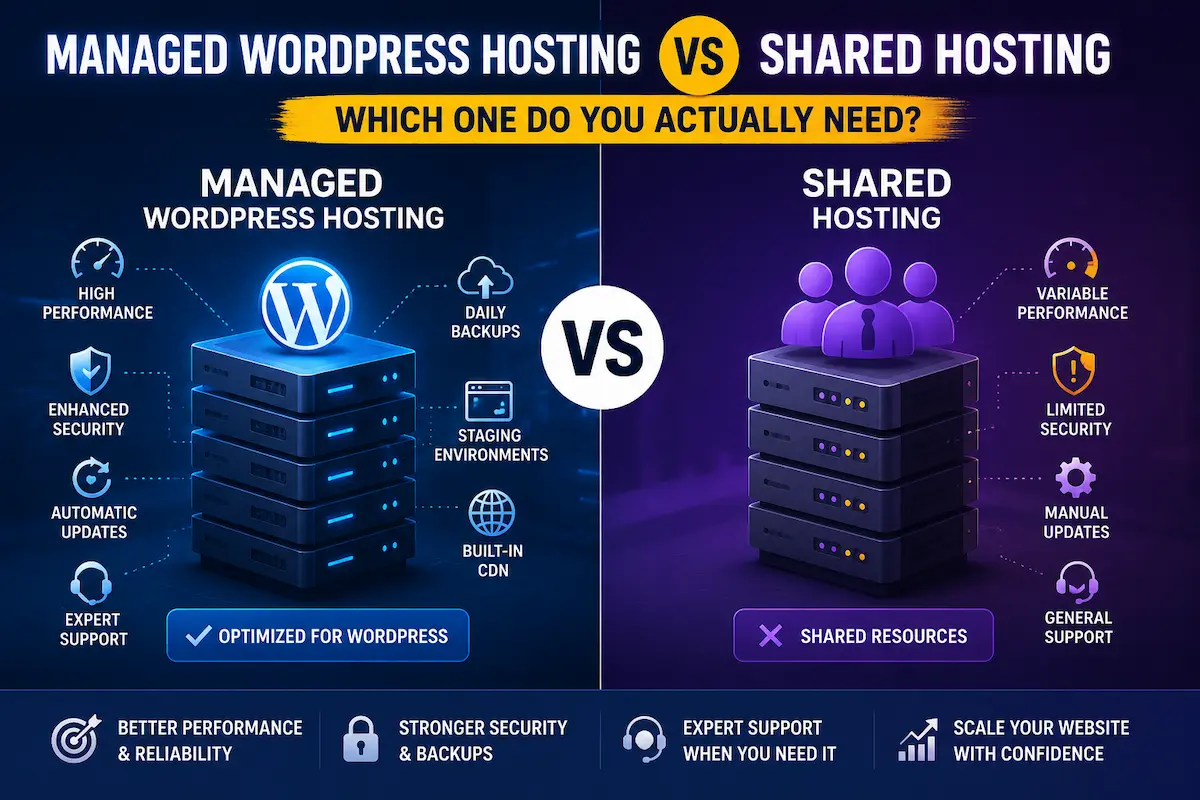
Managed WordPress hosting and shared hosting differ mainly in cost and specialization: shared plans run $3–$15/month but split server resources across multiple sites, while managed WordPress hosting (e.g., Kinsta, from $35/month) adds WordPress-tuned infrastructure, caching, security, and staging built in.
Shared hosting is cheaper and can work well for small, low-traffic websites, but server resources are shared among multiple websites. Managed WordPress hosting costs more, but it can provide a more WordPress-focused environment, performance tools, security features, backups, staging, and specialized support.
If you’re comparing managed WordPress hosting vs shared hosting, the right choice depends on your traffic, budget, technical experience, and how important performance and uptime are to your website.
For a personal blog or small project, shared hosting may be enough. For a business website, online store, or site that is becoming increasingly important to your revenue, managed WordPress hosting can be worth considering.
At a glance:
- Typical shared hosting: roughly $3–$15/month, general-purpose server environment, less WordPress-specific tooling
- Managed WordPress hosting (e.g., Kinsta): plans starting around $35/month, WordPress-optimized infrastructure, built-in caching, staging, and daily backups included
What Is Shared Hosting?
Shared hosting is an entry-level hosting model where multiple websites operate on the same server infrastructure.
The websites share some of the available server resources, including CPU, memory, and storage. Hosting companies use this model to distribute infrastructure costs across many customers, which is one reason shared hosting is usually inexpensive.
For someone launching their first website, this can be appealing: you can often get a hosting account at a relatively low monthly price, install WordPress, connect a domain, and start publishing without dealing with server administration.
Shared hosting can be a practical choice for:
- Personal blogs
- Small portfolios
- Hobby websites
- Simple informational websites
- New websites with limited traffic
- Projects with a very small hosting budget
Well-known shared hosting brands in the US and UK markets include Bluehost, Hostinger, and SiteGround, though exact plans, renewal pricing, and included features vary by provider and promotional period, so check each provider’s current pricing and terms before choosing.
The tradeoff is that you have less control over the underlying environment, and the available resources may be limited compared with more specialized hosting.
A well-configured shared hosting account can perform perfectly well for a small website. The problem usually becomes more noticeable when a site starts receiving more traffic, running resource-intensive plugins, or handling more database activity.
With many shared hosting plans, you are also responsible for a larger portion of WordPress maintenance yourself. That can include keeping WordPress, themes, and plugins updated, configuring security tools, maintaining backups, and troubleshooting compatibility problems.
The exact features vary from one hosting provider to another, so it is important to check what is actually included in the plan rather than assuming every shared host works the same way.
What Is Managed WordPress Hosting?
Managed WordPress hosting is a hosting service designed specifically around WordPress websites.
Instead of providing only a general-purpose hosting environment, managed WordPress providers typically add WordPress-specific infrastructure, caching, security tools, backups, monitoring, staging, and specialized support.
The exact features differ between providers and plans.
For example, Kinsta’s managed WordPress platform runs on isolated container infrastructure on Google Cloud Platform. Its entry-level plan is built around a single WordPress installation, and Kinsta lists a CDN, daily automated backups, staging environments, and 24/7 support among its standard features rather than as paid add-ons. Visit and storage limits vary by plan and change over time, so check Kinsta’s plan selector for the current figures.
You can learn more about the platform here:
Compare Kinsta’s managed WordPress hosting plans
The main attraction of managed hosting is not simply that the server is faster — it’s that more of the technical environment is designed and maintained around WordPress, allowing website owners to spend less time dealing with infrastructure.
That can be particularly useful for businesses that would rather focus on content, customers, marketing, and sales than spend time troubleshooting hosting problems.
However, “managed” does not mean every maintenance task is automatically handled by every provider.
Before purchasing a plan, check exactly what the host includes for WordPress core updates, plugin updates, backups, security monitoring, staging, migrations, and technical support. It’s also worth noting that platforms like Kinsta typically do not include email hosting on any plan, so you would need a separate service such as Google Workspace or Microsoft 365 for business email.
Performance Differences
Performance is often where the difference between shared hosting and managed WordPress hosting becomes most noticeable.
With shared hosting, several websites operate within the same broader server environment. If the hosting provider’s resource allocation is limited, or another website experiences unusually high demand, your site’s available resources can be affected.
That doesn’t mean every shared hosting provider is slow — a well-configured shared environment can perform perfectly well for smaller websites. The problem tends to appear when a website starts needing more consistent resources than an entry-level plan was designed to provide.
Managed WordPress platforms can approach performance differently.
They may use WordPress-optimized server configurations, page caching, CDN delivery, edge caching, database optimization, and isolated resources. Published hosting benchmarks often show faster and more consistent load times on well-optimized managed platforms than on entry-level shared plans under load, though actual results vary by site configuration, theme, and content type.
Caching can reduce the amount of work the server needs to perform for repeated requests. A CDN can also help deliver static assets from locations closer to visitors.
These features become more important as a website grows.
A small personal website with a few dozen visitors may not see a dramatic financial benefit from additional hosting infrastructure, but for a business website or online store, consistent performance matters much more, since slow pages can affect user experience, conversions, and customer perception.
Database activity is another factor: WordPress websites generate significantly more of it as they add plugins, products, users, orders, comments, and other dynamic functionality, so a simple five-page website has very different hosting requirements from a busy WooCommerce store.
For that reason, performance should always be evaluated according to the actual website rather than based only on the hosting company’s marketing claims.
You can explore Kinsta’s WordPress hosting infrastructure here:
Explore Kinsta’s WordPress hosting infrastructure
Security Differences
Security is another area where the two hosting approaches can differ, but it is important not to oversimplify the comparison.
Shared hosting does not automatically mean that a website is insecure.
Reputable hosting companies use account isolation and server-level security controls to protect customers, though the exact features vary considerably between providers and plans.
With a basic self-managed WordPress installation, the website owner may have greater responsibility for keeping WordPress updated, maintaining backups, configuring security tools, and responding when something goes wrong.
Managed WordPress hosting can reduce some of that workload by providing security features at the hosting level.
Depending on the provider, these can include:
- Web application firewalls
- DDoS protection
- Malware detection or removal
- SSL certificates
- Automatic backups (often retained for 14 days or more on managed platforms)
- Security monitoring
- Account and resource isolation
The important point is that managed hosting does not make a website impossible to hack — no responsible provider can guarantee that. The advantage is that more of the infrastructure is managed and monitored by the provider instead of requiring the website owner to configure everything independently.
For a personal blog with no sensitive information, basic hosting security may be sufficient.
For a business website, ecommerce store, membership site, or website handling customer information, security and backup capabilities deserve much more attention when comparing hosting plans.
Cost Differences
Shared hosting generally wins on upfront price.
Entry-level shared hosting plans typically run in the $3–$15/month range, which makes them attractive when you’re launching a new website, testing an idea, or running a small personal project that does not generate meaningful revenue yet.
Managed WordPress hosting costs more because you’re paying for a more specialized infrastructure and for services that can reduce the amount of technical work you have to handle yourself.
Kinsta, for example, positions its hosting as a managed WordPress platform rather than a low-cost shared hosting service. Its entry plan for a single WordPress site begins at $35/month ($350 per year with annual billing), a two-site plan is $70/month ($700 per year), and larger plans scale up from there as site count, visit or bandwidth limits, and storage increase.
Because hosting prices, limits, and promotions can change, always check the provider’s current pricing before making a purchasing decision.
Check Kinsta’s current plans and pricing
But the monthly hosting bill isn’t the entire cost — when comparing managed WordPress hosting vs shared hosting, also consider the value of your own time.
If you spend several hours every month dealing with updates, backups, security problems, plugin conflicts, performance issues, or hosting-related troubleshooting, the cheaper hosting plan may not actually be cheaper from a business perspective.
On the other hand, if you are comfortable handling those tasks yourself and your website has modest requirements, paying for managed services may not provide enough additional value to justify the higher price.
The right choice therefore depends on both your budget and your workload.
Shared hosting vs Kinsta managed WordPress hosting: pricing at a glance (Kinsta figures are from its public pricing page, checked on 20 October 2026, and are billed in USD; the shared hosting row is a typical market range, not one provider’s price):
| Plan | Monthly (USD) | Annual (USD) | Sites | Best For |
|---|---|---|---|---|
| Typical shared hosting | $3–$15 | Varies by host | Varies by host | Personal blogs, portfolios, low-traffic sites |
| Kinsta entry plan | $35 | $350 | 1 | First business site, blog with growth plans |
| Kinsta two-site plan | $70 | $700 | 2 | Growing site, small agency |
Hidden Costs and Renewal Fees to Watch For
Sticker price is only part of the comparison. Kinsta’s annual rate is billed upfront for the year. Check the renewal terms shown at checkout and re-check the current price on Kinsta’s pricing page before renewing, since promotions and rates can change.
Kinsta’s add-on costs, as listed on its pricing page on 20 October 2026, include:
- An additional WordPress site: $30/month
- An additional 20GB of disk space: $20/month
- A premium staging environment: $20/month per environment
- Redis caching: $100/site/month
- Visit, bandwidth, or storage overage fees once a plan’s limits are exceeded
Shared hosting has its own hidden-cost pattern worth checking before signing up: many providers advertise a low introductory rate that renews at a noticeably higher price after the first term, and features like backups, staging, or a dedicated IP are often paid add-ons rather than included. Always compare the renewal price, not just the first-term price, for any host you’re considering.
Support and Maintenance
Support is one of the most practical differences between hosting models.
Shared hosting support is generally focused on the hosting environment itself.
Support staff may be able to help with server availability, DNS, hosting configuration, email settings, or account-related problems. However, the level of WordPress-specific troubleshooting varies between providers.
With managed WordPress hosting, the support environment is generally more closely aligned with WordPress.
This can be useful when you’re dealing with issues involving WordPress configuration, performance, caching, migrations, or the hosting environment.
Managed hosting may also reduce the amount of routine infrastructure work you need to perform yourself.
Always check the exact support policy before purchasing. Look at:
- Whether support is available 24/7
- Whether WordPress-specific support is included
- Whether migrations are included
- How backups are handled
- Whether staging is available
- What happens when a plugin causes problems
- Whether support is available by chat, ticket, or phone
- Whether additional support costs extra
A hosting plan can look impressive on paper while providing limited support for the specific problems you actually need help with.
Scalability
Shared hosting is usually designed for websites with relatively modest requirements.
That doesn’t mean a shared website can’t grow — it simply means its resource requirements may eventually exceed what the original plan was designed to provide.
A growing website may experience:
- Slower response times
- Resource-limit warnings
- More frequent downtime during traffic spikes
- Database performance issues
- Higher memory requirements
- Greater storage requirements
At that point, the website owner may need to upgrade the hosting plan or move to a different hosting environment.
Managed WordPress hosting can make this transition easier when the provider offers multiple plans within the same infrastructure.
Instead of moving immediately to an entirely different type of server, you may be able to upgrade resources as traffic and website requirements increase.
This is particularly useful for businesses that expect growth, though scalability is never unlimited.
Every hosting platform has resource limits, and you should understand the storage, bandwidth, visitor, CPU, memory, and other limits associated with the plan you are considering.
Who Should Choose Shared Hosting?
Shared hosting can make sense when keeping costs low is the priority and the website has modest requirements.
It may be a good fit if:
- You’re launching your first website
- Your traffic is currently low
- You’re running a personal blog
- You’re building a portfolio
- You’re testing a new website idea
- You are comfortable managing WordPress yourself
- Your website does not depend heavily on uptime or speed
- Your monthly hosting budget is very limited
For these situations, paying for premium managed hosting may simply be unnecessary — a basic website doesn’t automatically need expensive infrastructure.
The goal should be to choose enough hosting capacity for the website you actually have, while leaving a reasonable path for future growth.
Who Should Choose Managed WordPress Hosting?
Managed WordPress hosting becomes more attractive when your website has greater commercial or operational importance.
It may be a better fit if:
- You operate a business website
- You run an online store
- Your website generates leads
- Your website earns advertising or affiliate revenue
- Website downtime has a financial impact
- You receive significant organic traffic
- You want specialized WordPress support
- You prefer not to manage server-level issues yourself
- Your website is growing quickly
For businesses, the cost of hosting should be considered against the potential cost of poor performance, downtime, security incidents, or lost time.
If the website is an important part of the business, spending more on infrastructure can be reasonable. Kinsta is one managed WordPress provider worth evaluating in this category.
Compare Kinsta’s managed WordPress hosting plans
That doesn’t mean Kinsta is automatically right for every website — compare its current pricing, resource limits, features, and support against your actual requirements first.
Pros and Cons
Shared Hosting
Pros
- Low entry cost, typically $3–$15/month
- Easy setup for beginners with no server administration required
- Widely available across nearly every hosting company
- Adequate performance for low-traffic sites with modest plugin use
- Simple, single-dashboard account management
- Reasonable starting point for testing a new website idea before committing budget
Cons
- Server resources (CPU, memory) are shared with other accounts on the same machine
- Performance can vary if a neighboring site experiences a traffic spike
- Less WordPress-specific tooling such as built-in staging or WordPress-aware caching
- Core updates, backups, and security configuration often fall on the site owner
- Resource limits can be reached sooner as traffic or plugin count grows
- Support is typically general hosting support rather than WordPress-specialized
Managed WordPress Hosting
Pros
- Infrastructure built specifically around WordPress performance requirements
- Server-level caching and CDN delivery included on most plans
- Automated daily backups included, often retained for 14 days or longer
- Staging environments included for testing changes before publishing
- Support teams trained specifically in WordPress troubleshooting
- Firewall, DDoS protection, and malware monitoring included at the hosting level
- Easier to scale within the same provider as traffic grows
- Less day-to-day server maintenance required from the site owner
Cons
- Higher monthly cost, often starting around $35/month versus $3–$15/month for basic shared plans
- Less low-level server control (no root access on most plans)
- Some plugins or custom server configurations may be restricted
- Visit, storage, and site-count limits still apply and can trigger overage fees
- Email hosting is typically not included and must be purchased separately
- May provide more infrastructure than a small hobby website actually needs
Frequently Asked Questions
Is shared hosting bad for WordPress?
Not inherently.
Shared hosting can be a reasonable starting point for small, low-traffic WordPress websites.
The tradeoffs become more noticeable as traffic, security requirements, database activity, or revenue dependence increase.
The quality of the hosting provider also matters. A reputable shared hosting provider with sensible resource allocation can be a better choice than a poorly managed premium plan.
Can I switch from shared hosting to managed WordPress hosting later?
Yes.
You can migrate an existing WordPress website from shared hosting to a managed WordPress provider. The exact process depends on the hosting provider and the configuration of your website.
Some managed providers offer migration assistance.
Kinsta, for example, offers free WordPress migration services for eligible WordPress hosting customers.
Learn about Kinsta’s free WordPress migration service
You can also read our guide on:
How to Migrate a WordPress Site to Kinsta
Before switching hosts, make sure you have a current backup and test the migrated website before changing your domain’s DNS settings.
Does managed hosting guarantee better Google rankings?
No.
No hosting provider can guarantee search rankings.
A better hosting environment can contribute to faster response times, better reliability, and a stronger user experience, but rankings depend on many other factors.
These include:
- Content quality
- Search intent
- Relevance
- Technical SEO
- Internal linking
- Backlinks
- User experience
- Website architecture
Hosting is only one part of the overall SEO picture.
Is managed WordPress hosting worth the extra cost?
It depends on the website.
For a revenue-generating website, the answer can be yes.
If better performance, reliable backups, security features, specialized support, and reduced maintenance work save enough time or reduce enough operational risk, the additional hosting cost may be justified — for example, an entry managed plan at roughly $35/month versus a $10/month shared plan is a $25 monthly difference, which is often small compared to the cost of even a few hours of downtime for a revenue-generating site.
For a small personal blog with very little traffic, shared hosting may still be the more sensible choice.
The key is to compare the cost against the actual needs of your website rather than assuming premium hosting is always better.
Can WooCommerce run on shared hosting?
Yes.
A small WooCommerce store can run on shared hosting if the hosting environment meets WooCommerce and WordPress requirements.
However, WooCommerce creates more database activity than a simple content website.
As product catalogs, orders, plugins, customers, and traffic increase, a hosting environment with stronger resources and better performance tooling can become increasingly valuable.
For stores that have started to outgrow basic hosting, compare the requirements of your store with a managed WooCommerce environment before making a move.
You can also read our related guide:
Best WordPress Hosting for WooCommerce Stores
Does managed WordPress hosting mean I never need to update WordPress?
Not necessarily.
“Managed” does not mean every WordPress maintenance task is automatically handled by every provider.
Some providers manage certain WordPress updates and security tasks, while others give you more control.
Check exactly what your chosen host includes for:
- WordPress core updates
- Plugin updates
- Theme updates
- Backups
- Security monitoring
- Malware protection
- Restore procedures
- Staging
Understanding these details before purchasing is more useful than relying on the word “managed” alone.
How do I know if my current hosting is the problem?
Start by looking at your website’s actual performance.
Check page loading times, server response time, Core Web Vitals, plugin usage, image optimization, database performance, and traffic patterns.
If your website remains slow after you have addressed obvious front-end problems, hosting infrastructure may be one factor worth investigating.
However, do not assume that hosting is always the problem.
A poorly optimized theme, oversized images, excessive plugins, inefficient code, or third-party scripts can slow down a website even when the hosting environment is strong.
What should I check before changing hosting providers?
Before moving your website, make a simple checklist.
Record:
- Current monthly traffic
- Peak traffic
- Website type
- Number of plugins
- Database size
- Storage requirements
- Backup requirements
- Staging requirements
- Expected growth
- Monthly hosting budget
Then compare two or three providers against those requirements.
That approach is more useful than choosing a hosting provider simply because it advertises itself as the fastest or cheapest option.
Who Should Use Each Option
Shared hosting is best for:
- Hobbyists and personal bloggers publishing occasionally
- First-time website owners on a strict startup budget
- Simple brochure or portfolio sites with low, steady traffic
- Anyone comfortable handling their own WordPress updates and backups
Managed WordPress hosting is best for:
- Business sites where downtime or slow load times have a real financial cost
- WooCommerce stores with active product catalogs and order volume
- Agencies and freelancers managing multiple client sites
- Content sites with growing organic traffic that need headroom to scale
- Site owners who would rather pay for time saved than handle server maintenance themselves
Managed WordPress hosting may not be ideal for:
- Very low-traffic hobby sites with no revenue or growth goals
- Users who need full root-level server access for custom configurations
- Budgets that cannot absorb a $35/month or higher recurring cost
Alternatives to Consider
Hosting needs vary, so it’s worth knowing what else is available beyond the shared-vs-managed comparison:
- If you need the lowest possible entry price: a basic shared hosting plan from an established provider (commonly $3–$15/month) remains the cheapest way to get a WordPress site online.
- If you want managed WordPress without the highest-tier pricing: some managed and cloud hosting platforms, such as Cloudways, may start at lower prices, though feature sets and included support vary. Compare the specifics and check each provider’s current pricing before assuming it matches Kinsta’s included features.
- If you need a premium, WordPress-specialized environment with support built for growth: Kinsta’s plans, starting around $35/month, are worth evaluating.
Final Verdict
Neither shared hosting nor managed WordPress hosting is automatically the right choice for every website.
Shared hosting makes sense when keeping costs low is the priority and your website has modest traffic and relatively simple requirements.
Managed WordPress hosting makes more sense when your website is becoming an important part of your business, your traffic is growing, or you would rather spend your time working on the website instead of managing its hosting environment.
For most site owners, the decision between managed WordPress hosting vs shared hosting comes down to budget versus convenience, performance, and operational responsibility.
If you are currently running a small website with low traffic, there may be no reason to upgrade immediately.
But if your website is generating revenue, receiving significant traffic, running WooCommerce, or becoming increasingly important to your business, it is worth comparing the cost of premium managed hosting against the potential cost of slow performance, downtime, security problems, and maintenance work.
Kinsta is one provider worth evaluating if you want a managed WordPress environment with WordPress-focused infrastructure and additional performance, security, backup, staging, and support features.
Conclusion
Choosing between shared and managed WordPress hosting comes down to how much your site’s performance, security, and uptime actually matter to your goals.
Shared hosting can be perfectly adequate for small websites, personal projects, and websites with limited traffic.
Managed WordPress hosting costs more, but it can reduce the amount of technical work you need to handle and provide a more specialized environment for WordPress.
There is no universal winner.
The best choice is the hosting environment that gives your website enough resources, security, support, and room to grow without paying for infrastructure you do not currently need.
Before making a decision, evaluate your traffic, website type, budget, technical experience, and expected growth.
Then compare providers based on the features that actually matter to your website.
Next Step
Still deciding between shared hosting and managed WordPress hosting?
Start by identifying what your current website actually needs. If your site is becoming more important to your business and you want to reduce the amount of server and WordPress maintenance you handle yourself, a managed provider may be worth evaluating.
You can also read our related Kinsta guide:
Is Kinsta Worth It? A Practical 2026 Review
If Kinsta is on your shortlist, you can review its current managed WordPress plans here:
Compare Kinsta’s Managed WordPress Hosting
Related Guides
- Best Managed WordPress Hosting for Small Businesses
- Is Kinsta Worth It? A Practical 2026 Review
- Kinsta Pricing Explained
- How to Migrate a WordPress Site to Kinsta
- Best High-Performance WordPress Hosting in 2026
- Best WordPress Hosting for WooCommerce Stores
- Best Hosting for High-Traffic WordPress Sites
- Kinsta vs SiteGround: Which Hosting Is Better?
- Kinsta vs Cloudways Comparison
About the Author
T. Vasireddi is the founder and editor of ToolGrowthHQ, creating practical, research-based guides on web hosting, WordPress, SaaS tools, and digital marketing.
His focus is on providing clear, accurate, and useful information to help readers make better technology and software decisions.
Connect with him:
Follow for more AI tool reviews, SaaS comparisons, and digital marketing tips.