Affiliate Disclosure: Some links in this article are affiliate links. If you purchase or sign up through one of these links, ToolGrowthHQ may earn a commission at no additional cost to you. This does not affect the price you pay or how we evaluate the tools. Our recommendations are based on the features, use cases, limitations, pricing considerations, and overall fit discussed in this guide.
How this guide was researched: This comparison is based on publicly available vendor pricing pages, plan documentation, and third-party pricing trackers, cross-checked as of August 2026. We evaluate each tool on editing flexibility, page experience, testing capability, pricing structure, integrations, ease of use, and scalability — the same criteria outlined in the “How We Compared These Tools” section below. Pricing, visitor limits, and plan features are among the fastest-changing details in SaaS, so treat every number here as a snapshot rather than a permanent quote, and confirm current terms on the provider’s own pricing page before subscribing.
Choosing a landing page builder can look easy at first. Most platforms promise drag-and-drop design, templates, mobile-friendly pages, integrations, and tools designed to help turn visitors into leads or customers.
The differences usually become clearer once you think about how you actually plan to use the platform.
A solo business owner may want something simple that works alongside email marketing. An agency may need to build and manage pages for multiple campaigns or clients. Someone running paid traffic may care more about testing, page experience, integrations, and conversion data than having hundreds of templates.
So rather than naming one platform as an automatic winner, this guide looks at where different landing page builders may fit, where they could be unnecessary, and what you should consider before adding another marketing subscription to your budget.
Table of Contents
- Quick Answer
- Quick Verdict
- What a Landing Page Builder Actually Does
- How We Compared These Tools
- Comparison Table
- The Best Landing Page Builders in 2026
- Pros and Cons by Use Case
- Dedicated Builder vs. All-in-One Platform
- Alternatives Worth Knowing About
- Who Should Use Each Tool
- Frequently Asked Questions
- Final Verdict
Quick Answer
The best landing page builder depends on what you need the page to accomplish and which marketing tools you already use.
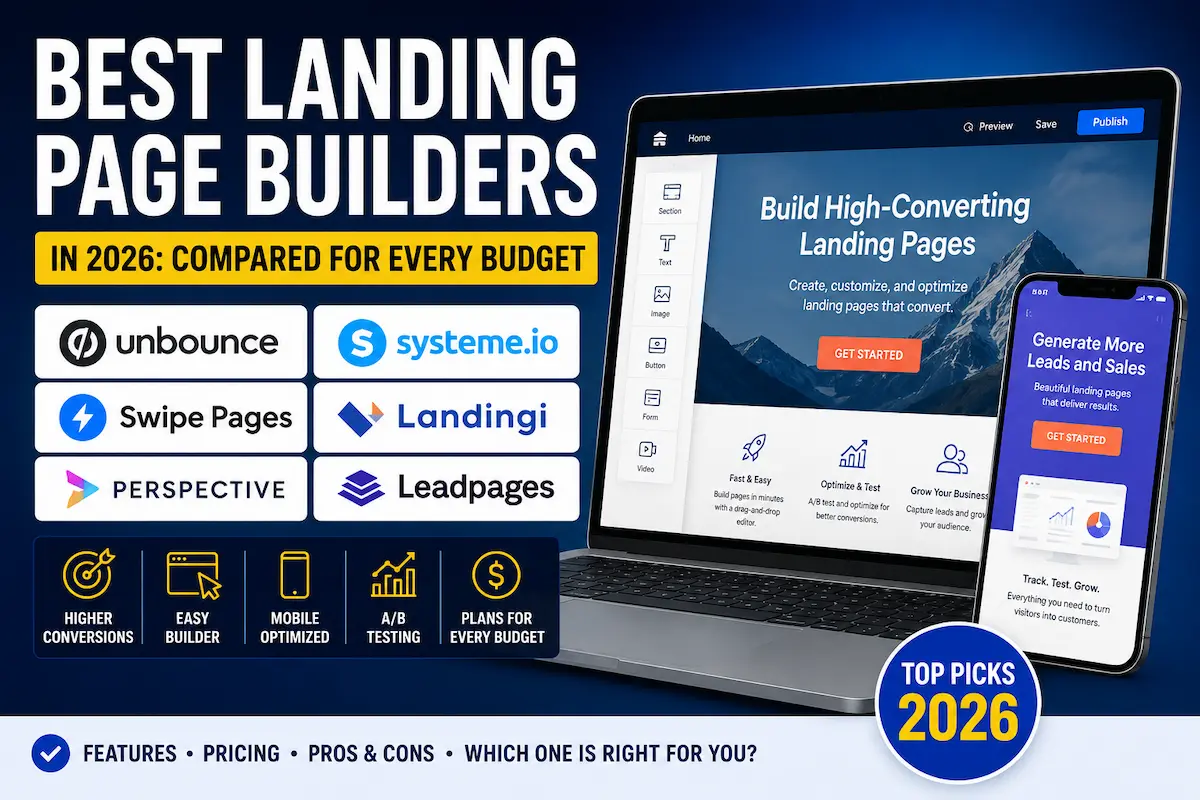
Unbounce is worth considering when conversion optimization and landing-page testing are important parts of your marketing workflow. Systeme.io may be a practical option for beginners and small businesses that want landing pages, funnels, email marketing, and related tools in one platform.
Swipe Pages may be worth considering for campaigns where mobile-focused page creation is important. Landingi can be relevant to agencies and businesses managing multiple landing pages, while Perspective takes a more interactive, multi-step approach to lead generation.
There is no single winner for every business. The better question is: which landing page builder fits the way you plan to use landing pages?
Quick Verdict
- Best for conversion-focused marketers: Unbounce
- Best for beginners and all-in-one marketing: Systeme.io
- Best for mobile-focused campaigns: Swipe Pages
- Best for agencies managing multiple pages: Landingi
- Best for interactive lead-generation funnels: Perspective
- Best for straightforward landing-page creation: Leadpages
These are use-case recommendations rather than claims that one platform is objectively better for everyone. Your traffic source, budget, technical requirements, integrations, and campaign goals should ultimately determine your choice.
What a Landing Page Builder Actually Does
A landing page builder lets you create a focused web page around one primary goal. That goal might be collecting an email address, generating a lead, booking a consultation, promoting an offer, registering for an event, or selling a product.
Unlike a traditional business website, a landing page usually focuses the visitor’s attention on a specific action. Navigation and other distractions may be reduced so the page supports the campaign’s main objective.
Depending on the platform and plan, landing page builders may provide features such as:
- Drag-and-drop page editing
- Pre-built landing page templates
- Responsive page layouts
- Lead capture forms
- Email and CRM integrations
- Analytics and conversion tracking
- A/B or split testing on supported plans
- Custom domains
- Marketing automation or funnel features on some platforms
The important differences are not always found in a feature checklist. They can show up in how flexible the editor feels, how integrations work, how testing is handled, how easy the platform is to manage, and how the total cost changes as your requirements grow.
How We Compared These Tools
Landing page comparison articles often focus on counting features. That can be useful, but more features do not automatically make a platform the right choice.
For this comparison, the more practical questions are:
- Editing flexibility: Can you create the layout and user experience your campaign requires?
- Page experience: Does the platform provide the controls and workflow you need to create a useful experience across devices?
- Testing: Does the platform provide testing functionality on the plan you are considering, and at which tier does it unlock?
- Pricing: Does the overall cost make sense for your current traffic, campaigns, and business stage?
- Integrations: Can the builder connect with the email, CRM, analytics, payment, or other tools you already use?
- Ease of use: Can someone without advanced coding or design skills create and maintain a useful page?
- Scalability: Will the account structure and plan limits still work if the number of campaigns or pages increases?
Pricing, features, usage limits, trials, and plan structures can change. Treat the information in this article as a comparison framework rather than a permanent price quote, and confirm the provider’s current terms before subscribing.
Comparison Table
| Builder | Entry Price (Monthly Billing) | Entry-Tier Visitor/Traffic Cap | A/B Testing Unlocks At | Free Option | Best Fit |
|---|---|---|---|---|---|
| Unbounce | $99/mo (Build) | 20,000 visitors | $149/mo (Experiment) | 14-day free trial | Conversion-focused marketers running paid traffic |
| Systeme.io | Free, then $17/mo (Startup) | 2,000 contacts on free plan | Varies by plan; confirm current terms | Permanent free plan, no credit card required | Beginners and solo businesses wanting funnels + email in one place |
| Swipe Pages | $39/mo ($29/mo billed annually) | 20,000 visits | Included from entry tier on most current plans | 14-day free trial, no credit card required | Mobile-first campaigns using AMP pages |
| Landingi | $29/mo (Build) | 2,000 monthly visits, 10 pages | $149/mo (Optimize) | 14-day free trial; no permanent free plan | Agencies and businesses managing multiple pages |
| Perspective | Roughly $47–63/mo (entry tier, billing currency varies) | 2 live funnels | Available on select tiers; confirm current terms | 14-day free trial; no permanent free plan | Interactive, multi-step lead-generation funnels |
| Leadpages | $99/mo (Grow) | Unlimited traffic on published plans | Included from entry tier on current plans | 7-day free trial; no permanent free plan | Straightforward landing-page creation without visitor caps |
Pricing note: Free plans, trials, page limits, traffic limits, integrations, and other features can change — and several of these vendors have restructured plan names and pricing within the past year. Always check the provider’s current pricing and plan details before making a purchase decision.
The Best Landing Page Builders in 2026
1. Unbounce — Best for Conversion-Focused Marketers
Unbounce is built around landing pages and conversion-focused marketing workflows. It can be particularly relevant for marketers who are already running campaigns and want more control over their landing pages and optimization process.
On current plans, Unbounce’s entry-level Build tier runs around $99/month and includes unlimited landing pages, popups, and sticky bars, but caps traffic at roughly 20,000 monthly visitors. A/B testing is not included at that tier — it becomes available on the Experiment plan, priced around $149/month. Unbounce’s Smart Traffic feature, which automatically routes visitors to the page variant most likely to convert, is reserved for the Optimize plan, priced around $249/month. Annual billing typically brings a meaningful discount across all tiers, and a 14-day free trial is generally available. A custom-priced Concierge tier exists for larger accounts.
This type of platform becomes more interesting when landing pages are directly connected to measurable marketing campaigns. If you are paying for traffic, testing different offers, or regularly optimizing lead-generation pages, conversion-focused functionality can become more valuable than simply having a large template library.
For example, when a campaign generates enough traffic, even relatively small changes in conversion rate can affect the number of leads or sales produced by the same advertising spend. The important point is that testing only becomes useful when you have enough meaningful traffic and a clear measurement process.
The downside is that a dedicated conversion platform may be unnecessary if you only need one basic page for a small project or an early-stage experiment — and the fact that A/B testing sits behind a second pricing tier is worth factoring into your budget from the start.
2. Systeme.io — Best for Beginners and All-in-One Marketing
Systeme.io takes a broader approach than a dedicated landing page builder. Its platform combines landing pages with funnels, email marketing, automation, and other business-oriented functionality.
Systeme.io’s free plan has historically included several thousand contacts, a handful of sales funnels, and unlimited email sends, with no credit card required to start and no fixed time limit on the free tier. Paid plans have generally scaled from an entry tier in the high teens per month, up through mid-range and higher tiers priced in the tens to under $100 per month, unlocking more contacts, funnels, and automation rules at each step. Because Systeme.io adjusts these limits periodically, confirm the current contact caps and plan pricing on its pricing page before choosing a tier.
That can be useful when you are starting from scratch because you may not need to assemble several separate marketing subscriptions just to test a simple offer.
The all-in-one approach can be especially convenient for common beginner workflows such as creating an opt-in page, connecting a simple funnel, collecting leads, and following up with email.
However, users who prioritize highly customized page design or specialized landing-page functionality should compare the current editor and plan features with dedicated alternatives before deciding.
Advertising disclosure: The following Systeme.io link is an affiliate link. If you sign up through it, ToolGrowthHQ may earn a commission at no additional cost to you. This is a commercial relationship, and it does not change the need to evaluate whether the platform fits your requirements.
If you want to see how the platform can be used beyond a single landing page, you can also read our guide to how to build a sales funnel with Systeme.io.
We also have a detailed Systeme.io review and a separate guide covering Systeme.io pricing if you want to compare the platform more closely before deciding.
3. Swipe Pages — Best for Mobile-Focused Campaigns
Swipe Pages may be worth considering if mobile visitors are an important part of your campaign strategy.
Mobile usability matters because a landing page that looks good on a desktop screen can still create problems on a smaller display. Buttons, forms, spacing, headlines, images, and other elements need to remain usable across different screen sizes.
Swipe Pages positions itself around AMP-powered pages, a Google-backed framework built to load mobile pages quickly by serving them from Google’s cache. Its entry-level plan has generally started in the high-$20s to high-$30s per month depending on billing frequency, with an approximate traffic cap in the range of 20,000 visits, scaling up through mid-tier and agency-level plans with higher traffic allowances, additional sub-accounts, and more custom domains. A free trial (commonly around 14 days, with no credit card required) is typically available before you choose a plan.
Before subscribing, check its current integrations and plan limits, particularly if your workflow depends on a specific email marketing platform, CRM, analytics service, or other third-party system.
4. Landingi — Best for Agencies and Multiple Landing Pages
Landingi can be relevant for agencies and businesses that need to create and manage landing pages across multiple campaigns.
That is a different requirement from someone who needs a single page. Once you are managing multiple campaigns, offers, clients, or page variations, account structure, page limits, collaboration features, integrations, and publishing workflows can become important parts of the buying decision.
Landingi’s entry-level plan has generally started under $30/month, but with tighter limits on monthly visits and page counts than its mid-tier plan. A/B testing and more advanced tools typically arrive on a mid-tier plan priced around $149/month, with a higher-tier plan for larger accounts priced roughly double that. Landingi has also moved away from offering a permanent free plan in favor of a 14-day free trial. Unlimited conversions are commonly included even on lower tiers, though monthly visit caps still apply — worth checking closely if a campaign could go viral.
If your landing page requirements are growing beyond occasional campaign pages, compare Landingi’s current plans and features with the alternatives before choosing.
5. Perspective — Best for Interactive Lead-Generation Funnels
Perspective takes a different approach from a traditional single-page landing page builder.
Its approach is more focused on interactive, multi-step experiences. That type of workflow can be useful for lead-generation campaigns, applications, qualification flows, quizzes, booking journeys, and other situations where collecting information over several steps makes sense.
Perspective’s entry-level plan has generally started somewhere in the $45–65/month range depending on billing cycle and currency (some pricing pages list costs in euros), and has typically included a small number of live funnels along with CRM and analytics features. Higher tiers generally add more funnels, additional team seats, AI-assisted optimization, and white-label options for agencies. There is generally no permanent free plan, but trial periods (commonly 14 days, sometimes longer through promotional offers) are usually available.
This can be particularly relevant when the campaign needs more interaction than a standard headline, paragraph, form, and button.
If your goal is simply to create one highly customized sales page, however, compare it with a more traditional landing page builder before committing.
6. Leadpages — Best for Small Businesses Seeking Simplicity
Leadpages is designed to make landing page and lead-generation page creation accessible without requiring advanced coding skills.
Leadpages has restructured its plans more than once in recent years, and current published pricing generally starts with an entry tier in roughly the $99/month range on monthly billing (with a lower effective rate on annual billing), scaling up through mid and higher tiers for additional optimization features such as automated traffic routing. A distinguishing point compared with some competitors is that Leadpages plans have generally included unlimited traffic rather than metering by visitor count, and A/B testing has typically been available starting on the entry tier rather than gated behind a second upgrade. Trial length has varied between roughly 7 and 14 days depending on current promotions, so check the live pricing page for the exact offer.
That can be useful for a small business owner who wants to publish a campaign page without spending a large amount of time learning a more complex marketing system.
The main consideration is whether the features and limits on your chosen plan match your workflow. If advanced testing, integrations, or more sophisticated campaign management become important later, review the available plan features carefully.
Pros and Cons by Use Case
Dedicated Landing Page Builders
Examples include Unbounce, Swipe Pages, Landingi, and Leadpages.
Pros:
- Purpose-built landing page workflows rather than a general website editor bolted onto other features
- Conversion-oriented features on supported plans, such as A/B testing and automated traffic routing (tier and pricing vary by platform, as shown in the comparison table above)
- Typically broader integration catalogs with email, CRM, and ad-tracking tools than a generalist page builder
- Can reduce dependence on website themes for individual campaigns
- Several of these platforms (Leadpages, Landingi in particular) offer meaningfully lower entry prices than they did a few years ago, narrowing the cost gap with all-in-one platforms
Cons:
- Another monthly software subscription on top of whatever email or CRM tool you already pay for
- Advanced features like automated traffic optimization are often reserved for a second or third pricing tier, not the entry plan
- Visitor or traffic caps on entry-level plans can force an upgrade sooner than expected if a campaign performs well
- The platform may be unnecessary for a very small campaign or a one-off page
All-in-One Platforms
Systeme.io is an example of this approach.
Pros:
- Landing pages, funnels, and email functionality can be managed in one platform and one login
- A genuinely free entry tier (rather than only a time-limited trial) makes it realistic to test an offer with zero upfront cost
- Fewer separate marketing subscriptions to track and pay for
- Less technical setup for common beginner workflows like an opt-in page connected to a simple email sequence
Cons:
- Design flexibility and page-level customization typically lag behind specialized landing page builders
- Specialized conversion functionality, like dedicated A/B testing tooling, is generally less developed than on a dedicated builder
- Free and entry-tier plans usually cap contacts, funnels, or automation rules, and businesses with complex marketing operations may eventually need more specialized tools
Who Should Use a Dedicated Builder vs. an All-in-One Platform?
A dedicated landing page builder starts making more sense when landing pages are an important part of your marketing operation rather than an occasional requirement.
For example, if you are running paid advertising regularly, testing different offers, managing several campaigns, or working with multiple clients, specialized landing page functionality may justify an additional subscription.
For a beginner, the calculation is different.
If you are still trying to determine whether your offer can attract customers, paying for several specialized marketing tools may create unnecessary costs and complexity.
An all-in-one platform can be a simpler starting point because you may be able to build the page, connect the funnel, collect leads, and manage email marketing from fewer places.
There is also nothing wrong with changing tools later. The platform that makes sense for your first campaign does not necessarily have to be the platform you use when your business has a larger marketing budget and more sophisticated requirements.
Alternatives Worth Knowing About
Not every business needs a dedicated landing page platform.
Website builders such as Wix and Squarespace can also be used to create focused campaign pages. They may make more sense when you are already building your main website on one of these platforms and do not want another system.
HubSpot also provides landing page functionality within its broader marketing ecosystem. That may be relevant to businesses already using its CRM and marketing tools, while it could be unnecessary if you only need a simple standalone landing page.
If your actual requirement is a complete sales funnel rather than one standalone page, take a look at our best funnel builder for beginners guide.
You can also compare two funnel-focused options in our Systeme.io vs. ClickFunnels comparison.
And if you want to understand how an all-in-one platform compares with specialized tools, our best all-in-one marketing platform comparison is another useful resource.
Who Should Use Each Tool
- Best for: E-commerce sellers and course creators running paid traffic who want dedicated A/B testing and automated traffic optimization — Unbounce
- Best for: Solopreneurs and beginners who want landing pages, email, and a funnel in one free-to-start platform — Systeme.io
- Best for: Marketers running mobile-heavy ad campaigns (Facebook, Instagram, TikTok) who care about mobile page speed — Swipe Pages
- Best for: Agencies and in-house teams managing landing pages across many clients or campaigns at once — Landingi
- Best for: Teams that want multi-step quizzes, applications, or qualification flows instead of a single static page — Perspective
- Best for: Small businesses that want a straightforward page builder without visitor caps eating into a growing campaign — Leadpages
- Not ideal for: Anyone not yet sure their offer converts at all — in that case, testing the offer on a free or low-cost platform first, then upgrading once you have real traffic data, is usually the more practical sequence than committing to a specialized tool upfront.
Frequently Asked Questions
Which landing page builder is the best overall?
There is no single best landing page builder for every business. Unbounce may be a strong fit for conversion-focused marketing workflows, Systeme.io can be attractive for beginners who want landing pages and broader marketing functionality together, and Swipe Pages may be worth considering for mobile-focused campaigns.
The right choice depends on your campaign goals, budget, integrations, traffic, and the level of control you need.
Can I build a landing page for free?
Yes. Some platforms offer free plans, while others primarily use trials or paid plans. Systeme.io currently offers a free-plan option, but plan features and limits can change.
Before choosing a free plan, check its current page, traffic, feature, contact, and account limitations so you understand what happens if your requirements grow.
Is a landing page builder better than using WordPress?
It depends on what you are building.
A dedicated landing page builder can be convenient when your goal is to create focused campaign pages without managing WordPress themes, plugins, and page configuration for every campaign.
WordPress offers broader flexibility when you are building a complete website or want more control over your site’s long-term structure, content, plugins, hosting, and design.
If you are deciding between different WordPress hosting approaches, our guide to managed WordPress hosting vs. shared hosting explains the main differences.
Do landing page builders include A/B testing?
Some landing page builders offer A/B or split testing, but the exact functionality — and which pricing tier it requires — depends heavily on the platform. [FAQ EXPANDED] As of this guide’s research, A/B testing is generally included on Leadpages’ and Swipe Pages’ entry plans, while Unbounce and Landingi have typically reserved it for a second-tier or higher plan. These details change as vendors update their pricing structures, so verify the current tier requirement before you subscribe based on this feature alone.
If testing is one of your main reasons for buying a landing page builder, do not stop at a feature-list label. Check how the platform handles variations, traffic allocation, conversion data, reporting, and plan restrictions.
What makes a landing page convert better?
There is no single design trick that guarantees a higher conversion rate.
In practice, a clear offer, an understandable primary action, good mobile usability, a useful page experience, and strong alignment between the traffic source and the landing page are important considerations.
The most reliable way to improve a campaign is to measure what visitors actually do and test meaningful changes rather than relying only on design trends or generic conversion advice.
Should beginners pay for a dedicated landing page builder?
Not necessarily.
If you are building your first page and have not yet established a reliable source of traffic or revenue, an all-in-one platform with a free or lower-cost starting option may be more practical.
Once you have enough traffic to make conversion testing and optimization meaningful, a dedicated platform may become easier to justify.
Is ClickFunnels worth comparing against these builders?
ClickFunnels is a funnel-building platform that overlaps with both categories in this guide — it includes landing page creation but is priced closer to an all-in-one platform. If you are already comparing Systeme.io against ClickFunnels specifically, our dedicated Systeme.io vs. ClickFunnels comparison walks through the pricing and feature differences in more detail than this guide covers.
What happens if I exceed my plan’s visitor or contact limit?
This varies by vendor. Some platforms charge an overage fee for additional visitor blocks once you exceed your plan’s cap, while others simply prompt you to upgrade to the next tier before you can continue collecting new leads or publishing additional traffic. Since caps and overage policies are among the details vendors change most frequently, check the current terms on the provider’s pricing page — or in your account dashboard once signed up — rather than relying on any single article, including this one.
Do I need a custom domain, or can I use a free subdomain?
Most of the builders in this guide let you publish on a vendor-provided subdomain during a trial or on a free/entry plan, then connect a custom domain you already own once you’re ready to run live campaigns. A custom domain is generally recommended for anything beyond initial testing, since it looks more credible to visitors and keeps your branding consistent with the rest of your marketing.
Final Verdict
The best landing page builders are not necessarily the platforms with the longest feature lists. The right choice depends on how much traffic you have, what you are selling, how much control you need over the page, and which marketing tools you already use.
Unbounce is worth considering when conversion optimization is central to the marketing workflow — just budget for the fact that A/B testing and Smart Traffic sit on higher-priced tiers. Systeme.io can be a practical starting point for beginners who want landing pages, funnels, and email marketing together, especially given its free entry tier. Swipe Pages may suit mobile-focused campaigns built around AMP pages, while Landingi can be relevant to agencies and businesses managing multiple pages who want testing tools without Unbounce-level pricing.
Perspective is a more specialized option for interactive, multi-step lead-generation experiences, while Leadpages can be considered by small businesses looking for a straightforward page-building workflow with unlimited traffic on its published plans.
If you are still testing your first offer, I would keep the setup simple rather than paying for features you may not use yet.
Build the page, get real visitors, measure the results, and upgrade when you have a clear reason to do so.
Start With the Simplest Option That Fits
If you are building your first landing page and do not yet know how much traffic or revenue the campaign will generate, there is little reason to start with the most expensive option simply because it has more features.
Test the offer first.
Learn what your visitors respond to.
Then upgrade when you have a clear reason to do so.
Advertising disclosure: The following Systeme.io link is an affiliate link. ToolGrowthHQ may earn a commission if you sign up through it, at no additional cost to you.
If you want to compare it with another funnel-focused platform before deciding, read our Systeme.io vs. ClickFunnels comparison.
Related ToolGrowthHQ Guides
- Best Funnel Builder for Beginners in 2026
- Systeme.io Review 2026
- Systeme.io vs. ClickFunnels
- Systeme.io Pricing 2026
- How to Build a Sales Funnel with Systeme.io
- Best All-in-One Marketing Platform in 2026
- Best Email Marketing Platform for Small Businesses in 2026
- Managed WordPress Hosting vs. Shared Hosting
Disclosure and Pricing Note
Some links in this article are affiliate links. If you purchase or sign up through an affiliate link, ToolGrowthHQ may receive a commission at no additional cost to you. Affiliate relationships do not determine our conclusions or recommendations.
Affiliate relationships can change, and SaaS companies can change pricing, features, usage limits, free-trial terms, and plan structures. Always confirm the current offer directly with the provider before making a purchase or signing up.
This article is intended to provide general information to help you compare landing page software. Your requirements, budget, existing marketing stack, traffic source, and business goals should determine which platform is appropriate for you.
About the Author
T. Vasireddi is the founder and editor of ToolGrowthHQ, creating practical, research-based guides on web hosting, WordPress, SaaS tools, and digital marketing.
His focus is on providing clear, accurate, and useful information to help readers make better technology and software decisions.
Connect with him:
Follow for more AI tool reviews, SaaS comparisons, and digital marketing tips.