Affiliate Disclosure: Some links in this article are affiliate links. If you purchase or sign up through one of those links, ToolGrowthHQ may earn a commission at no extra cost to you. This does not increase the price you pay. Our recommendations are based on the use cases, features, limitations, and publicly available information discussed in this article.
How we researched this guide: This comparison is based on publicly available pricing pages, vendor documentation, and feature specifications, cross-checked in August 2026. We evaluate each tool against four criteria: what it costs at each tier, what it actually includes at that tier, who the tier is realistically built for, and where its limitations show up in day-to-day use. Pricing and limits are set by each vendor and can change — always confirm current numbers on the provider’s own pricing page before purchasing.
If you are new to SEO, you probably do not need 10 different tools, a complicated dashboard, or a large monthly software bill. In most cases, a small free toolkit is enough to learn the basics and start making sensible decisions.
This guide focuses on the best SEO tools for beginners from that perspective: what to set up first, what each tool is actually useful for, when a paid keyword research tool starts making sense, and when you should simply keep using the free options.
Table of Contents
- Quick Answer
- Quick Verdict
- Why Most SEO Tool Lists Don’t Work for Beginners
- The Free SEO Tools to Set Up First
- The First Paid Tool Worth Considering
- When to Upgrade Beyond a Beginner Toolkit
- Comparison Table
- Mangools Pros and Cons
- Who Should Use This Toolkit?
- Who Should Avoid This Approach?
- Alternatives Worth Knowing
- Frequently Asked Questions
- Final Verdict
Quick Answer
For most beginners, the best starting SEO toolkit is free.
Start with Google Search Console to understand how your website appears in Google Search, Google Analytics 4 to understand what visitors do after arriving, and Google Keyword Planner for basic keyword and search-demand research.
If you use WordPress, add an SEO plugin such as Rank Math or Yoast SEO for on-page SEO tasks such as editing titles, meta descriptions, and other page-level settings.
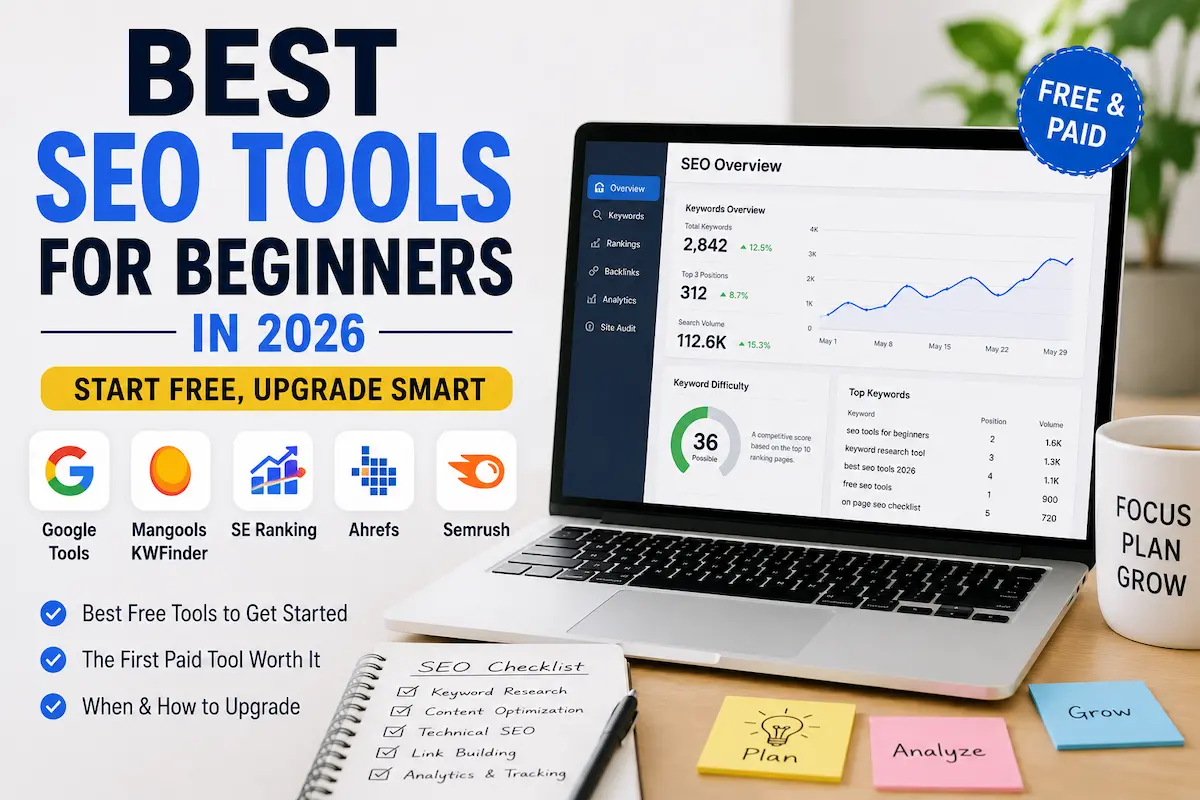
Once you are publishing consistently and keyword research starts taking too much time, a dedicated tool such as KWFinder through Mangools can be a sensible next step. Its entry-level Basic plan runs $49/month ($29.90/month on annual billing) and includes a 10-day free trial with no credit card required, giving you a focused workflow for keyword suggestions, SERP analysis, and related SEO research without requiring you to start with a large enterprise-style platform.
There is no requirement to buy a paid SEO tool simply because you are serious about SEO. The right time to pay is when the additional data or saved time is genuinely useful to your workflow.
Quick Verdict
- Best for a $0 budget: Google Search Console + Google Analytics 4 + Google Keyword Planner
- Best first paid keyword research option: Mangools / KWFinder — from $49/month ($29.90/month annual)
- Best for WordPress on-page SEO: Rank Math or Yoast SEO
- Best for managing multiple SEO projects: SE Ranking — from $129/month ($103.20/month annual)
- Best for deeper competitor and backlink research: Ahrefs — from $129/month (Lite plan)
- Best for broader SEO and marketing research: Semrush — from $139.95/month (Pro plan)
The important point is that these tools do different jobs. A beginner usually gets more value from understanding that difference than from buying the most expensive SEO platform available.
Why Most SEO Tool Lists Don’t Work for Beginners
Search for the best SEO tools and you will quickly find enormous lists containing everything from keyword research platforms to technical crawlers, backlink databases, content optimisation software, rank trackers, and enterprise marketing suites.
There is nothing wrong with those tools. The problem is the order in which they are presented.
A person who has just launched a WordPress website does not necessarily need the same toolkit as an SEO agency managing dozens of client websites. Giving a beginner a long list of expensive software can actually make SEO feel harder than it needs to be.
The better question is:
What should I use first, what can wait, and what problem will a paid tool actually solve?
That is the approach we use in this guide.
Instead of ranking every product simply by the number of features it has, we are looking at SEO tools as part of a progression: start with free first-party data, learn the basics, add a focused keyword tool when necessary, and move to a larger platform only when your workload justifies it.
The Free SEO Tools to Set Up First
Before spending money, there are several free tools that can cover most of the fundamental work required by a new website.
1. Google Search Console
Google Search Console should be one of the first tools you connect to a new website.
It helps you understand how your own pages are appearing in Google Search, including search queries, impressions, clicks, click-through rate, average position, and other performance information available in the Search Console reports.
It becomes particularly useful once your site starts receiving impressions.
For example, you may publish an article targeting one main topic and later discover through Search Console that the same page is receiving impressions for several related searches. Those queries can give you ideas for improving the article, adding genuinely useful information, or deciding whether a separate article makes sense.
Best for: Understanding your own Google Search performance.
Price: Free.
2. Google Analytics 4
Search Console and Google Analytics answer different questions.
Search Console helps you understand how people find your site through Google Search. Google Analytics 4 helps you understand what visitors do after they arrive, based on the events and measurements configured for your property.
That distinction matters. Ranking and traffic are not the entire story. You also want to understand whether visitors engage with your content and whether important actions on your site are happening.
GA4 can feel more complicated than Search Console when you first open it. That is normal. You do not need to understand every report on day one.
Best for: Understanding visitor behaviour and configured conversions.
Price: Free standard property.
3. Google Keyword Planner
Google Keyword Planner is designed for Google Ads, but it can still be useful when you are doing early keyword research.
It can help you discover related keywords and understand search-demand ranges. Because it is an advertising-focused tool, however, you should not treat its figures as a guaranteed prediction of organic rankings or traffic.
That is an important distinction for beginners. A keyword showing substantial search activity does not automatically mean your new website can rank for it.
Use Keyword Planner as one input, then examine search intent and the actual Google results before deciding what to publish.
Best for: Basic keyword discovery and search-demand research.
Price: No separate subscription fee for Keyword Planner itself; access is through Google Ads.
4. A WordPress SEO Plugin
If your site runs on WordPress, an SEO plugin can make basic on-page optimisation easier.
Rank Math and Yoast SEO are two well-known options. You can use an SEO plugin to manage things such as SEO titles, meta descriptions, XML sitemap-related settings, and other on-page SEO functions depending on the plugin and plan you use.
You do not need to install several SEO plugins that perform the same job. Choose one that fits your workflow and learn how to use it properly.
Best for: Managing basic on-page SEO inside WordPress.
Price: Both offer free options, with additional features available in paid plans.
The First Paid Keyword Tool Worth Considering
Free tools are enough to get started, but keyword research is where many beginners eventually run into a practical limitation.
You can find keyword ideas for free, but comparing many keywords manually can become slow. You may want to look at keyword difficulty, related terms, search results, SERP features, and other competitive signals in one place.
That is where a dedicated keyword research tool can start saving time.
Mangools and its KWFinder tool are worth considering if simplicity is your priority.
Mangools currently provides access to a suite that includes KWFinder for keyword research, SERPChecker for SERP analysis, SERPWatcher for rank tracking, LinkMiner for backlink analysis, and SiteProfiler for SEO metrics and insights. Pricing runs across three tiers: Basic at $49/month ($29.90/month billed annually) for one user, Premium at $69/month ($44.90/month annually) for up to three users with unlimited keyword lookups, and Agency at $129/month ($89.90/month annually) for up to ten users. Every tier includes all five tools — the higher tiers mainly raise daily lookup limits and seats rather than unlocking new features.
The main attraction for a beginner is not that it has every SEO feature on the market. It is that the workflow is relatively focused. You can start with a topic, look for keyword ideas, inspect the search results, and decide whether a particular opportunity deserves further research.
Mangools also currently offers a 10-day free trial with no credit card required, plus a limited free-access tier, so a beginner can explore the platform before deciding whether a paid subscription is justified.
If you decide to try Mangools through our affiliate link, ToolGrowthHQ may earn a commission at no extra cost to you.
Try Mangools and explore the SEO toolkit
If your main interest is keyword research specifically, you can also explore KWFinder.
We are not saying every beginner should buy Mangools. In fact, if the free tools already give you enough information, there is no reason to add another monthly subscription.
For a deeper look at the platform, see our Mangools Review 2026 or our KWFinder Review 2026.
If you are comparing several keyword platforms rather than specifically looking at Mangools, our guide to the best keyword research tools in 2026 provides a broader comparison.
What Mangools does well
- Keyword research is presented in a relatively focused workflow across a five-tool suite (KWFinder, SERPChecker, SERPWatcher, LinkMiner, SiteProfiler).
- KWFinder can help you discover related keyword ideas with a keyword difficulty score.
- SERP analysis can help you inspect the pages currently ranking for a query.
- The broader Mangools suite adds rank tracking and backlink-related tools at every paid tier, not as separate add-ons.
- A 10-day free trial (no credit card) plus a limited free-access tier let beginners explore before paying.
Where Mangools may not be enough
- It is not designed to replace every enterprise SEO workflow — there is no dedicated site-audit module or content-optimization suite.
- Large agencies and advanced SEOs may eventually need deeper backlink datasets or more specialised capabilities than the Basic and Premium tiers provide.
- If you only research a few keywords each month, even the $29.90/month entry tier may not be necessary.
That last point is important. A tool can be good without being necessary for everyone.
When to Upgrade Beyond a Beginner Toolkit
There is no magic traffic number or article count that means you must upgrade.
Instead, look at the problem you are trying to solve.
- You are publishing regularly and keyword research is taking too much time.
- You need faster competitor research.
- You want more structured keyword difficulty and SERP analysis.
- You are tracking several websites or projects.
- You need reporting features for clients.
- You need broader backlink or technical SEO research.
- The limitations of your current tools are slowing down real work.
If you are managing multiple SEO projects, SE Ranking is one platform worth evaluating. Its Core plan starts at $129/month ($103.20/month annual) with a 14-day free trial (no credit card), covering keyword research, rank tracking, site audits, backlink analysis, and AI-search visibility tracking for up to 10 projects. The Growth plan, at $279/month ($223.20/month annual), extends that to 30 projects and higher daily keyword-check limits for agencies managing more clients.
For someone running one small blog, however, a broader platform may simply add complexity — and cost — that you do not need yet.
If you want to compare Mangools with larger SEO platforms, see our Mangools vs Ahrefs comparison and Mangools vs Semrush comparison.
SEO Tools for Beginners: Comparison Table
| Tool | Best For | Starting Cost | Main Limitation |
|---|---|---|---|
| Google Search Console | Your own Google Search performance | Free | Primarily focused on your own site |
| Google Analytics 4 | Visitor behaviour and configured conversions | Free standard property | Can feel complex for beginners |
| Google Keyword Planner | Keyword ideas and search-demand research | Free to access through Google Ads | Built primarily for advertising |
| Rank Math / Yoast SEO | WordPress on-page SEO | Free options available | Not a replacement for keyword research |
| Mangools / KWFinder | Beginner-friendly keyword and SERP research | $49/mo ($29.90/mo annual); 10-day free trial | No dedicated site-audit or content tools |
| SE Ranking | Broader SEO workflows and multiple projects | $129/mo ($103.20/mo annual); 14-day free trial | Add-ons (AI search tracking, agency reporting) cost extra |
| Ahrefs | Advanced competitor and backlink research | $129/mo (Lite); $29/mo Starter tier | No free trial; usage-credit system on lower tiers |
| Semrush | Broad SEO and marketing research | $139.95/mo (Pro) | Large feature set can be overwhelming for one small site |
Pricing, plans, usage limits, and included features can change. Check the provider’s current pricing and documentation before purchasing.
Mangools Pros and Cons for Beginners
Pros
- Focused interface that can be easier to approach than a large SEO suite.
- KWFinder is designed around keyword discovery and research, with a well-regarded keyword-difficulty score.
- SERPChecker adds a way to inspect search-result competition.
- The wider Mangools suite includes rank tracking (SERPWatcher) and backlink-related tools (LinkMiner) at every paid tier.
- A 10-day free trial with no credit card, plus limited free access, gives beginners a way to explore before committing to a paid plan.
Cons
- It is not intended to provide every advanced SEO capability in one platform — there’s no site-audit or content-optimization module.
- Users managing large teams or complex enterprise SEO programmes may eventually need more specialised functionality than Basic or Premium offers.
- If you only need occasional keyword ideas, the free Google tools may already be enough, making even the $29.90/month entry tier optional rather than essential.
Our take: Mangools makes the most sense when you have moved beyond basic free keyword research but still want a relatively focused SEO workflow, without paying agency-level prices for features you won’t use.
Who Should Use This Beginner SEO Toolkit?
Best for:
- People launching their first WordPress website.
- Bloggers learning SEO from scratch.
- Small business owners managing their own website.
- Freelancers working on a small number of websites.
- Site owners who want to understand SEO before spending money on software.
- UK and US-focused websites that need to compare search behaviour by market.
Not ideal for:
- Agencies or in-house teams managing more than a handful of client sites, where per-project reporting and collaboration features matter more than a lightweight interface.
- Ecommerce sites that need frequent technical site audits, since neither the free toolkit nor Mangools includes a dedicated crawler.
- Anyone who has already outgrown basic keyword research and needs deep backlink history or content-gap analysis — that points toward Ahrefs or Semrush instead.
The sequence is simple: collect your own search data, learn what your audience is looking for, study the actual search results, and only then decide whether another tool will improve your workflow.
Who Should Avoid This Beginner Approach?
If you already manage a large ecommerce website, several client websites, or a substantial SEO operation, starting with only free beginner tools may create unnecessary manual work.
In that situation, a broader platform such as SE Ranking, Ahrefs, or Semrush may make more sense because the value comes from managing larger amounts of SEO data efficiently.
The key is not to buy a larger platform simply because it is more powerful. Buy it because you have a problem that its additional capabilities can realistically solve.
Alternatives Worth Knowing
Screaming Frog
Screaming Frog is a desktop crawler used for technical SEO analysis. It can be useful when your site becomes large enough that manually checking pages for technical issues is no longer practical.
It is not a replacement for a keyword research tool. It solves a different problem.
Rank Math or Yoast SEO
For WordPress users, an SEO plugin is useful for managing on-page optimisation directly inside the WordPress editor.
Think of it this way: KWFinder helps you research what to target, while an SEO plugin helps you optimise the page you are creating.
Ahrefs and Semrush
Ahrefs and Semrush become more interesting when your SEO work requires deeper competitor research, backlink analysis, technical auditing, content research, or broader marketing workflows.
Ahrefs runs from $29/month (Starter, limited credits) up to $129/month (Lite), $249/month (Standard), and higher tiers beyond that — but does not currently offer a free trial. Semrush starts at $139.95/month (Pro) and $249.95/month (Guru), typically with a shorter free trial than Mangools or SE Ranking.
They are powerful platforms, but power is not the same thing as beginner-friendliness, and neither is priced for someone testing whether SEO is worth their time yet.
If you want to compare several keyword research platforms first, our 9 Best Keyword Research Tools in 2026 comparison is a useful next step.
Frequently Asked Questions
What are the best SEO tools for beginners?
For most beginners, Google Search Console, Google Analytics 4, Google Keyword Planner, and a WordPress SEO plugin are enough to build a solid foundation. When keyword research becomes more time-consuming, a focused tool such as Mangools/KWFinder can be considered.
Do I need to pay for an SEO tool as a beginner?
No. You can learn and practise SEO with free tools. A paid platform becomes useful when you need more efficient keyword research, competitive data, rank tracking, or other capabilities that save enough time to justify the cost.
Is Google Search Console enough for SEO?
It is extremely useful, but it is not a complete SEO platform. Search Console focuses on your site’s Google Search performance. It does not replace dedicated competitor, backlink, or keyword research platforms.
Is KWFinder good for SEO beginners?
It can be a good fit if you want a focused keyword research workflow without immediately moving to a much broader SEO platform. It is particularly relevant when your main problem is finding and evaluating keywords rather than managing a large technical SEO operation.
You can read our KWFinder Review 2026 for a more detailed look.
Is Mangools free?
Mangools does not have a permanently free plan with full functionality, but it does offer a 10-day free trial with no credit card required, plus a limited free-access tier for occasional lookups. Paid plans start at $49/month ($29.90/month annual) and provide higher daily limits and additional seats depending on the tier.
Should beginners use Ahrefs or Semrush?
They can, but most beginners do not need their full range of capabilities immediately. Ahrefs’ entry tiers start at $29–$129/month with no free trial, and Semrush starts at $139.95/month. If you are running one small website and mainly need keyword ideas, a simpler, less expensive workflow may be easier to learn.
What is the easiest SEO tool to learn?
There is no universal answer because people learn differently. For a beginner who mainly wants keyword research, a focused tool such as KWFinder can be easier to approach than a large all-in-one SEO suite. For website performance data, Google Search Console is another useful starting point.
Can I use free and paid SEO tools together?
Yes. In fact, that is often the most practical setup. A paid keyword tool does not replace Search Console or Analytics because those tools answer different questions.
Should I target keywords with the highest search volume?
Not necessarily. Search intent, relevance, competition, click potential, and your ability to satisfy the searcher are often more important than raw search volume.
Are SEO tools useful for US and UK websites?
Yes, but country-specific research matters. Search terminology, spelling, demand, competitors, and search results can differ between the United States and United Kingdom. When a tool provides location-specific data, use the market you actually want to target rather than assuming one country’s results represent the other.
What does a beginner keyword tool cost compared to an agency-level platform?
Roughly three to five times less. A Mangools Basic subscription runs about $29.90–$49/month, while agency-oriented platforms like SE Ranking Growth, Ahrefs Standard, or Semrush Guru run $208–$279/month. The gap generally reflects project limits, seats, and historical data depth rather than core keyword-research accuracy.
Final Verdict
The best SEO tools for beginners are not necessarily the tools with the largest databases or the longest feature lists.
They are the tools that help you answer the questions you actually have.
Start with Google Search Console to understand how your site appears in Google Search.
Use Google Analytics 4 to understand what visitors do after they arrive.
Use Google Keyword Planner for basic keyword discovery and search-demand research.
Add Rank Math or Yoast SEO if you run WordPress and want help managing on-page SEO.
Consider Mangools/KWFinder when keyword research becomes a regular task and you want a more focused workflow, starting at $49/month with a 10-day free trial.
Consider SE Ranking when you start managing multiple projects or need a broader SEO workflow, starting at $129/month with a 14-day free trial.
Move to Ahrefs or Semrush when your SEO work genuinely requires deeper competitive, backlink, technical, content, or broader marketing research — budgeting from $129/month and $139.95/month respectively.
There is no prize for having the biggest SEO software bill.
If a free tool answers the question you have today, use it. When it stops being enough, upgrade because you have a real need — not because an SEO tools list told you that you should.
A Simple Beginner SEO Workflow
If you are starting from scratch, this is a practical order to follow:
- Set up Google Search Console.
- Set up Google Analytics 4.
- Install one WordPress SEO plugin if you use WordPress.
- Use Google Keyword Planner to build an initial list of topics and keywords.
- Search Google manually and study the pages already ranking.
- Choose topics based on search intent and relevance, not volume alone.
- Publish genuinely useful content.
- Use Search Console to see which queries and pages start receiving impressions.
- Improve existing pages based on real performance data.
- Only add a paid SEO tool when manual research becomes a meaningful bottleneck.
This workflow is intentionally simple. SEO gets complicated quickly when you try to optimise everything at once.
Related Reading
If you want to go deeper into keyword research and SEO software, these guides on ToolGrowthHQ are closely related:
- 9 Best Keyword Research Tools in 2026 (Free & Paid, Compared)
- Mangools Review 2026: Is It Still Worth It for SEO?
- KWFinder Review 2026: Is Mangools’ Keyword Tool Worth It?
- Mangools vs Ahrefs: Which SEO Tool Actually Fits Your Budget?
- Mangools vs Semrush: Which SEO Tool Is Worth Your Money?
- Best SEO Tools for Bloggers in 2026: Free & Paid Options Compared
Affiliate note: Some links to SEO software in this article are affiliate links. If you choose to purchase or sign up through one of those links, ToolGrowthHQ may earn a commission at no additional cost to you.
About the Author
T. Vasireddi is the founder and editor of ToolGrowthHQ, creating practical, research-based guides on web hosting, WordPress, SaaS tools, and digital marketing.
His focus is on providing clear, accurate, and useful information to help readers make better technology and software decisions.
Connect with him:
Follow for more AI tool reviews, SaaS comparisons, and digital marketing tips.