Affiliate Disclosure: This article contains affiliate links. If you purchase through our links, we may earn a commission at no additional cost to you. Our recommendations are based on publicly available information and the requirements discussed in this guide. Affiliate relationships do not determine our conclusions.
Last reviewed: October 2026. Kinsta pricing, promotions, resource allowances, and add-on fees can change. We link to Kinsta’s official pricing and documentation so you can verify the current terms before purchasing. Prices discussed below are in USD and exclude applicable taxes unless stated otherwise.
Table of Contents
- Quick Answer
- Kinsta Pricing at a Glance
- How Kinsta Pricing Works
- Single-Website Plans
- Multiple-Website Plans
- Agency and Enterprise Hosting
- What Is Included?
- Add-Ons and Extra Costs
- Overage Charges
- Monthly vs. Annual Billing
- Which Plan Should You Choose?
- Pros and Cons
- Alternatives to Consider
- Frequently Asked Questions
- Final Verdict
Kinsta Pricing Explained: Quick Answer
Kinsta pricing depends on the number of WordPress websites you host, your traffic or server bandwidth, storage requirements, and any optional add-ons. Its managed WordPress hosting is positioned above basic shared hosting, with infrastructure management, security, backups, staging, migrations, and WordPress-focused support included.
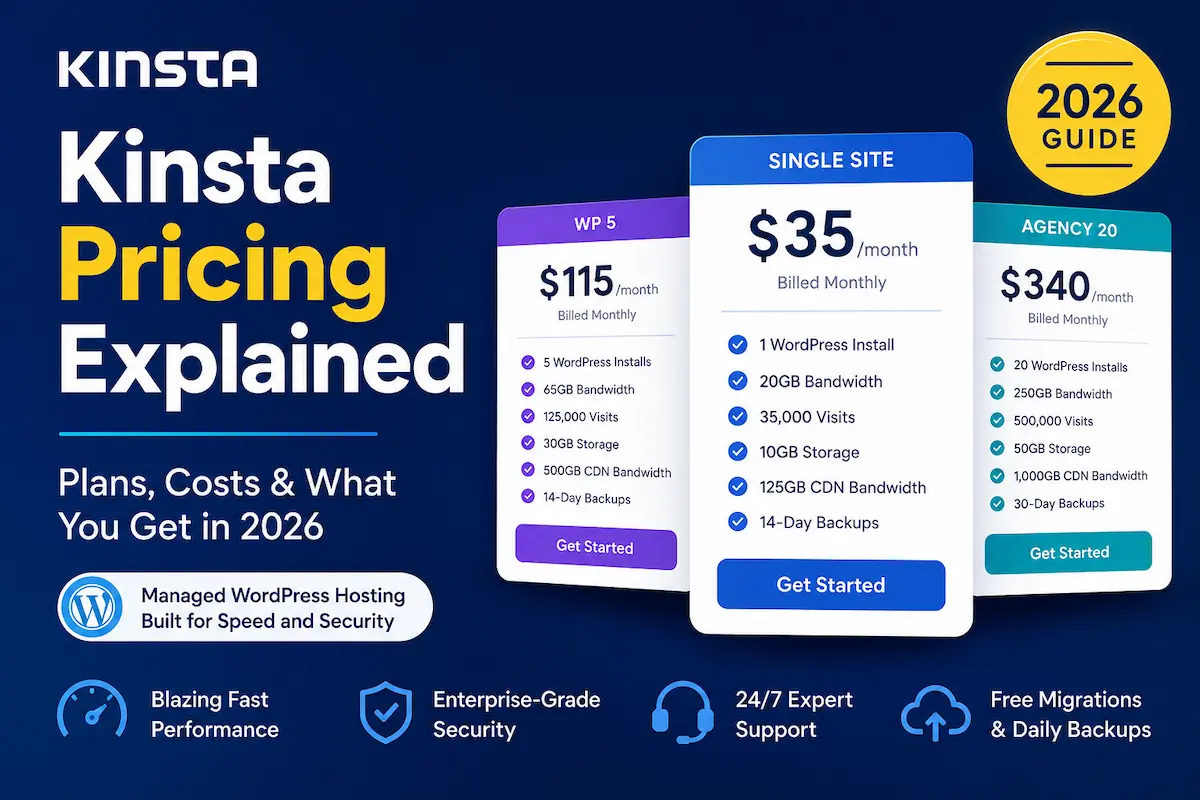
At the time of this review, Kinsta’s standard Single 20GB bandwidth plan is listed at $35 per month, or $350 per year with annual billing, equivalent to approximately $29.17 per month. Kinsta also lists a Single 35k visits option at $35 per month, with the same annual price. Eligible new customers may receive the first month free under the offer displayed on the official pricing page.
These figures are a pricing snapshot, not a guarantee of the price or promotion available to every visitor. Kinsta’s available plans and promotional terms may change.
Check Kinsta’s official pricing and available plans →
Kinsta Pricing at a Glance
The following table summarizes selected Kinsta WordPress hosting plans. The monthly and annual figures below are standard published USD prices shown on Kinsta’s pricing page when this article was reviewed. Always verify the live plan selector before ordering.
| Plan | Monthly Price | Annual Price | WordPress Installs | Best For |
|---|---|---|---|---|
| Single 20GB | $35 | $350 | 1 | One business website or blog |
| Single 40GB | $50 | $500 | 1 | One site needing more bandwidth |
| Single 65GB | $90 | $900 | 1 | A growing single website |
| Single 125GB | $170 | $1,700 | 1 | A higher-traffic website |
| Single 250GB | $290 | $2,900 | 1 | A high-traffic single site |
| Single 500GB | $375 | $3,750 | 1 | A site with substantial resource needs |
| WP 2 | $70 | $700 | 2 | Two WordPress websites |
| WP 5 | $115 | $1,150 | 5 | Freelancers and small publishers |
| WP 10 | $225 | $2,250 | 10 | Professional multi-site management |
| WP 20 | $340 | $3,400 | 20 | Agencies and larger portfolios |
| WP 40 | $450 | $4,500 | 40 | Large multi-site portfolios |
| Agency 20 | $340 | $3,400 | 20 | Agencies managing client sites |
| Agency 40 | $450 | $4,500 | 40 | Growing agencies |
| Agency 60 | $675 | $6,750 | 60 | Larger agency portfolios |
Important: Kinsta offers both visits-based and bandwidth-based options for applicable plans. The figures above are not a complete list of every available plan or resource configuration. Enterprise hosting starts at a separately published price and has custom resource options. Prices exclude taxes. Check the official plan selector for the exact limits and terms that apply to your account.
How Kinsta Pricing Works
Kinsta is a managed WordPress hosting provider. Instead of charging only for basic server space, it combines hosting infrastructure with WordPress management tools, security features, backups, staging, and technical support.
Your total cost depends on several factors:
- Number of WordPress installations: Single plans host one WordPress installation, while WP plans support multiple installations.
- Visits or server bandwidth: Applicable plans let you choose a visits-based or bandwidth-based measurement model.
- Storage: Each plan includes a specified amount of SSD disk space.
- CDN bandwidth: Your website’s delivery of cached content uses a separate CDN bandwidth allowance.
- Optional add-ons: Extra storage, additional websites, premium staging, Redis caching, and other services can increase your bill.
- Billing period: Annual billing generally lowers the effective monthly cost compared with paying month by month.
A visits-based plan and a bandwidth-based plan are not interchangeable measurements. Kinsta calculates billable visits using its own server-side methodology, so the visit count may differ from the sessions reported by Google Analytics or another analytics platform.
Before choosing a plan, review your actual usage rather than estimating it from pageviews alone. If you already host a website on Kinsta, use MyKinsta’s plan-usage reports to compare visits, server bandwidth, CDN bandwidth, and disk space with the available tiers.
Read Kinsta’s official guide to choosing the right hosting plan.
Kinsta Single-Website Plans
Kinsta’s Single plans are designed for businesses, bloggers, publishers, and website owners who need one WordPress installation. The available tiers differ in bandwidth or visit allowance, storage, CDN bandwidth, and backup retention.
Single 20GB or Single 35k
The entry-level Single options are a starting point for someone who wants to host one WordPress website on Kinsta’s managed platform.
- Standard monthly price: $35
- Annual price: $350
- One WordPress installation
- 10GB storage on the published entry-level configurations
- 20GB monthly server bandwidth on the bandwidth-based option, or an estimated allowance of 35,000 monthly visits on the visits-based option
- 125GB CDN bandwidth
- Unlimited free WordPress migrations, subject to Kinsta’s migration terms
- 14 days of backup retention on the listed entry-level configurations
The bandwidth-based and visits-based options use different measurement methods. Review the selected option carefully rather than assuming that the two limits represent the same amount of traffic.
For a relatively small business website, this is a reasonable plan to evaluate if managed hosting is worth the cost. However, a new website with very little traffic may not need a premium hosting service at this price.
Compare Kinsta’s Single plans and current promotions.
Single 40GB and Single 65GB
The next Single tiers are listed at $50 and $90 per month respectively, with annual prices of $500 and $900.
These options provide higher server-bandwidth or visits allowances than the entry-level tier. They may suit a growing website that has consistently exceeded its previous resource allocation, provided the site’s actual usage justifies the additional expense.
Do not upgrade simply because your website is growing in age or article count. Check its actual traffic, bandwidth, storage, performance requirements, and revenue before paying for a higher tier.
Single 125GB, Single 250GB, and Single 500GB
Kinsta also lists higher-capacity Single plans at $170, $290, and $375 per month, with annual prices of $1,700, $2,900, and $3,750 respectively.
These plans are intended for websites with more substantial resource requirements. They can be relevant to established publishers, busy online stores, membership websites, or other WordPress projects that need higher capacity.
For a low-traffic blog, the higher price is difficult to justify unless there is a specific technical requirement that makes the additional resources necessary.
Kinsta Multiple-Website Plans
If you manage several WordPress installations, compare Kinsta’s WP plans rather than automatically buying separate Single plans.
| Plan | Monthly Price | Annual Price | Installations |
|---|---|---|---|
| WP 2 | $70 | $700 | 2 |
| WP 5 | $115 | $1,150 | 5 |
| WP 10 | $225 | $2,250 | 10 |
| WP 20 | $340 | $3,400 | 20 |
| WP 40 | $450 | $4,500 | 40 |
The listed annual prices reduce the effective monthly cost, but the resource allowances still matter. A plan that supports five WordPress installations does not mean every site can use unlimited bandwidth or storage.
WP 2 may suit someone managing two small sites. WP 5 can be worth comparing for freelancers or small publishers, while WP 10 and higher tiers are intended for larger collections of websites.
Before selecting a multi-site plan, compare the combined usage of all websites, the number of installations, the included storage, and the CDN allowance.
Kinsta Agency and Enterprise Hosting
Kinsta offers separate Agency plans for teams managing client websites and Enterprise hosting for organizations with larger or more specialized requirements.
The published Agency tiers include Agency 20 at $340 per month, Agency 40 at $450 per month, and Agency 60 at $675 per month. Their published annual prices are $3,400, $4,500, and $6,750 respectively.
Agency plans include benefits intended for agency operations, such as eligible hosting credits, an Agency Directory listing, an unbranded WordPress administration experience, and access to account management. Eligibility and the specific terms of these benefits should be checked with Kinsta.
Kinsta also lists Enterprise hosting starting at $500 per month, with annual billing options and custom resources. Enterprise requirements can differ considerably, so contact Kinsta directly to discuss the configuration, contract, security, and service-level requirements relevant to your organization.
Review Kinsta’s current Agency and Enterprise options.
What Is Included in Kinsta Hosting?
Kinsta’s higher price reflects more than server space. Its managed WordPress platform includes a range of hosting, security, and site-management features. The precise limits and availability of individual features can vary by plan.
- Managed WordPress hosting: A platform designed specifically for WordPress websites.
- Free migrations: Unlimited free WordPress migrations, subject to the provider’s migration terms.
- Staging environments: Standard staging for testing changes before applying them to a live site.
- SSL certificates: Free SSL certificates for supported websites.
- CDN and edge caching: Cloudflare-powered delivery features intended to improve content delivery.
- Security: A managed web application firewall, DDoS protection, bot protection, and malware-removal support under the stated terms.
- Backups: Automatic backups, with retention depending on the plan and available options.
- Performance monitoring: Built-in application performance monitoring for investigating certain WordPress performance issues.
- Support: WordPress-focused expert support available around the clock.
- Management tools: MyKinsta, flexible user access, and Kinsta API access.
These features can reduce the amount of infrastructure work a website owner needs to handle. They do not guarantee a particular Google ranking, a specific page-load time, or more sales. Website performance also depends on its theme, plugins, content, images, database, caching configuration, and audience.
Learn more about Kinsta’s managed WordPress hosting.
Kinsta Add-Ons and Extra Costs
Your base hosting plan may not cover every resource or specialized feature your website needs. Kinsta offers optional add-ons, which can increase the total cost.
Premium Staging
Standard staging is included with WordPress hosting. Premium staging environments provide additional resources for more demanding development and testing. Kinsta lists Premium Staging at $20 per environment per month.
Redis Caching
Redis caching can help certain dynamic websites reduce database load. It may be relevant to some ecommerce stores, membership sites, and other websites with substantial uncached activity. Kinsta lists this add-on at $100 per site per month.
Reverse Proxy
The reverse proxy add-on is designed for specific configurations, such as serving WordPress from a subdirectory while another website operates at the root domain. Kinsta lists this service at $50 per site per month.
Additional Disk Space
Kinsta lists additional disk space in 20GB increments at $20 per month per hosting plan. This can be useful for websites with large media libraries or other storage-intensive content.
Additional WordPress Sites
Kinsta lists additional WordPress installations at $30 per website per month. Before adding a site, check whether its combined resource requirements fit your current plan or whether a different plan would offer better value.
Kinsta Automatic Updates
Kinsta Automatic Updates can run available plugin and theme updates and use visual regression testing to check the result. Kinsta lists the service at $3 per environment per month. Review the current feature description and limitations before enabling it.
PHP Performance
The PHP performance add-on can provide additional PHP resources for supported plans. Its pricing depends on the additional resources selected and the current terms. Check the official add-on page rather than relying on an old price or assuming every website needs it.
Check Kinsta’s official add-ons and current prices.
Kinsta Overage Charges
Overage charges are important because exceeding a plan’s limits can increase your bill. Kinsta’s published documentation lists different calculations for visits, server bandwidth, and disk space. CDN overage rates and other applicable charges should be verified against the current billing documentation.
- Visits: The documented overage rate is $0.50 per additional 1,000 visits.
- Server bandwidth: The documented overage rate is $0.50 per additional GB.
- Disk space: The documented overage calculation is prorated at $2 per GB per month.
- CDN bandwidth: Additional usage may incur charges according to the current CDN overage terms.
Kinsta provides usage reporting and plan-limit alerts. Review your usage before it reaches your plan’s limits. If your website regularly exceeds its allowance, compare the cost of upgrading with the cost of repeated overages.
Read Kinsta’s official overage policy.
Monthly vs. Annual Billing
Kinsta offers monthly and annual billing for applicable plans. Annual billing generally provides the equivalent of two months free compared with paying the standard monthly price for twelve months.
For example, the published Single 20GB plan costs $35 per month when billed monthly. Twelve monthly payments total $420. The published annual price is $350, a difference of $70 before taxes and any additional charges.
Annual billing can be attractive when you are confident that Kinsta suits your website. Monthly billing may be preferable if you want to limit the initial commitment while evaluating the service.
Do not assume that every promotion, add-on, or billing option has identical terms. Check the final checkout price, taxes, eligibility requirements, and cancellation conditions before paying.
Does Kinsta Offer a Free Month or Money-Back Guarantee?
Kinsta’s official pricing page currently displays a first-month-free promotion for eligible customers on selected plans, including Single 20GB and WP 2. This is a promotional offer, not a permanently free hosting plan. Eligibility and the amount payable after the first month should be confirmed at checkout.
Kinsta also publishes a 30-day money-back guarantee for eligible first-time Managed WordPress Hosting customers, subject to its terms and exclusions. Do not assume every add-on, overage, or other charge is automatically refundable.
Review the current guarantee terms before purchasing, particularly if you plan to use optional services or expect to cancel soon after signing up.
Which Kinsta Plan Should You Choose?
The right Kinsta plan is the lowest-cost option that comfortably meets your actual requirements. Use the following guide to narrow your choices.
| Your Situation | What to Evaluate |
|---|---|
| One new or low-traffic website | Compare the entry-level Kinsta plan with lower-cost hosting alternatives. |
| One established website | Compare the Single tiers using your actual visits, bandwidth, storage, and CDN usage. |
| Two WordPress websites | Compare WP 2 with the cost and resource limits of separate plans. |
| Several client websites | Compare WP plans with Agency plans and their agency-specific benefits. |
| A high-traffic website | Review resource reports, expected growth, and the cost of overages versus upgrading. |
| A large organization | Discuss Enterprise requirements directly with Kinsta. |
If your site is still new and generates little traffic or revenue, you may not receive enough value from premium managed hosting to justify the cost. A less expensive host can be a sensible starting point.
If your website already generates meaningful revenue, leads, subscriptions, or orders, the value of managed infrastructure and specialized support may be easier to justify. Evaluate the actual benefits to your business rather than assuming a more expensive plan is automatically better.
Kinsta Pricing: Pros and Cons
Pros
- Managed WordPress hosting with infrastructure and security features.
- Unlimited free migrations, subject to the provider’s migration terms.
- Standard staging, backups, CDN, and other management features included.
- Multiple plan tiers for single-site and multi-site hosting.
- Choice of visits-based or bandwidth-based pricing on applicable plans.
- Optional add-ons for specific resource requirements.
- Annual billing can reduce the effective monthly cost.
- WordPress-focused support and performance monitoring tools.
Cons
- The entry-level price is considerably higher than basic shared hosting.
- Premium add-ons can increase the total monthly bill.
- Overage charges may apply when applicable resource limits are exceeded.
- Some small websites may not need the included premium infrastructure.
- Resource allowances vary by plan, so selecting the wrong tier can be expensive.
- Traditional email hosting is not included as part of Kinsta’s managed WordPress hosting.
Who Should Use Kinsta?
Kinsta is worth evaluating if you run a WordPress website where managed infrastructure, performance diagnostics, security, backups, and technical support are important.
- Businesses with established WordPress websites.
- Publishers and content websites with meaningful traffic.
- WooCommerce stores and other performance-sensitive WordPress projects.
- Agencies managing multiple client websites.
- Website owners who prefer managed infrastructure instead of handling server administration themselves.
Who Should Avoid Kinsta?
Kinsta may not be the best financial choice for every website. Consider cheaper alternatives if you run a small hobby blog, a temporary project, a low-traffic personal website, or a site with a very limited hosting budget.
Kinsta’s managed WordPress plans are built specifically for WordPress. If you need hosting for a different application, verify that the service supports your requirements before purchasing.
Choosing less expensive hosting when your requirements are simple is not a mistake. The important thing is to pay for the resources and services you actually need.
Alternatives to Consider Before Buying
Kinsta is one option in the managed WordPress hosting market. Your best choice depends on the budget, support requirements, performance needs, and technical flexibility you want.
- Kinsta vs SiteGround 2026: Which Is Better? — compare premium managed hosting with a lower-cost hosting platform.
- Kinsta vs Cloudways 2026: Which Managed Hosting Wins? — compare two managed hosting approaches.
- Is Kinsta Worth It? A Practical 2026 Review — evaluate whether Kinsta’s benefits justify its price.
- Best Managed WordPress Hosting for Small Businesses in 2026 — compare hosting options for small businesses.
Compare the renewal terms, included resources, email requirements, backup policy, migration options, and likely long-term cost before choosing a provider. A low introductory price does not always mean a lower total cost over several years.
Frequently Asked Questions
How much does Kinsta cost per month?
Kinsta’s published Single 20GB and Single 35k entry-level options are listed at $35 per month. Other plans cost more depending on the number of WordPress installations and resource allowances. Check the official pricing page for current prices.
What is the cheapest Kinsta WordPress hosting plan?
The published entry-level options include Single 20GB bandwidth and Single 35k visits, each listed at $35 per month or $350 annually. Promotions may apply to eligible new customers, so verify the current offer at checkout.
Is Kinsta cheaper with annual billing?
Generally, yes. For example, the published Single 20GB plan costs $420 across twelve standard monthly payments, compared with $350 for annual billing. Taxes and additional services may affect the final amount.
Does Kinsta offer a free trial?
Kinsta is not a permanently free hosting service. Its official pricing page displays a first-month-free promotion for eligible customers on selected plans. Check the eligibility conditions and subsequent charges before signing up.
Does Kinsta offer a money-back guarantee?
Kinsta publishes a 30-day money-back guarantee for eligible first-time Managed WordPress Hosting customers, subject to its current terms and exclusions.
Are WordPress migrations included?
Kinsta includes unlimited free WordPress migrations, subject to its migration policy. You can review the requirements and process on its official migration page.
Check Kinsta’s free WordPress migration service.
Does Kinsta include backups?
Automatic backups are included with Kinsta WordPress hosting. Backup retention depends on the plan, and additional backup options may incur extra charges.
Does Kinsta charge extra for additional websites?
Kinsta lists additional WordPress installations at $30 per website per month. Compare that cost with the available WP plans and their resource allowances before deciding.
Can Kinsta charge overage fees?
Yes. Additional charges may apply when applicable visit, bandwidth, or disk-space limits are exceeded. The calculation depends on the resource and the current billing terms.
Which Kinsta plan is best for a small business?
For one small WordPress website, start by evaluating the Single 20GB or Single 35k option. Compare your actual resource requirements and budget with cheaper alternatives before committing to premium hosting.
Is Kinsta worth it for a new blog?
Not necessarily. A new blog with very little traffic may not need premium managed hosting. Kinsta becomes more attractive when its management features, performance tools, security, and support provide enough value to justify the higher price.
Can I change my Kinsta plan later?
Kinsta provides options to change hosting plans as requirements change. Check your account’s available upgrade or downgrade options, billing adjustments, and resource limits before making a change.
Final Verdict: Is Kinsta Worth the Price?
Kinsta is more expensive than basic shared hosting. Whether that price is justified depends on the requirements of your WordPress website and how much value you receive from its managed platform.
For one website, the published Single 20GB option starts at $35 per month, with a lower effective monthly price when billed annually. Multi-site plans, Agency hosting, and Enterprise options serve websites with larger or more specialized requirements.
The strongest reason to consider Kinsta is the combination of managed WordPress infrastructure, staging, backups, security, migrations, performance tools, and specialist support. These features may be valuable for a business where website reliability and technical management matter.
However, if your site has minimal traffic and your main goal is to keep costs low, a less expensive hosting plan may be the more sensible choice.
Our recommendation: Compare the current plan limits against your real usage, calculate the total annual cost, and choose the least expensive plan that meets your needs.
Check Kinsta’s Current Pricing
If Kinsta appears suitable for your website, review the official pricing page before deciding. Confirm the selected plan, billing period, resource allowances, promotion eligibility, taxes, and any optional add-ons.
Compare Kinsta’s WordPress hosting plans and prices →
If you already have a WordPress website and want to move it, review Kinsta’s migration service before signing up.
Related Guides
- Kinsta vs SiteGround 2026: Which Is Better?
- Kinsta vs Cloudways 2026: Which Managed Hosting Wins?
- Is Kinsta Worth It? A Practical 2026 Review
- How to Migrate a WordPress Site to Kinsta
- Best Managed WordPress Hosting for Small Businesses in 2026
About the Author
T. Vasireddi is the founder and editor of ToolGrowthHQ, creating practical guides on web hosting, WordPress, SaaS tools, and digital marketing. His focus is on helping readers make informed technology and software decisions through clear, useful explanations.
Connect with the author: