Affiliate Disclosure: Some links in this article are affiliate links. If you purchase or sign up through one of these links, ToolGrowthHQ may earn a commission at no extra cost to you. This does not change our conclusions. Our recommendations are based on the features, use cases, limitations, and information discussed in this guide.
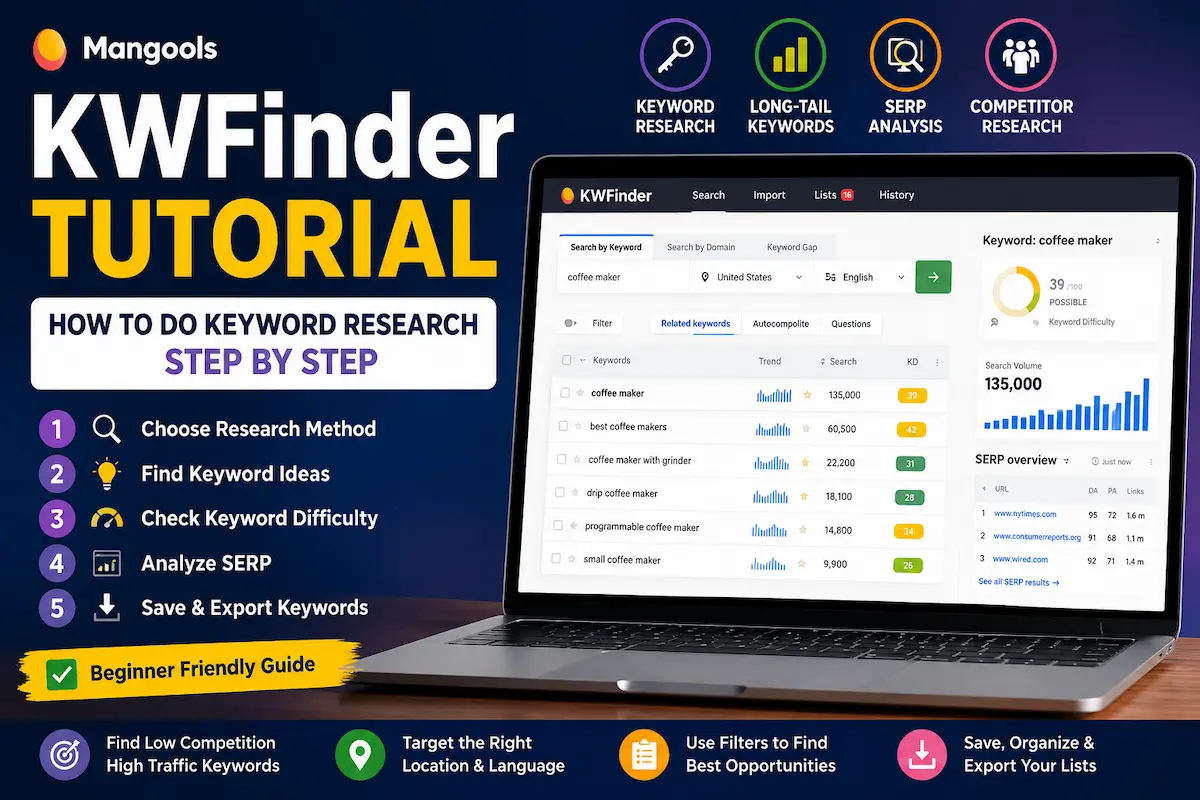
Tutorial: How to Do Keyword Research Step by Step
If keyword research feels complicated when you first start SEO, you are not alone. There are plenty of tools that show hundreds of numbers, filters, charts, and competing pages before you have even decided what keyword you want to target.
KWFinder takes a more focused approach. It is designed around keyword research, search-result analysis, competitor keyword research, and finding more specific keyword opportunities.
This KWFinder tutorial walks through a practical keyword research workflow: starting with a seed keyword, choosing the right location, finding related and long-tail terms, checking keyword difficulty, analysing the actual Google results, researching competitors, saving promising keywords, and turning the final list into content ideas.
You do not need to use every feature on your first day. The goal is to understand what each part of the workflow is actually useful for and when you should move from one step to the next.
Quick answer: Start with a seed keyword, choose the country or location and language that match your audience, review related keywords, check search intent and keyword difficulty, inspect the actual SERP, save the keywords that make sense, and only then decide what content to create. KWFinder can also start with a competitor domain or use Keyword Gap to uncover opportunities you may not have thought of yourself.
How we researched this guide: This tutorial is based on the current publicly available Mangools documentation, published KWFinder pricing and plan pages, and hands-on navigation of the tool’s interface and workflow, current as of August 2026. We link directly to Mangools’ own pricing and plan pages throughout so you can verify limits and costs before signing up, since SaaS pricing and feature allowances can change over time.
Table of Contents
- What Is KWFinder?
- What You Need Before Starting
- Step 1: Choose Your Research Method
- Step 2: Start a Keyword Search
- Step 3: Choose the Right Location and Language
- Step 4: Read the Keyword Results
- Step 5: Find Long-Tail Keywords
- Step 6: Find Question-Based Keywords
- Step 7: Understand Keyword Difficulty
- Step 8: Analyse the SERP Before Choosing a Keyword
- Step 9: Research Competitor Keywords
- Step 10: Use Keyword Gap Analysis
- Step 11: Filter and Shortlist Keywords
- Step 12: Save and Organize Your Keywords
- Step 13: Export Your Keyword Research
- What You Get on KWFinder’s Free Plan
- A Simple KWFinder Workflow for Beginners
- Common KWFinder Mistakes to Avoid
- Frequently Asked Questions
- Final Thoughts
What Is KWFinder?
KWFinder is Mangools’ keyword research tool. It is built to help you discover keyword ideas, evaluate search demand, look at keyword difficulty, analyse search results, and investigate the keywords associated with competitor websites.
It can be useful for several different starting points:
- A keyword you already have in mind.
- A competitor’s website or URL.
- A group of competitors you want to compare.
- Long-tail or question-based searches related to a broader topic.
That flexibility matters because good keyword research does not always begin with a perfect keyword idea. Sometimes you know the topic. Sometimes you only know who your competitors are. Sometimes you simply know the question your audience is asking.
For a broader comparison of keyword research platforms, you can also see our guide to the best keyword research tools.
What You Need Before Starting
You need a Mangools account to use KWFinder. You can start with a free account, so you do not have to commit to a paid subscription just to understand how the tool works.
The current free access is limited to 5 keyword lookups every 24 hours. Mangools also lists limits of up to 15 related keywords and 5 competitor keywords per lookup on the free plan.
Those limits are enough to explore the workflow and decide whether the tool fits your needs. They are less convenient if you are researching dozens of topics every day.
If you want to start without committing to a subscription, you can create a free KWFinder account. This is an affiliate link, so ToolGrowthHQ may earn a commission if you sign up through it.
Before you start researching, have three things ready:
- The topic, product, service, or problem you want to research.
- The country or local market you want to target.
- A rough idea of the type of page you intend to create.
Step 1: Choose Your Research Method
KWFinder gives you more than one way to begin your research. The right choice depends on what you already know.
Search by Keyword
This is the simplest starting point.
Enter a seed keyword that describes your topic. For example, a website about home coffee equipment might start with a broad phrase such as coffee machine.
The purpose of the seed keyword is not necessarily to become your final target keyword. Think of it as the starting point from which KWFinder can generate more specific ideas.
Search by Domain
If you already know a competitor, you can enter its domain or a specific URL and research the keywords for which that website ranks.
This can be useful when you are stuck for ideas. Instead of guessing what your competitors might be targeting, you can inspect the keywords associated with their search visibility and decide which ones are relevant to your own site.
Remember that competitor keyword data is not the same as seeing that competitor’s private analytics. Treat the figures as research estimates, not as their actual Google Analytics traffic.
Keyword Gap Analysis
Keyword Gap is useful when you want to compare your website with competitors and look for keywords they rank for that you may be missing.
Mangools currently allows your site to be compared with up to four competitor domains in this workflow, with additional competitors consuming keyword lookups depending on the plan.
This can be especially useful when your site already has some content and you want to identify topics competitors are covering that you have not addressed yet.
Step 2: Start a Keyword Search
For a normal keyword research session, enter your seed keyword into the search field.
Do not worry about finding the perfect phrase immediately.
A broad seed term is often more useful because it can expose related phrases that you may not have considered.
For example, instead of starting with:
best SEO tool for small business under $30
you might begin with:
SEO tools for small business
Then use the resulting suggestions to discover narrower opportunities.
This is one of the simplest ways to avoid making keyword research too narrow too early.
Step 3: Choose the Right Location and Language
This step is easy to overlook, but it can materially change your research.
If your audience is in the United States, research the keyword using the relevant US location. If your audience is in the United Kingdom, choose the UK rather than relying on a worldwide or unrelated market.
KWFinder also supports more specific locations, including cities and regions, which can be useful for local SEO.
For example, a business serving London should not automatically treat worldwide search demand as its main benchmark. A local search can behave very differently from a national or global search.
The same principle applies in the US. A business serving Boston, for example, may care more about Boston-specific search behaviour than worldwide search volume.
Simple rule: research where your customers search, not just where you happen to live.
Step 4: Read the Keyword Results
After running a search, KWFinder presents a list of keyword ideas and associated metrics.
Depending on the current interface and plan, you may see information such as:
- Search volume — an estimate of search demand.
- Trend data — useful for seeing changes or seasonality in search interest.
- Keyword difficulty — an estimate of how difficult it may be to compete for the term.
- CPC and advertising-related data — useful when paid-search intent is relevant.
The first mistake beginners make is sorting the list by search volume and choosing the biggest number.
That is rarely enough.
A keyword with 20,000 searches may be much less useful to a small website than a keyword with 500 searches if the smaller keyword has clearer intent and a realistic competitive landscape.
Instead, ask three questions:
- Does this keyword match what my website offers?
- Does the search intent match the page I want to create?
- Does the competition look realistic for my site?
Only after those questions should search volume become a major consideration.
Step 5: Find Long-Tail Keywords
Long-tail keywords are more specific search phrases that often reveal clearer intent.
For example:
- SEO tools — broad.
- best SEO tools for bloggers — more specific.
- best free SEO tools for new bloggers — even more specific.
The longer phrase is not automatically better. The important part is that it tells you more about what the searcher wants.
KWFinder can help discover long-tail ideas through related keywords, autocomplete suggestions, and question-based searches.
A practical workflow is:
- Start with a broad seed keyword.
- Review related keyword suggestions.
- Look for more specific phrases.
- Check their difficulty and search demand.
- Open the SERP for the most promising terms.
- Keep only keywords that match the content you can genuinely create.
This approach is more useful than trying to find a magical “low competition” keyword and writing an article around it without checking the search results.
Step 6: Find Question-Based Keywords
If you are building a blog or information-focused website, question keywords can be particularly useful.
KWFinder includes Google Suggest-based keyword discovery with separate Autocomplete and Questions sources.
Questions can help you discover the specific problems or information requests people may be searching for around your seed topic.
For example, instead of only researching:
keyword research
you may discover questions such as:
- How do I do keyword research?
- What is keyword difficulty?
- How many keywords should a blog post target?
Do not treat every question as a separate article, though. Several closely related questions may belong together in one genuinely useful guide.
That is an important distinction between collecting keywords and building a useful content strategy.
Step 7: Understand Keyword Difficulty
Keyword difficulty, often shown as KD, is one of the most useful metrics in KWFinder — but it should not be treated as a ranking guarantee.
Mangools calculates its keyword difficulty using the strength of the backlink profiles of pages ranking on the first Google results page, using several third-party SEO metrics in its calculation.
That means the number is best understood as a competitive estimate.
It does not know everything about your future page.
Your ability to rank can also depend on:
- Search intent.
- Content quality.
- Topical relevance.
- Your site’s authority and backlink profile.
- How well your page answers the searcher’s actual need.
- The strength and relevance of the current ranking pages.
So don’t create a rule such as “only target keywords below 30 KD.”
A better approach is to use KD as an initial filter and then inspect the SERP yourself.
Step 8: Analyse the SERP Before Choosing a Keyword
This is probably the most important step in the entire workflow.
A keyword metric can tell you something about the competition, but the actual Google results tell you what Google is currently rewarding for that query.
Before committing to a keyword, look at the search results and ask:
- What type of pages are ranking?
- Are they guides, product pages, category pages, local businesses, forums, videos, or something else?
- Does the content match the intent behind the keyword?
- Are smaller or less authoritative websites already ranking?
- Are the top results dominated by major brands?
- Could you create a substantially more useful page?
For example, if the search results are dominated by product pages, creating a generic informational article may not satisfy the same intent.
Likewise, if the results are mostly detailed tutorials, a 500-word overview is unlikely to be competitive simply because the keyword has a manageable KD score.
My preferred decision order is:
Keyword relevance → Search intent → SERP → Competition → KD → Search demand.
That sequence keeps the tool in its proper role: helping you make a decision rather than making the decision for you.
Step 9: Research Competitor Keywords
If you have already identified several competitors, KWFinder’s domain research can help you discover keywords associated with their rankings.
Enter a competitor’s domain or, where appropriate, a specific URL.
Then look for keywords that:
- Are relevant to your own audience.
- Match a topic you can cover better or more completely.
- Have realistic competition for your website.
- Fit the type of content or landing page you want to publish.
Do not copy a competitor’s content just because they rank for a keyword.
Use competitor research to discover topics and search demand, then create your own original page that provides a better answer or a more useful experience.
Step 10: Use Keyword Gap Analysis
Keyword Gap Analysis becomes more useful once you have an established website and several competitors worth comparing.
The basic idea is simple:
Your site + competitors → compare ranking keywords → identify relevant gaps → investigate the SERP → decide what deserves a new page.
This can save time because you do not have to invent every keyword idea from scratch.
However, a competitor ranking for a keyword does not automatically mean you should target it.
Before adding a gap keyword to your content plan, check whether:
- The topic is relevant to your audience.
- The search intent fits your business.
- You can create something genuinely useful.
- The competition is reasonable for your current site.
Keyword Gap should therefore be treated as an idea discovery tool, not a copy-the-competitor button.
Step 11: Filter and Shortlist Keywords
Once you have a large list, filtering becomes important.
You can use filters to narrow the list based on the metrics available in your account, such as keyword difficulty or search volume.
For example, if you are researching a large topic and want to find potentially easier opportunities first, you can set a KD range and review the remaining terms.
But don’t filter so aggressively that you remove useful keywords simply because they exceed an arbitrary number.
A better shortlist contains a mix of:
- Highly relevant keywords.
- Specific long-tail opportunities.
- Questions worth answering.
- Commercial keywords where appropriate.
- Broader topic terms that can support topical depth.
The final shortlist should represent the content strategy you want to build, not just the easiest numbers in the database.
Step 12: Save and Organize Your Keywords
Once you find a keyword worth keeping, save it to a keyword list rather than assuming you will remember it later.
This becomes particularly useful when researching a large content cluster.
For example, you could organize lists around:
- SEO tools
- Keyword research
- Beginner SEO
- Small business SEO
- Local SEO
- Commercial keywords
- Question keywords
Grouping keywords by topic makes the eventual content planning process much easier.
You are no longer looking at hundreds of unrelated phrases. You are looking at groups of searches that can potentially become connected pages.
Step 13: Export Your Keyword Research
Once your shortlist is ready, you can export keyword lists for further work.
A CSV export can be useful if you want to organise your research in a spreadsheet or share the keyword set with someone working on your content.
A simple workflow is:
- Research the seed topic.
- Remove irrelevant keywords.
- Save promising keywords into a list.
- Group them by search intent and topic.
- Review the SERP for the priority terms.
- Export the final list.
- Turn the best opportunities into a content plan.
This is where keyword research starts becoming useful beyond the tool itself.
What You Get on KWFinder’s Free Plan
If you are considering KWFinder for the first time, the free plan is a useful way to understand the workflow before paying.
| Free access | Current limit |
|---|---|
| Keyword lookups | 5 every 24 hours |
| Related keywords per lookup | Up to 15 |
| Competitor keywords per lookup | Up to 5 |
The free access is useful for testing the product and performing occasional research. If you are planning content every day or researching many topics at once, you may reach the limits fairly quickly.
Paid plans provide substantially higher usage allowances and additional capabilities across the Mangools toolkit. Because SaaS pricing and limits can change, check the current plan details before subscribing.
Ready to compare the paid plans?
Check current Mangools pricing and plan limits.
This is an affiliate link, so ToolGrowthHQ may earn a commission if you subscribe through it.
A Simple KWFinder Workflow for Beginners
If all of the steps above feel like a lot, you do not need to use every feature at once.
Start with this simple workflow:
1. Start with a seed keyword
Choose a broad topic that is genuinely relevant to your website.
2. Choose your location
Use the country, region, or city that matches your target audience.
3. Review related keywords
Look beyond the original seed term.
4. Find long-tail and question keywords
Look for specific searches with clear intent.
5. Check KD
Use keyword difficulty as an initial competitive filter.
6. Open the SERP
Check what is actually ranking before choosing the keyword.
7. Save the best opportunities
Organize them into topic-based lists.
8. Build content around search intent
Do not write an article simply because a keyword has good volume.
That workflow is enough to start making better keyword decisions without becoming dependent on every metric in the dashboard.
How to Use KWFinder for a US or UK Audience
If you are targeting readers in the United States or United Kingdom, location settings deserve extra attention.
Search demand can differ significantly between countries and even between cities.
For example, a keyword that looks attractive in worldwide data may have much less relevance to a UK-focused business. Similarly, a local service business in Manchester may need to understand Manchester-specific searches rather than treating all UK searches as identical.
Use the location selector to match your intended market, then evaluate the resulting search demand and SERP for that market.
This is particularly important for local SEO, where the location behind the search can be part of the intent itself.
Who this matters most for:
- US/UK e-commerce sites targeting product-specific searches where local buyer intent affects conversion, not just traffic volume.
- Local service businesses (plumbers, dentists, agencies) where city-level search behaviour can differ sharply from national averages.
- Content publishers building topical authority for a single English-speaking market rather than a global audience.
Common KWFinder Mistakes to Avoid
1. Choosing the highest-volume keyword automatically
Search volume tells you something about demand. It does not tell you whether your site can realistically compete or whether the keyword is the right match for your page.
2. Treating KD as a ranking guarantee
A low KD score is not a promise that you will rank.
Use it as a starting point, then inspect the actual SERP.
3. Ignoring search intent
If someone searches for a comparison and you give them a generic definition, you may have chosen the wrong content format even if the keyword looks attractive.
4. Using the wrong location
Researching US keywords for a UK audience, or worldwide keywords for a local business, can lead to misleading conclusions.
5. Copying competitor topics without adding value
Competitor research is useful for finding opportunities. It is not a reason to reproduce another website’s content.
6. Saving hundreds of keywords without a plan
A huge keyword list is not the same thing as a useful SEO strategy.
Prioritize the terms that fit your audience, search intent, content capability, and realistic competitive position.
7. Forgetting that keyword research is only the beginning
Finding a keyword does not automatically create a good article.
You still need useful information, a clear structure, accurate claims, strong internal linking, good on-page SEO, and content that genuinely satisfies the searcher’s need.
KWFinder vs Google Keyword Planner: Which Should You Use?
You do not necessarily have to choose one.
Google Keyword Planner can be useful for understanding search demand and generating keyword ideas through Google’s advertising ecosystem. KWFinder adds a more SEO-focused workflow around keyword difficulty, SERP analysis, competitor research, keyword lists, and related discovery features.
A beginner can therefore use Google tools for initial demand research and move to KWFinder when they need more structured organic-search analysis.
If you want to compare several keyword research platforms rather than focusing only on KWFinder, see our best keyword research tools comparison.
Who Should Use This KWFinder Workflow?
Best for:
- Bloggers planning new content.
- Small businesses researching search opportunities.
- Affiliate marketers building content around specific topics.
- Freelancers doing keyword research for clients.
- Website owners who want a more structured keyword research process.
- Beginners who want to learn keyword research without starting with an extremely complex SEO platform.
Less ideal for:
- Large enterprise teams needing very high daily lookup volumes on a free plan (the 5-lookup daily limit will feel restrictive fast).
- Users who need an all-in-one platform combining technical site audits with keyword research in a single dashboard.
If you are completely new to SEO, you may also want to start with our guide to the best SEO tools for beginners.
If your main focus is blogging, our guide to the best SEO tools for bloggers is another useful next step.
Frequently Asked Questions
Is KWFinder free to use?
Yes. Mangools currently provides free access with 5 keyword lookups every 24 hours, along with limited related and competitor keyword results per lookup. Paid plans provide substantially higher usage limits and additional capabilities.
How do I use KWFinder for keyword research?
Start with a seed keyword, choose the appropriate location and language, review related keywords, check search volume and difficulty, inspect the actual SERP, shortlist relevant opportunities, and save the keywords you want to use in your content plan.
Can I use KWFinder to find competitor keywords?
Yes. You can use the Search by Domain workflow to investigate keywords for which a competitor ranks. You can also use Keyword Gap Analysis to compare your site with competitor domains and identify potential keyword gaps.
What is Keyword Gap Analysis in KWFinder?
Keyword Gap Analysis compares your website with competitors to help identify keywords they rank for that you may not currently target. It is useful for finding content opportunities, but every keyword should still be checked for relevance and search intent before you create a page.
What does KD mean in KWFinder?
KD means Keyword Difficulty. It is an estimate of how difficult it may be to rank for a keyword based on the competitive strength of pages appearing in the search results. It should be treated as a guide rather than a guarantee.
Should I choose keywords with low KD only?
No. Low difficulty can be useful, especially for newer websites, but relevance and search intent matter just as much. A slightly more competitive keyword may still be worth targeting if it is highly relevant and you can create a substantially better result for the searcher.
How do I find long-tail keywords in KWFinder?
Start with a broad seed keyword and review related terms, Autocomplete suggestions, and Questions. Then filter and evaluate the most relevant phrases, check the SERP, and save the opportunities that fit your content strategy.
Can KWFinder find local keywords?
Yes. KWFinder supports location-based keyword research, including countries and more specific local locations. This is useful when search behaviour differs between markets or when you are doing local SEO.
Can I export keywords from KWFinder?
Yes. Keyword lists can be exported so you can continue organising and analysing the data outside the tool, such as in a spreadsheet.
Is KWFinder good for beginners?
It can be a practical option for beginners because the workflow is focused on keyword research and related SEO analysis. However, beginners should still learn the reasoning behind keyword selection rather than simply choosing whatever keyword has the lowest difficulty score.
Is KWFinder better than Google Keyword Planner?
They serve different purposes. Google Keyword Planner is useful for keyword ideas and search-demand research within Google Ads, while KWFinder provides a more SEO-focused workflow around keyword difficulty, SERP analysis, competitor research, and keyword organisation.
Is KWFinder part of Mangools?
Yes. KWFinder is the keyword research component of the Mangools SEO toolkit. The wider Mangools package also includes tools for SERP analysis, rank tracking, backlink research, and site metrics.
How does KWFinder’s free plan compare if I outgrow it?
Once the 5-lookups-per-24-hours limit starts slowing down your research, the next step is comparing Mangools’ paid tiers, which raise lookup allowances and unlock more related and competitor keyword results per search. Check the current Mangools pricing and plan limits to see which tier fits your research volume.
Final Thoughts
The most useful way to approach KWFinder is not to treat it as a machine that tells you which keywords to rank for.
Think of it as a research assistant.
It can help you expand a topic, uncover long-tail and question-based searches, investigate competitor keywords, compare search opportunities, estimate keyword difficulty, and inspect the search results.
But the final decision still belongs to you.
A keyword is worth targeting when it is relevant to your audience, matches the intent you can satisfy, has a realistic competitive landscape, and supports a page you can make genuinely useful.
For a new website, that may mean starting with specific long-tail topics instead of chasing the biggest search volume. For an established site, competitor and Keyword Gap research may uncover opportunities you would otherwise miss.
If you want to decide whether KWFinder is worth paying for, read our KWFinder review.
If you are comparing Mangools with larger SEO platforms, you can also read our Mangools vs Ahrefs comparison and Mangools vs Semrush comparison.
The simple takeaway: Start broad, find specific opportunities, check intent, inspect the SERP, use KD as a guide, and choose keywords based on what you can genuinely create. The tool can speed up the research, but the quality of the decision still matters more than the number of keywords you collect.
Affiliate Note: Some links in this article are affiliate links. If you purchase or sign up through them, ToolGrowthHQ may earn a commission at no extra cost to you. Affiliate relationships do not determine our editorial conclusions.
About the Author
T. Vasireddi is the founder and editor of ToolGrowthHQ, creating practical, research-based guides on web hosting, WordPress, SaaS tools, and digital marketing.
His focus is on providing clear, accurate, and useful information to help readers make better technology and software decisions.
Connect with him:
Follow for more AI tool reviews, SaaS comparisons, and digital marketing tips.